
How To Guide · Business Texting
Business Texting Email: One Inbox, Clear Rules
Keep every customer text visible, assigned, and answered once, whether it is a single question or a notice to a thousand people.
Published: | Last updated:
A customer texts, "Can you move my appointment?" An employee sees it on a personal phone, replies later, and never tells the front desk. By afternoon the customer has two different answers and you have one confused customer.
That is the real business texting email problem. It is not whether your team can send a message. Everybody can send a message. It is whether the conversation stays visible, assigned, and connected to the way your office works.
Local Business VoIP is the small-business site of Carolina Digital Phone, Inc., a Greensboro, North Carolina company that has provided hosted voice, business text messaging, and AI receptionist service since 2000. I wrote this guide for the owner or office manager who has texting half working: some messages land in an app, some arrive as emails, some live on an employee's own phone, and nobody is sure which one is the record.
Quick answer
Business texting email works best when texts live in one shared inbox tied to your company phone number and email is used only as an alert. Email-to-text gateways are not a dependable way to reach customers. When one message has to reach a whole list, use a bulk texting application and register your business with the mobile carriers through a Campaign Service Provider.
- Shared texting inbox
- One place where every authorized employee sees the same customer thread and can tell who has already replied.
- Email-to-text gateway
- A carrier feature that turned an email into a text message. AT&T shut its gateway down on June 17, 2025.
- Bulk texting
- Sending one message to a saved list of people who agreed to hear from you, such as reminders, closings, or promotions.
- 10DLC
- Short for 10-digit long code. It is the carrier-approved way for a business to text from an ordinary local phone number.
- The Campaign Registry (TCR)
- The registry that records which business is texting and why, so mobile carriers know the source of the messages.
- Campaign Service Provider (CSP)
- A messaging provider approved to register your business and your messaging use with The Campaign Registry. Carolina Digital Phone is one.
What does "business texting email" actually mean?
It means three different things, depending on who is asking, and mixing them up is where most offices go wrong. Some people want to send a text from an email address. Some want an email alert when a text comes in. Most are really looking for one place where staff can manage customer texts next to the phone system and share responsibility for the replies.
There is also a fourth need that tends to show up a few months later: sending one message to many people at once. That is a different tool again, and I will get to it.
| Question | Email-to-text gateway | Email alert only | Shared texting inbox | Bulk texting application |
|---|---|---|---|---|
| What is it for? | Old automated alerts | Telling someone a text arrived | Two-way customer conversations | One message to a whole list |
| What number does the customer see? | Often an odd address or code | Your business number | Your business number | Your registered business number |
| Can the team see who replied? | No | Not reliably | Yes, in one thread | Yes, a thread per contact |
| Does the history stay with the business? | No | Scattered across mailboxes | Yes | Yes |
| Is it registered with the carriers? | No | Depends on the texting service behind it | Yes, when set up by your provider | Yes, required |
| Best use | Retire it | A nudge to open the inbox | Daily customer service | Reminders, notices, campaigns |
Why is an email-to-text gateway a weak foundation?
Because the carriers are walking away from it. For years you could email a ten-digit number at a carrier address and it would arrive as a text. AT&T ended that. Its own support page says the email-to-text and text-to-email service was shut down on June 17, 2025. If your alarm panel, your scheduling software, or your copier was quietly texting people that way, some of those messages stopped arriving that day and nobody sent you a notice.
Even where a gateway still answers, it was never meant for customers. Messages get shortened. Replies may not come back to the right person or system. And it does nothing about the daily operational question: who owns the next response?
A business texting platform tied to your company phone number is the practical choice. Your customer sees a familiar local or toll-free number. Authorized employees reply from a desktop app or a mobile app. The conversation stays with the business when someone is out, changes roles, or leaves. I covered that last point in detail in business texting from a work number.
A story I have watched more than once
The details here are blended from more than one customer, but the pattern is real. A heating and air company in the Triad sets up texting on its main number before winter. To keep it simple, every incoming text is forwarded as an email to the shared service mailbox.
Then the first hard freeze arrives. The mailbox fills with parts invoices, supplier newsletters, and forty text alerts before lunch. A customer writes, "No heat, two small kids, can anyone come today?" The dispatcher sees the alert and calls her. So does a technician who reads the same email on his phone in the van. A third person replies by email, which goes nowhere, because you cannot answer a text by replying to its alert.
The customer gets two phone calls with two different arrival times. Another customer, three emails further down, gets nothing until the next morning. Nobody did anything wrong. The office simply had alerts where it needed an inbox.
What should you text, and what belongs in an email or a phone call?
Text the short things and move everything else. Texting earns its place when it removes a small point of friction: a property manager says a technician is on the way, a dental office confirms an opening after a cancellation, a contractor asks for a gate code before arriving, a school office directs a parent to call the attendance line for something that needs verification.
Email is better for detail, documents, formal follow-up, and longer conversations. A good setup lets your team use both without losing track of who said what.
Give every text a clear next step. "Your estimate is ready. Would you prefer it by email or a call this afternoon?" is easier to manage than a long, open-ended exchange.
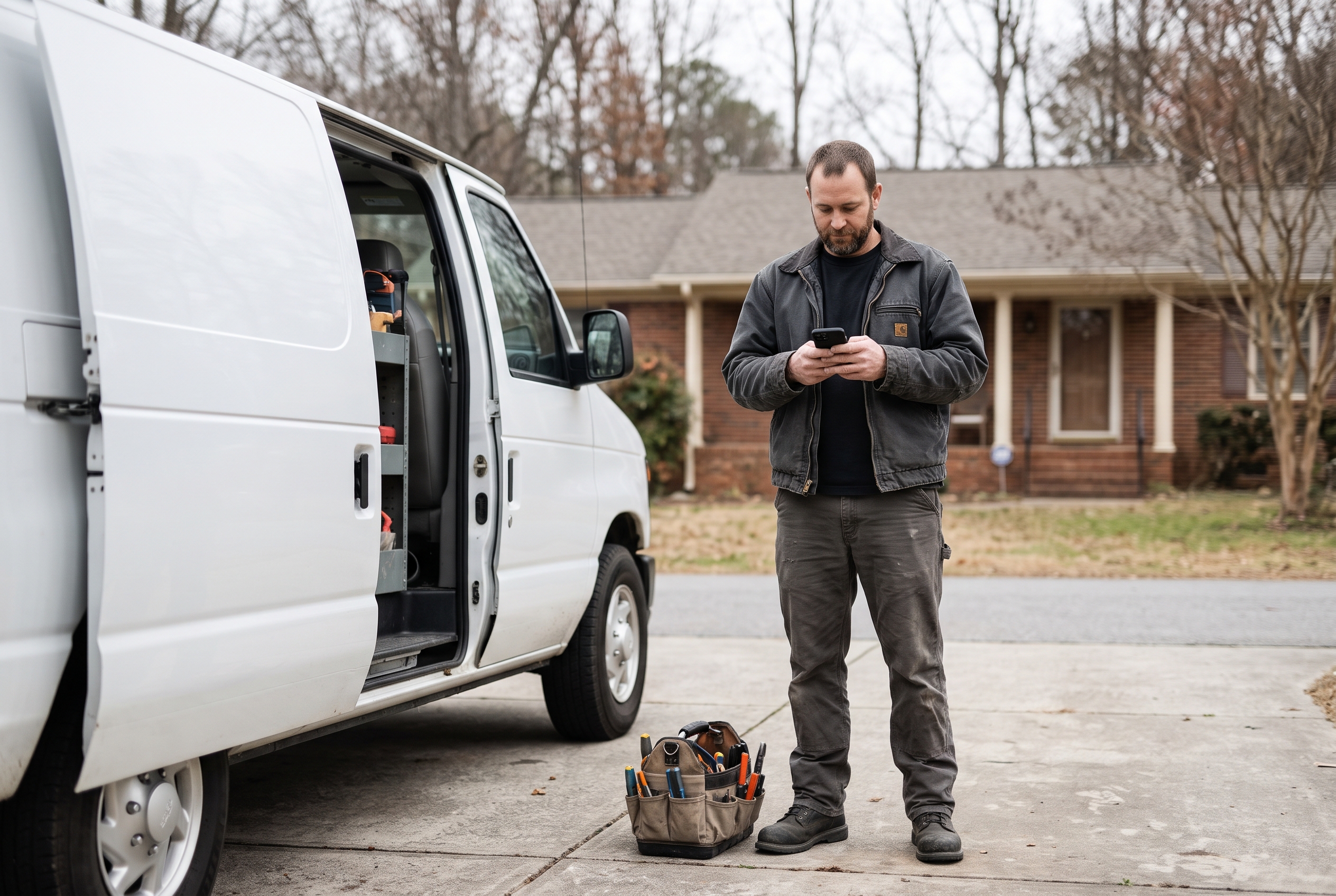
Texting is not right for every matter. Do not use it for sensitive personal, financial, health, or student information unless your organization has reviewed its policies, its safeguards, and the way the platform is configured. A text can be forwarded, shown on a locked-screen notification, or delivered to a shared family phone. For detailed records, attachments, approvals, or confidential material, an email, a secure portal, or a phone call is usually the better choice.
The same caution applies to urgent matters. A customer may read a text quickly, but nothing guarantees it will be seen in time. For an emergency, follow your established emergency process.
If you run a public office, add one more consideration. North Carolina's State Archives says that work-related text messages are public records that have to be kept, which is one more reason they should not live on a personal phone or in one person's mailbox.
How do you set up a shared texting inbox?
Decide who answers before you publish the number. The useful part of business texting is shared visibility, so before you add "Text us" to your website, your signs, or your voicemail greeting, work through these six steps.
- Pick the number your customers already know Decide which number will receive texts: your main line, a department line, or a direct number. In most cases the best choice is the number already printed on your sign, your invoices, and your trucks, because customers are probably texting it already.
- Text-enable the number and register it Ask your provider to turn on texting for that number and to register your business and its messaging use with the mobile carriers. In the United States that registration runs through The Campaign Registry, and it is filed for you by a Campaign Service Provider. Unregistered business texts are the ones most likely to be filtered or blocked.
- Name an owner and a backup for every inbox Write down who watches each texting inbox during the workday and who covers breaks, sick days, and vacations. In a larger office, split inboxes by department, location, or subject so a sales question never waits behind a service request.
- Set response expectations and an after-hours reply Agree on what happens when a text arrives. You do not have to promise an answer in minutes, but your team should know who acknowledges the message and who follows up. Add an automatic after-hours reply that sets a fair expectation and gives a phone number for anything that cannot wait.
- Decide what moves to a call or an email Adopt one plain rule: use text to acknowledge, schedule, confirm, or direct. Move to a phone call, an email, or a secure portal when the matter needs explanation, private details, an attachment, or a document trail.
- Turn on email alerts, then test from your own cell phone If email notifications help, send new-text alerts to a shared mailbox so they prompt someone to open the texting inbox. Then pick up your personal cell phone, text the business number, and watch what happens. Test again after hours and on a day when the usual owner is out.
Ownership deserves a second look. In a two-person office, one person may watch incoming texts and the other covers breaks. In a larger office, messages may need to be assigned by department, location, or subject. A municipality may need separate numbers or inboxes for utilities, parks and recreation, and public works so staff can follow the procedures each department already has. Our guide to business texting for small offices walks through the shared inbox in more depth.
Keep personal numbers out of the customer workflow
Employees start texting customers from their own phones because it feels fast. The trouble shows up later. The customer has a number the business does not control. Other staff cannot see the conversation. A supervisor cannot step in. When the employee is unavailable, so is the message history.
A company-owned texting number does not stop anyone from using a mobile phone. It gives them a business app and a business identity for the conversation. That is how our Digital Voice Plus apps work for field teams, office staff, and managers who need to reply away from their desks.
Where do email notifications help, and where do they fail?
They help as a doorbell and fail as a filing cabinet. A new-text alert sent to a shared service mailbox can prompt the right person to open the texting application and respond. A copy of a completed conversation may help with internal documentation, depending on your retention requirements.
But email is not a reliable control point. A message gets buried under invoices and newsletters. Several people reply separately. Someone answers from email without knowing a colleague already called the customer. If your phone platform offers a shared texting inbox, treat that inbox as the source of truth and treat email as the notification layer on top of it.
For organizations with records requirements, ask practical questions before you adopt any workflow. Where are messages stored? Who can search them? Can an administrator export conversations when needed? How long are they kept? What happens when an employee account is removed? The right answers depend on your organization, its policies, and any legal or regulatory obligations that apply to it.
When does one-to-one texting become bulk texting?
The moment you need to tell everyone the same thing. A shared inbox is built for conversations. It is the wrong tool for telling four hundred patients the office is closing early for ice, or reminding every Tuesday appointment at once, or letting your customer list know the spring service special has started.
The rainout text
Another blended story. A volunteer who coordinates a youth soccer league has two hundred and forty parents to reach when the fields flood on a Saturday morning. She does what most of us would do: she builds group texts on her own phone, twenty parents at a time.
The first groups go out. Then the replies start, and every reply goes to everyone in that group. "Is U10 still on?" "Which field?" "Please take me off this." By the sixth group her carrier has decided that one phone sending the same sentence to that many numbers looks like spam, and the messages stop going through. Half the league shows up to a locked gate.
She did not need a better phone. She needed a list, a registered number, and replies that came back to her privately.
That is the job of a bulk texting application. Ours is TextingNinja, a messaging service operated by Carolina Digital Phone, and it is built for exactly this handoff from announcement to conversation:
- Group messaging with private replies. You send one message to a saved contact group. Each person who answers gets a separate thread with its own message history, so nobody sees anyone else's reply.
- Reminders and notices. Appointment and event reminders that reduce no-shows, mass alerts, and notifications to an emergency response team.
- Templates and personalization. Save the messages you send often and merge in details such as a first name, so a list message still reads like it came from a person.
- Campaign tracking. See how people responded, so the next message is better than the last.
- Your existing business number. People recognize who is texting them, and your team can work from a computer or from the mobile apps for iPhone and Android.

You can see it work before you talk to anyone. Text the word Demo to (336) 490-4900 and TextingNinja will answer.
One caution, because I would rather you hear it from me. Bulk texting is the part of messaging where permission matters most. Only text people who agreed to hear from you, say who you are, and make it easy to stop. Before any bulk sending begins, the TextingNinja team reviews your message content and your audience list. That review is not red tape. It is what keeps your number from being blocked.
What is The Campaign Registry, and why does your business have to register?
The Campaign Registry is how the mobile carriers find out who you are before your texts reach their customers. It exists because text scams became a serious problem. The Federal Trade Commission reported that people lost $470 million in 2024 to scams that started with a text message, more than five times the 2020 figure. The carriers responded by requiring businesses to identify themselves.
The Campaign Registry, usually called TCR, describes 10DLC as a sanctioned channel for business texting in which the business, its provider, and the purpose of the messages are known ahead of time and can be traced. In practice, two things get registered:
- Your Brand. That is TCR's word for the company or organization that wants to text its customers: your legal name, your tax ID, your address, your website.
- Your Campaign. That is the use: appointment reminders, customer care, account notices, marketing. It includes sample messages and a description of how people agree to receive them.
Once a campaign is registered, it receives a Campaign ID that is passed to the network carrying the messages. From then on your texts travel as known, registered traffic instead of anonymous traffic the carriers have every reason to distrust. TCR has kept tightening identity checks as well. It introduced an added verification step called Authentication Plus in October 2024 and a second version in August 2025 aimed at stopping people from impersonating real businesses.
Skip registration and your messages are the ones most likely to be filtered, delayed, or blocked. The frustrating part is that a blocked text does not bounce the way a bad email does. You simply never hear back and assume the customer ignored you.
What does a Campaign Service Provider do for you?
It handles the registration, because you are not allowed to do it yourself. TCR is direct about this: a Brand cannot register with the registry on its own and has to work with a registered Campaign Service Provider.
Carolina Digital Phone Inc is listed in The Campaign Registry's directory of Campaign Service Providers. For you, that means a few practical things:
- One company owns the whole path. The same team that provides your phone number files your Brand, registers your Campaign, and connects it to the number. There is no third party in the middle to chase.
- Someone local reviews it first. Registrations are commonly rejected for small things: a website with no privacy policy, sample messages that do not match the stated use, a business name that differs from the tax record. We look for those before we submit.
- You have a person to call. If the carriers have a question, or you want to add a second use later, you call the people who filed the first one.
Before we start, have these ready: your legal business name exactly as it appears on your tax records, your EIN, your business address and website, a contact name and email, two or three sample messages, and a sentence describing how customers give you permission to text them. Costs and approval times are set by the registry and the carriers and they change, so ask us for the current figures instead of trusting a number in an old blog post, including this one.
Not sure whether your number is registered?
Many offices that turned on texting years ago never were. Schedule a 15 to 30 minute no-obligation discovery meeting on Google Meet at meet.carolinadigitalphone.com and an onboarding specialist will check with you.
Should texting be planned with your phone number and call flow?
Yes. Texting should be designed with the phone system, not bolted on afterward. The number on your service vehicle, your appointment card, and your website should lead to a managed business process. If a customer calls it, they reach the right auto attendant, ring group, or queue. If they text it, the right team sees the message.
That matters most for organizations with more than one location. A Greensboro office and a Raleigh office may share one brand number but need separate routing. A school district may need public-facing office numbers that are distinct from classroom extensions. A government department may need a published number that stays with the department through staff changes. Design it around the real call flow and service responsibilities, not the org chart.
Number porting matters too. If customers already know your number, ask whether it can be kept for both voice and texting. Moving voice service and enabling business texting can run on different timing and different carrier checks, which I explain in the business number porting timeline guide. Plan it before you change your marketing materials or tell customers to text the number.
What belongs in a one-page texting policy?
Six short answers that every employee can find. You do not need a thick manual to text responsibly. You do need written working rules:
- Who is allowed to send customer texts, and from which number
- What texting is approved for, and what it is not
- Who owns the reply for each inbox, and who is the backup
- What happens after hours
- When a conversation moves to a call, an email, or a portal
- What information is never sent by text
For outbound messages, get permission and give people a clear way to stop. The wireless industry's own guidelines, published by CTIA, come down to three things: consent before you send, a clear description of what people are signing up for, and an opt-out that works. Avoid sending repeated promotions from a number customers associate with service and support. Appointment reminders usually serve people well. Frequent marketing messages create complaints and opt-outs.
Train the team on tone as well. Texts should identify the business, stay brief, and skip unexplained abbreviations. A rushed "Call me ASAP" sounds alarming. "This is Jordan at Oak Street Dental. We have a question about tomorrow's appointment. Please call the office when convenient" gives the customer context and a next step.
Who troubleshoots when texts do not arrive?
The provider that can see the whole path, which is why it helps to have only one. When texts are not arriving or staff cannot see a thread, the cause may be user permissions, the application, the phone number, carrier messaging rules, an expired registration, or the workflow itself. With separate vendors for the phones, the texting, and the registration, your team spends the afternoon being sent from one to the next.
At Carolina Digital Phone, texting is planned as part of the hosted phone system: the number, the registration, user access, call flow, the desktop and mobile apps, and staff training. We have been doing this from Greensboro since 2000, and you can read why businesses choose us, our history, and what it means to be a trusted communications partner. For organizations in North Carolina, South Carolina, and Virginia, a local team can also help you decide whether texting belongs on the main number, a departmental number, or a separate service line. Our article on how a business texting service can boost your bottom line covers the customer-service side.
The goal is not to turn every customer interaction into a text. It is to give customers an easy way to reach you while giving your team a clear, accountable way to respond. Start with one number, one shared workflow, and a few well-defined uses. Once that is working, add reminders and notices through a bulk application. You can grow it from there without losing the personal service that made customers text you in the first place.
Frequently asked questions about business texting and email
What does business texting email mean?
People use the phrase three ways: sending a text from an email address, getting an email alert when a text arrives, or managing customer texts in one shared place alongside the phone system. The third is the one most offices actually need, because it answers the daily question of who owns the next reply.
Can I still send a text message from an email address?
Not reliably. AT&T shut down its email-to-text and text-to-email service on June 17, 2025, so an email sent to an AT&T customer's number-based address no longer arrives as a text. Carrier gateways were never built for customer conversations, and a business texting platform tied to your company number is the dependable replacement.
Is a shared texting inbox better than email notifications?
For customer conversations, yes. A shared inbox shows every authorized employee the same thread, so two people do not answer the same customer differently. Email notifications are useful as an alert that a text has arrived, but they should not be the only record or the place where replies are written.
When do I need a bulk texting application instead of a shared inbox?
When one message has to reach a list instead of one person. Appointment reminders, closing notices, schedule changes, and promotions sent to dozens or thousands of opted-in contacts call for a bulk texting application with contact groups, templates, and reply tracking. A shared inbox is for conversations; a bulk application is for announcements that can turn into conversations.
What is TextingNinja?
TextingNinja is the bulk text messaging service operated by Carolina Digital Phone. It sends SMS and MMS reminders, alerts, confirmations, and campaigns to saved contact groups, keeps a separate thread and message history for each person who replies, and offers message templates, personalization, campaign tracking, and mobile apps.
What is The Campaign Registry?
The Campaign Registry, often shortened to TCR, is the registry behind 10DLC business texting in the United States. It records which business is sending messages, which provider registered it, and what the messages are for, so the mobile carriers know the source and purpose of the traffic before it is sent.
What is a Campaign Service Provider?
A Campaign Service Provider, or CSP, is a messaging provider approved to register businesses and their messaging campaigns with The Campaign Registry. Carolina Digital Phone Inc is listed in The Campaign Registry's directory of Campaign Service Providers, which means our team files your registration and works through any questions on your behalf.
Can my business register with The Campaign Registry directly?
No. The Campaign Registry says businesses, which it calls Brands, cannot register directly and must work with a registered Campaign Service Provider. The provider registers the Brand and each messaging Campaign and passes the resulting Campaign ID to the network that carries the messages.
Do I need customer permission before sending business texts?
Yes. Get permission before you text, say who you are, and give people a simple way to stop, such as replying STOP. Promotional texts call for a higher standard of written consent than a reply to a question the customer sent you. Rules vary by situation, so ask your attorney about anything unusual.
Can I keep my existing business number for texting?
Usually, yes. Calls and texts are routed separately, so the office number customers already know can often be text-enabled without changing how it rings. If you are moving the number to a new provider, plan the voice port and the texting setup together, because they can run on different timing.
How do I get started with Carolina Digital Phone?
Call (336) 544-4000 to talk with someone right away, request a quick call back at quote.carolinadigitalphone.com, or schedule a 15 to 30 minute no-obligation discovery meeting with an onboarding specialist on Google Meet at meet.carolinadigitalphone.com.
Let us help you get texting under control
Whether your texts are scattered across personal phones, buried in a mailbox, or being blocked before they arrive, the experienced team at Carolina Digital Phone can sort it out. We are a registered Campaign Service Provider and a local company, and a real person answers when you call.
To talk with someone right now, call (336) 544-4000.
Discovery meetings are 15 to 30 minutes on Google Meet with an onboarding specialist, with no obligation. Schools and government agencies can reach our Gov/Edu team at (336) 543-0000.