
How To Guide
How to Configure Holiday Phone Schedules
Thanksgiving is twelve days away. Here is how to make sure your phones know it before your customers find out the hard way.
Published: | Last updated:
Here is a small experiment. On the Friday after Thanksgiving, around ten in the morning, call the main number of five businesses you deal with. Your dentist. Your insurance agent. The company that services your heat pump.
I can tell you roughly what you will find. One or two will tell you plainly that they are closed and when they will be back. One will play the everyday greeting, the cheerful one that says "your call is important to us," and then ring a desk nobody is sitting at until you give up. And at least one will still be wishing you a happy Fourth of July.
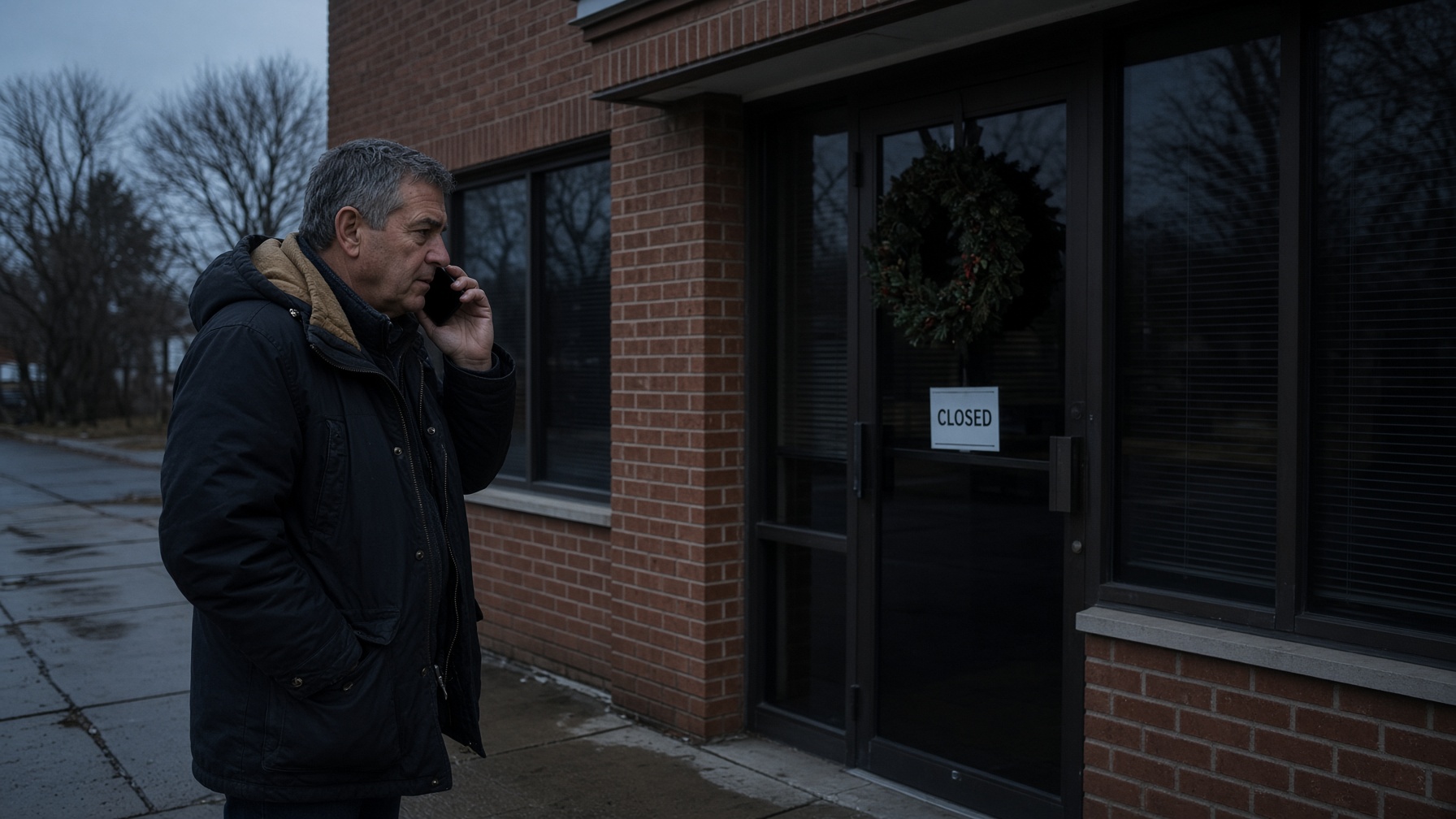
None of those businesses did anything terrible. Someone meant to change the phones on Wednesday afternoon, the last customer ran long, and everybody left for the airport. But think about what the caller learned. Not "they are closed." The caller learned "they did not answer." Those are two very different messages, and only one of them sends people looking for your competitor.
Local Business VoIP is the small-business site of Carolina Digital Phone, Inc. We have been setting up phone systems for North Carolina offices since 2000, and one of the five things I try to do every day is teach. So this is the lesson I would give any office manager this week: how to configure holiday phone schedules once, properly, so the phones change themselves and you can enjoy your turkey.
Quick answer
To configure holiday phone schedules, add each closure date to the schedule that controls your main number, choose what callers hear and where their calls go on those dates, attach the same dates to every department line and queue, and test by calling in from a cell phone. Record a greeting that gives the actual day and time you reopen. Set it up two to four weeks ahead, and call your own number the morning you return to make sure the normal greeting is back.
- Holiday schedule
- A list of dates that overrides your normal business hours and tells the phone system to act as if you are closed.
- Auto attendant
- The recorded menu that answers your main number and directs callers ("press 1 for sales").
- Ring group
- A set of phones that ring together, or one after another, when a number is called.
- Call queue
- A waiting line that holds callers until the next person is free.
- Observed holiday
- The weekday an office closes when the holiday itself falls on a Saturday or Sunday.
Why do holiday phone schedules go wrong?
Holiday phone schedules go wrong for three ordinary reasons: nobody set one, somebody set half of one, or somebody set one and it never turned off. I have seen all three in offices run by smart, careful people.
Nobody set one. The plan was for a person to flip a switch on the way out the door. That works until the person is out sick, leaves early, or simply forgets because it only happens six times a year.
Somebody set half of one. The main number plays a lovely holiday greeting. The service department's direct line, the one printed on every invoice, still rings four desks in a dark room. This happens because a modern phone system is not one schedule. The main menu, each department's group of phones, and each queue can keep their own hours. Change one and the others carry on as if it were Tuesday.
It never turned off. Someone recorded a temporary greeting over the regular one and never changed it back. This is how you end up telling callers in February that you are closed for the holidays.
The fix for all three is the same idea. Stop treating the holiday as something a person does to the phones. Make it a date the phones already know about. A hosted phone system can hold next year's closures today, switch to the closed greeting at the right minute, and switch back when the day is over. If you want the background on how that kind of routing works, I walked through it in how to set call routing, and the menu itself is covered in auto attendant versus receptionist.
Which dates should go on your holiday phone schedule for 2026 and 2027?
Put every day your office will be closed or closing early on the schedule, and check the observed date for any holiday that lands on a weekend. That second part matters more than usual, because 2027 is an awkward year.
The federal holiday calendar comes from the U.S. Office of Personnel Management. Its rule of thumb is that a Saturday holiday is observed the Friday before and a Sunday holiday the Monday after. In 2027 that rule kicks in three times. North Carolina state government keeps its own list through the Office of State Human Resources, and it is more generous at Christmas than most people realize.
| Holiday | Date | What to watch for |
|---|---|---|
| Thanksgiving | Thursday, November 26, 2026 | Most offices also close Friday, November 27. Reopening is Monday, November 30. |
| Christmas Eve | Thursday, December 24, 2026 | A common half day. Use a timed entry so the phones switch at noon by themselves. |
| Christmas Day | Friday, December 25, 2026 | North Carolina state offices are closed December 24, 25, and Monday the 28th. |
| New Year's Day | Friday, January 1, 2027 | If you close early on New Year's Eve (a Thursday), add that too. |
| Good Friday | March 26, 2027 | Not a federal holiday, but a North Carolina state holiday and a common closure here. |
| Memorial Day | Monday, May 31, 2027 | Moves every year. A repeating rule from 2026 will be wrong. |
| Juneteenth | Saturday, June 19, 2027 | Federal offices observe it Friday, June 18. |
| Independence Day | Sunday, July 4, 2027 | Observed Monday, July 5. A rule that repeats on July 4 will close your phones on a Sunday and leave them ringing on the Monday you are at the lake. |
| Labor Day | Monday, September 6, 2027 | Moves every year. |
| Thanksgiving | Thursday, November 25, 2027 | Plus Friday, November 26. |
| Christmas Day | Saturday, December 25, 2027 | Federal offices observe it Friday, December 24. North Carolina state offices close December 23, 24, and 27. |
Two practical notes. First, your office does not have to follow the federal calendar, and many do not. Decide your own dates, then make the phones match. Second, if your customers are banks, schools, or state agencies, their closures affect who is calling you and when. Banks, for example, follow the Federal Reserve's holiday calendar, which handles Saturday holidays differently from the federal employee schedule. It is worth a look before you record a greeting that promises a callback on a day your biggest client is closed.
What should callers hear when your office is closed for a holiday?
Callers should hear three things in the first ten seconds: that you are closed, when you will be back, and what to do if it cannot wait. "Our office is closed" is true but leaves the caller with nothing to do next.
Start with the caller's next step and work backward. What that step is depends on your kind of business:
- A professional office (accounting, law, insurance) usually needs only a voicemail option, with messages delivered to email so someone can scan them from home.
- A property manager or home services company needs an option for real emergencies, such as no heat or a burst pipe, that reaches whoever is on call.
- A medical or dental practice should say first that anyone with a medical emergency should hang up and call 911, then offer the on-call provider or answering service.
- A school or school district can point families to its emergency information line and its website.
- A town or county office should give the number for urgent service problems, such as a water main break, and be clear that emergencies belong with 911.
Here is a greeting you could record this week:
"Thank you for calling. Our office is closed for Thanksgiving and will reopen Monday, November 30, at 8:30 a.m. For an urgent maintenance issue, press 1. To leave a message for our office, press 2."
That takes about twelve seconds to say. Notice what is not in it: your address, your website, your mission statement, or the phrase "please listen carefully as our menu options have changed." The caller wants one fact and one choice. Give them those and stop talking.
Always use the real day and date. "We will reopen tomorrow" is wrong for most of a four-day weekend, and it will be wrong again when the same recording gets reused next November.

How do you configure holiday phone schedules, step by step?
You configure holiday phone schedules in seven steps: list your numbers, pick your dates, decide where calls go, add the entries, record the greeting, match your texts and voicemail, and test. The screen names differ from one phone system to another, but the order does not.
-
List every number the public calls
Write down your main number, each department line, your toll-free number, any direct numbers printed on business cards, and your after-hours line. Beside each one, note what answers it: a menu, a group of phones, a queue, or one person's desk. The numbers you forget are the ones that will ring in an empty building.
-
Pick the exact dates and times you are closed
Use a calendar, not memory. Include half days such as closing at noon on Christmas Eve, and check which day a holiday is observed when it lands on a weekend. Write the reopening day and time next to each closure, because you will need it for the greeting.
-
Decide where each kind of call should go
Sort your callers into two or three groups: people who can wait, people who cannot, and people who should be calling someone else. Routine calls can go to voicemail that arrives by email. Urgent calls need a named person, a backup for that person, and a place for the call to land if neither answers.
-
Add the holiday entries to the schedule
Open the schedule that controls your main number and add each closure by name and date. Use an all-day entry for a full closure, a timed entry for a half day, and a date range for a long weekend. Then attach the same holiday entries to every department line and queue on your list, not just the main menu.
-
Record the greeting last
Write the greeting after the routing is settled, so you never promise an option that does not exist. Say you are closed, say why in three or four words, give the day and time you reopen, and name the urgent option first. Keep it under twenty seconds.
-
Match your text reply and your voicemail boxes
If customers can text your business number, set an automatic reply for the closure that says the same thing as the recording. Then confirm who receives each voicemail. A mailbox that belongs to a former employee is the most common dead end in any phone system.
-
Test from an outside phone, then check again the morning you reopen
Use the test feature if your system has one, or set a short practice closure for ten minutes. Call every published number from a cell phone, press every menu option, and leave a voicemail to see where it lands. On your first morning back, call the main number before you take your coat off to confirm the normal greeting has returned.
A word on step one, because it is the step people skip. You do not need a diagram. A sticky note will do: "Main number goes to the menu. Sales line rings three phones. Support goes to the queue. Maintenance emergencies go to the on-call cell." If you have more than one location, write a note for each, because the Greensboro office may close while the service team in Raleigh keeps working. Different plans need different wording. If every location follows the same closure, one shared schedule is easier to keep right.
If you are a Carolina Digital Phone customer, short how-to videos for tasks like this are in our video training library, and the features involved are described on the cloud phone system and complete feature list pages of our main site.
Should holiday calls go to voicemail, a cell phone, or an AI receptionist?
Holiday calls should go wherever matches the work you do, and for most offices that means voicemail for routine calls and a real person only for true emergencies. There is a tradeoff in every choice, and it helps to see them side by side.
| Option | Good for | Watch out for |
|---|---|---|
| Voicemail sent to email | Offices where nothing is urgent. Staff rest, and messages are waiting in one place. | A mailbox nobody checks. Confirm who receives it. |
| On-call employee's mobile | Service businesses with real emergencies. | Burnout, and routine calls sneaking through. Rotate the duty and word the menu carefully. |
| Every call to the owner's cell | Very small shops that cannot afford to miss a sale. | You never get a day off, and callers get a different experience every time. |
| Answering service | Medical practices and others who need a trained person to screen calls. | Cost per call, and scripts that go out of date. |
| AI receptionist | Answering common questions, taking messages, and passing true emergencies to a person, around the clock. | It needs clear rules about what counts as urgent, and you should test it like any other option. |
If you forward to an employee's cell phone, do it through a business phone app so the caller sees your business number and your employee's personal number stays private. I explained why that matters in business calls on mobile without your personal number, and plain forwarding is covered in our call forwarding guide. If the AI option interests you, be a skeptic first: I wrote an honest look at what an AI receptionist cannot do, and our main site describes the AI phone agent we offer. For the evening and weekend version of this same decision, see how to route after-hours office calls.
How do you test a holiday phone schedule before the holiday?
You test a holiday phone schedule by calling every public number from a phone outside your system and behaving like a customer. A saved setting is a promise. A test call is proof.
Use a cell phone, not a desk phone. Calls placed from inside the office can follow different rules and will hide problems. Then go through this list:
- Listen to the whole greeting, not just the first sentence. Clipped recordings are common.
- Press every menu option, including the wrong ones. What happens if a caller presses 7?
- Let the on-call phone ring without answering. Does the caller reach voicemail, or silence?
- Leave a voicemail and find out whose inbox it lands in.
- Send a text to your business number and read the automatic reply.
On that last point: if customers can text you, the automatic reply needs the same attention as the recording. It should say you are closed, when you reopen, and where to turn for something urgent. There is more on setting that up in business texting for small offices and on our main site's business messaging page.
A caution for schools, town halls, and medical offices: a holiday greeting is not an emergency notification system, and a general office line should never be where a life-safety emergency ends up. Have the people responsible for those procedures approve the wording. I covered the planning side in emergency notification system planning.
What about the closures you cannot plan for?
For closures you cannot plan, build a "closed today" option now that you can switch on from your cell phone, using the same greeting and routing you just set up for holidays. The work is nearly identical, and you only want to do the thinking once.
I have a reason for bringing this up. Yesterday morning my phone lit up with the first freeze warning of the season for our area. Anyone who has run a business in the Piedmont knows what follows sooner or later: a forecast of freezing rain, a decision at six in the morning, and a text to the staff telling them to stay home. Holidays at least have the courtesy to appear on a calendar. Ice does not.
So while you are in the schedule this week, record one more greeting, something like "Our office is closed today because of the weather. We expect to reopen tomorrow at our normal time," and ask your provider how to turn it on remotely. Then when the roads glaze over, changing the phones takes a minute from your kitchen. I wrote more about planning for those days in hosted VoIP vs. on-premise PBX for business continuity.
Who should be allowed to change the holiday schedule?
At least two people should be able to change the holiday schedule, and it should be written down who they are. A setting that depends on one person's memory fails the year that person is on vacation.
For a small business, that is usually the office manager and the owner. For a school system or a town, it may involve IT, the communications office, and the department that covers after-hours calls. Decide three things:
- Who can change the dates and the routing.
- Who approves the wording of the greeting.
- Who makes the test calls.
Give people only the access they need. Your receptionist may need to record a greeting without being able to change call forwarding for every department. Your IT manager may handle the schedule but need operations to confirm who is on call.
Then put two reminders on the calendar for each holiday season. One, two to four weeks ahead, to confirm the dates, the on-call list, and the recordings. One for the first morning back, to make sure the phones returned to normal. After a season or two, look at your call reports. If many callers hang up during the holiday greeting, it is probably too long. If the on-call person keeps getting routine questions, the menu needs a clearer description of what counts as urgent. There is more on reading those patterns in how to reduce missed business calls.
Should you set this up yourself or call your phone provider?
Set it up yourself if your call flow is simple and you are comfortable in your phone system's settings, and call your provider if several departments or locations are involved. There is no prize for doing it alone, and the week before Thanksgiving is a poor time to learn by trial and error.
This is one of the places where having a local provider pays off. When our customers call about a holiday schedule, they talk with someone on our North Carolina team who can look at their call flow with them and make the change while they are on the phone. That is what I mean by doing business with people you know, like, and trust. You can read more about why businesses choose Carolina Digital Phone, the history of the company, and what it means to have a trusted communications partner.
The best holiday phone schedule is not the most elaborate one. It tells callers what is going on, gives the urgent ones somewhere to go, and lets your people come back from the holiday without a pile of confused customers waiting for them.
Frequently asked questions about holiday phone schedules
What is a holiday phone schedule?
A holiday phone schedule is a list of dates that tells your phone system to ignore its normal business hours and treat the day as closed. On those dates, callers hear a holiday greeting and are sent to voicemail, an on-call person, or another destination you choose. When the date passes, the system returns to normal hours without anyone touching it.
How far ahead should I set up holiday phone schedules?
Two to four weeks ahead is comfortable for a major holiday. That leaves time to confirm who is on call, record the greeting, and test every number. The settings themselves take minutes. The decisions about who covers what are the part that takes time.
What should a holiday greeting say?
Say that the office is closed, name the holiday, give the day and time you reopen, and offer the urgent option first if you have one. A good example: Thank you for calling. Our office is closed for Thanksgiving and will reopen Monday, November 30, at 8:30 a.m. For an urgent maintenance issue, press 1. To leave a message, press 2.
Should I say tomorrow or give the actual date in my greeting?
Give the actual day and date. A recording that says we will reopen tomorrow is wrong for most of a long weekend, and wrong again if the greeting is reused next year. A specific day and time stays correct no matter when the caller hears it.
Can I set a holiday schedule for a half day?
Yes. Most hosted phone systems let you add a timed entry, such as noon to 5:00 p.m. on Christmas Eve, so the phones switch to the closed greeting at noon without anyone remembering to do it. If your system only supports full days, change the business hours for that one date.
Do holiday schedules repeat every year?
Fixed-date holidays can usually be set to repeat, but review them every year. In 2027, Juneteenth and Christmas Day fall on a Saturday and Independence Day falls on a Sunday, so the day most offices close is not the date on the calendar. Holidays like Thanksgiving and Memorial Day move every year and need new dates.
Why did my main number play the holiday greeting while a department line still rang?
Because the department line follows its own schedule. In most phone systems the main menu, each call queue, each ring group, and each direct number can have separate hours. A holiday entry has to be attached to every one of them, or callers get different experiences depending on which number they dial.
Should holiday calls go to voicemail or to someone on call?
It depends on what your callers need. If nothing you handle is urgent, voicemail delivered by email is simple and respects your staff's time off. If you take service emergencies, give callers a menu option that reaches an on-call person, with a backup and a voicemail box behind them.
Should the holiday greeting tell people to call 911?
If your office could plausibly receive a call about a life-threatening emergency, such as a medical practice, a school, or a town hall, yes. Say it in the first few seconds. A general office line is never the right place for an emergency, and the wording should be approved by whoever is responsible for those procedures.
What about text messages that arrive while we are closed?
Set an automatic text reply for the closure. It should match the voice greeting: closed, the reopening day and time, and where to turn for something urgent. Do not put an employee's personal cell number in the reply unless that is an approved part of your coverage plan.
How do I test a holiday schedule without waiting for the holiday?
Use the test or preview option if your phone system offers one. Otherwise, create a practice closure for ten minutes during a slow part of the day and call each number from a cell phone. Delete the practice entry when you finish, then call once more to confirm the normal greeting is back.
Can my phone provider set up holiday schedules for me?
Many will. Carolina Digital Phone's support team in North Carolina can review your call flow with you, make the changes, and help you test them. Ask before the week of the holiday, when every provider's support line is at its busiest.
Want your phones ready before the holidays?
Contact the experienced team at Carolina Digital Phone. We will look at how your calls are routed today, help you set up holiday and bad-weather closures, and solve whatever else is getting in the way of your callers reaching you. If you want to talk to someone right away, call (336) 544-4000. Or ask for a quick call back from a team member.
You can also leave your number at HostedBusinessTelephone.com or get a short evaluation of your phone needs at LocalVoIPProvider.com.