How To Guide · E911 and Safety
How to Test E911 Locations Before an Emergency
A call that reaches 911 is not the same as a call that brings help to the right door. Here is how to prove yours does both.
Published: | Last updated:
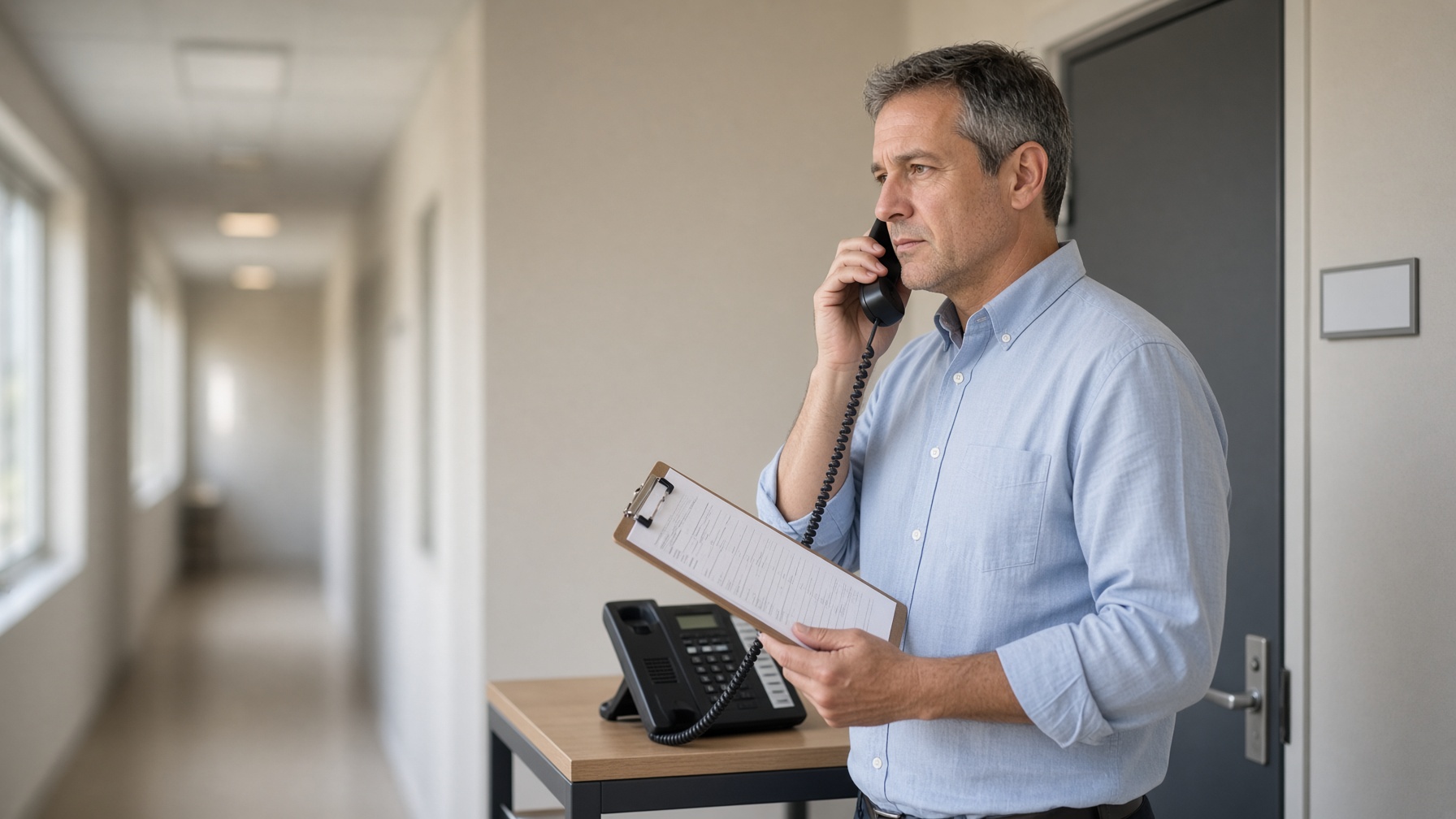
A phone can place a 911 call and still send responders to the wrong door, the wrong floor, the wrong suite, or the wrong building. Nothing on the phone tells you that. It has a dial tone, it rings, and it will happily connect an emergency call tied to an address your company left three years ago.
That is why you should test E911 locations as an ordinary part of running a phone system, and not wait for a move, an outage, or a real emergency to expose a bad record.
The goal is simple. When someone at your organization calls 911, the location that reaches emergency personnel should help them find the caller without depending on a receptionist, a coworker, or a frightened person trying to remember a suite number. For a small office, that may mean confirming one street address and one suite. For a school, a town department, a healthcare practice, or a business with several buildings, it can mean checking hundreds of extensions, softphones, common-area phones, and remote-work settings.
Local Business VoIP is the small-business site of Carolina Digital Phone, Inc., the Greensboro company I started in 2000. We set up and correct these records for North Carolina businesses, schools, and local governments every week, so this guide is the process we actually use.
Quick answer: how do you test E911 locations?
You test E911 locations in six steps: inventory every device that can dial 911, confirm each address the way a responder would read it, have your provider verify the record on file, run an approved test such as dialing 933, check that the internal notification reaches the right people, and log every result until each failure is corrected and retested. Never dial 911 as a routine test. A live test call is only appropriate when it has been arranged with your provider and the local 911 center.
- E911 (Enhanced 911)
- 911 service that ties a telephone number or device to location information used during an emergency call.
- Dispatchable location
- A street address plus the detail needed to find the caller, such as a suite, floor, wing, or room.
- PSAP
- Public safety answering point. The 911 center that answers the call, usually run by a county or city.
- 933 test call
- A test number offered by many VoIP providers that checks the emergency record for a phone without reaching a dispatcher.
- MLTS
- Multi-line telephone system. The kind of phone system used in offices, schools, hotels, and campuses.
- 911 notification
- An alert sent to a front desk, security team, or administrator when someone on your system dials 911.
Why does E911 location testing matter so much?
It matters because the two federal laws behind today's rules were written after real people could not get help from a business phone. The clearest example is the one the first law is named for.
In December 2013, Kari Hunt was attacked in a hotel room in Marshall, Texas. Her nine-year-old daughter did exactly what every child is taught to do. She picked up the room phone and dialed 911. She tried four times. None of the calls went through, because that hotel's phone system required a guest to dial 9 for an outside line first. Nobody had told a nine-year-old that.
Kari did not survive. Her father, Hank Hunt, spent the next several years asking one question of anyone who would listen: why should any phone in America need a secret digit to reach 911? Kari's Law was signed on February 16, 2018. It requires business phone systems to let anyone dial 911 directly and to notify someone on staff when a 911 call is placed.
I think about that story whenever someone tells me their phones "have 911, so we are fine." That hotel's phones had 911 too. What they did not have was anyone who had picked up a handset and checked.
A companion law, Section 506 of RAY BAUM'S Act, deals with the second half of the problem: location. The FCC's rules now require a dispatchable location to travel with 911 calls, meaning the street address plus details like a room or floor number. The FCC's page on multi-line telephone system requirements explains both laws in plain language, and the rule itself is published at 47 CFR 9.16.
Laws set the standard. A test is how you find out whether your building meets it.
What should an E911 location test prove?
A good test proves three things: the right number was sent, the right location was attached, and the right people inside your organization were told. Reaching an emergency center is only the beginning.
For most business phone systems, the standard to work toward is a dispatchable location. The level of detail depends on your site. "100 Main Street" may be enough for a single-tenant office. It is rarely enough for a large medical building, a school campus, a warehouse complex, or a municipal facility with several entrances. The record should match how a responder would actually reach the caller.
A successful test answers three questions:
- Did the phone place the call using the calling number you expected?
- Did the emergency location record match where the phone physically sits?
- Did your internal team receive the notification, if your system is set up to alert security, the front desk, or administrators when 911 is dialed?
If you can only answer the first one, you have tested the phone. You have not tested the location.
Can you call 911 to test your phone system?
No, not as a routine test. Calling 911 to see what happens can tie up an emergency communications center and may send responders to your door. Never place a test call without following the procedure approved by your phone provider and the local 911 center.
The federal government's own guidance at 911.gov says test calls can be scheduled by contacting your local 911 center through its non-emergency number, and that scheduling usually depends on the center's workload. It also asks, pointedly, that nobody call 911 to get the non-emergency number.
Here in North Carolina, 911 calls are answered by more than a hundred primary 911 centers run by counties, cities, sheriffs' offices, and police departments. The NC 911 Board publishes a searchable list of public safety answering points by county, which is the right place to start. Procedures differ from one county to the next. What Guilford County prefers may not be what Wake, Buncombe, or New Hanover asks for, so call and ask.
Before any live test, ask the center three things: whether scheduled E911 testing is permitted, when it should happen, and what information they want from your team. Then do exactly what they tell you.
What is a 933 test call, and how does it work?
A 933 call is a safe way to check an E911 record without reaching a dispatcher. You dial 933 from the phone you want to check. Depending on the provider and how the system is set up, an automated service reads back the phone number and the emergency location tied to that call. You compare what you hear with where you are standing.
At Carolina Digital Phone, a 933 test option is part of the service. You can dial 933 to verify the 911 location on your phones. Our system also sends an email notification to your office administrator or your security team whenever a 933 or a 911 call is placed. That means a single 933 test checks two things at once: the location record, and whether the alert reaches the people who need it.
I like that second part more than almost anything else we do with 911. An alert that lands in the inbox of someone who left the company in the spring is not an alert. With a 933 test you can find that out on a quiet Tuesday, with nobody in danger and no dispatcher on the line.
A 933 test is a first check, not the final word. It confirms the record your provider holds. It does not prove how a specific 911 center will receive and display the call. When your organization needs to confirm routing to the correct center, delivery of the location, or on-site response procedures, that calls for a coordinated live test arranged with the 911 center.
Which test method should you use?
| Method | What it proves | Reaches a dispatcher? | When to use it |
|---|---|---|---|
| Provider record review | The address on file for each number, extension range, or device group | No | First, and after every move, port, or new site |
| 933 test call | The number and location the system sends from that specific phone, plus your internal alert if it is configured | No | Routine checks, new installs, after any correction |
| Scheduled live 911 test | That the call routes to the correct 911 center and the location displays there | Yes, by appointment | New sites, complex campuses, or when the center or your policy requires it |

How do you test E911 locations safely, step by step?
You plan it like any other operational change, and you work through six steps in order. Assign one person to coordinate, one to place calls, and one to record results. In a larger organization, bring in facilities, security, IT, and whoever is responsible for the phone system.
- Build an inventory before you call List every device or service that can dial 911: desk phones, conference-room phones, lobby phones, analog adapters, paging or emergency phones, softphone users, and mobile apps that place calls through the business phone service. For each one record the extension, telephone number, user or room name, physical location, and the E911 location you expect to see.
- Confirm the address format against local reality Check suite numbers, directional identifiers, building names, floor numbers, and room details against your facilities records and the signs actually posted on the building. Replace internal shorthand with wording a responder who has never been there could follow.
- Verify the provider record before any test call Ask your provider to show or confirm the emergency address tied to each telephone number, extension range, or device group. Look hardest at newly ported numbers, recently moved phones, added sites, and devices reassigned from one person or room to another.
- Use the approved test method Dial 933 if your provider supports it and write down what you hear. If you and the local 911 center have scheduled a live test, say it is a test the moment the call is answered, then give the callback number, your name, and the location you expected. Keep it short.
- Check internal notifications and call flow Confirm who receives the alert when 911 is dialed, what number and location it shows, and what that person is expected to do. Make sure alerts reach current staff, work after hours if you need them to, and do not depend on someone who has left.
- Document failures and retest after corrections Record the date, device or number tested, expected location, actual result, notification result, and corrective action. Treat a wrong location as an open safety issue until the record is fixed and the retest passes.
A few of those steps deserve more than a sentence.
On the inventory: do not assume one address covers everything
A campus has separate buildings. A professional office may occupy two suites on different floors. A warehouse phone may sit behind a controlled gate that an ambulance cannot open. Each of those details changes the dispatchable location you need. The inventory you build here also becomes the basis for every future move, add, and change, so it is worth doing carefully once. If you are setting records up for the first time, our business VoIP E911 checklist gives you a starting list.
On the address: write it for a stranger
Avoid shorthand that only employees understand. "Admin trailer" means something on campus. "Portable 3 behind the north parking lot" gives a responder somewhere to start when it is paired with the street address. Walk outside and read the signs. If the sign on the door says Suite 240 and the record says "second floor, back," fix the record.
On the provider record: ported numbers are the usual suspects
Number porting moves a telephone number from one carrier to another. It does not prove that every E911 record reflects the new site design. Of all the wrong records we find, numbers that were ported during a system change and never looked at again are near the top of the list.
On the live test: keep it short and pick your day
If you and the 911 center have agreed on a live test, open with something like: "This is a scheduled test call, not an emergency." Give the callback number, your name, the location you expected, and whatever else they ask you to confirm. Then get off the line. Do not test during a real emergency, a major weather event, or any period when the center has asked organizations to limit nonessential calls. In this state, that means you do not schedule tests for the week a hurricane is in the forecast.
On notifications: test the people, not just the alert
Your team should know who receives the notification, what number and location it shows, and what they are expected to do next. A security desk may need to meet responders at the entrance. A school office may need to direct staff to the right classroom. An office manager may need to check that the caller is safe while help is on the way. The details of how federal notification rules apply can depend on your system and how it is deployed, so review the configuration with your provider, and with counsel where that is appropriate.
On the log: a wrong location is an open safety issue
Write it down the same way every time. This is the format we suggest:
| Date | Device or number | Expected location | Actual result | Alert received? | Action and retest |
|---|---|---|---|---|---|
| 11/18 | Ext. 104, front desk | Street address, Suite 240, front desk | Matched | Yes, admin group | None needed |
| 11/18 | Ext. 131, break room | Street address, Suite 240, break room | Read back Suite 110 | Yes, admin group | Record corrected, retest passed 11/19 |
| 11/18 | Ext. 122, home office user | Employee's home address | Read back office address | No | Open. Location and alert list being updated |
Keep the log with your phone-system documentation. It tells IT, facilities, and leadership what has been verified and what still needs work, and it is the first thing you will want to hand over if anyone ever asks what you did to prepare.
What are the most common E911 gaps in business phone systems?
The most common gaps are ordinary changes that never made it into the emergency record. They are almost never dramatic technical failures.
Here is the kind of thing we find, with the details changed. A dental practice outgrows Suite 110 and moves upstairs to Suite 240 in the same building. Same street address, same phone numbers, same phones carried up in a box. The move goes so smoothly that nobody thinks about 911, because nothing about the phones changed. Eighteen months later, during a routine review, a 933 test reads back Suite 110. That suite is now a title company with a locked door and a different set of people behind it. Nothing bad had happened. But for a year and a half, an ambulance crew would have been sent to the wrong floor first.
The same pattern shows up in many forms:
- A phone moves from one suite to another.
- A remote employee takes a desk phone home.
- A new classroom wing opens over the summer.
- A softphone user signs in from a different site.
- A temporary trailer quietly becomes a permanent work area.
- A number is ported during a migration, and the emergency address stays at the old office.
Remote and hybrid work deserve special attention. A desk phone assigned to a home office should not be assumed to report the company's address, and it should not be assumed to report the home address either. Mobile and desktop apps may handle emergency calls differently from a desk phone, especially when users move between locations. Your policy should tell employees which device to use in an emergency and how to update their location when that is required. Our guide to remote workforce communication tools covers the remote side in more detail, and how to enable a mobile softphone covers the app setup.
Schools have their own version of this problem. A street address for a campus with forty classrooms and three buildings tells a responder very little. On the systems we install for schools, the 911 record does not stop at the street address. It tells the 911 operator the exact classroom. If you work in education, VoIP for schools with paging and E911 and why schools need E911 go deeper, and you can see how we serve districts at Carolina Digital Phone for education and HostedVoIPforSchools.com.
How often should you test E911 locations?
Test at least once a year, and again after every change that touches a phone, a number, or a building. No single schedule fits every organization, but this is a reasonable place to start.
| Organization | Routine review | Also test after |
|---|---|---|
| One-site professional office | Documented annual review and 933 test | Any move, suite change, or phone-system change |
| Multi-location business | Twice a year, site by site | New site openings, number ports, device deployments |
| School or school district | Before each school year, after summer moves | New wings, portable classrooms, room renumbering |
| Town, city, or county | Formal schedule by department and building | Department relocations, renovations, new facilities |
| Healthcare practice | Twice a year | Added suites, new exam wings, satellite offices |
| Remote and hybrid staff | At onboarding and once a year | Any change of home address or regular work location |
At a minimum, review E911 records whenever you add a location, move phones, change suites, port numbers, reconfigure call routing, or introduce new softphone or remote-work procedures. Emergency-location management belongs in the same change process as network changes and employee onboarding. If you already use an office phone onboarding checklist, add one line to it: "E911 location set and 933 tested."
When should you involve your phone provider?
Involve your provider as soon as you cannot answer a question about your own records. Ask for help when you cannot identify the number used for emergency calling, when the location read back is incomplete, when a new site has unusual access requirements, or when you need notifications to reach more than one person.
A good provider should be able to explain three things clearly: what it can verify on its side, what requires coordination with the local 911 center, and where your organization must supply the physical details, because nobody outside your building knows which door the ambulance should use.
This is one place where a local provider earns its keep. For organizations served by Carolina Digital Phone, a North Carolina engineer can review E911 records, planned moves, notification settings, and test procedures with the team responsible for the site. The value is not in placing a test call. It is in having someone who will help own the correction when the record does not match the building. We hold a NENA company identifier, and you can read more about where 911 is headed in what is Next Generation 911, about why organizations choose Carolina Digital Phone, about our history, and about what it means to be a trusted partner for business communications.
Want to talk it through first?
Our specialists are available for short, no-obligation discovery calls of 15 to 30 minutes on Google Meet. Use the time to talk about your business, school, or government agency and its specific needs for hosted, cloud-based voice, messaging, and AI integration with your calling. Bring your E911 questions too. You can pick a time at meet.carolinadigitalphone.com.
Frequently asked questions about testing E911 locations
How do I test E911 locations without calling 911?
Start by having your provider confirm the emergency address on file for each number, then dial 933 if your provider supports that test service. A 933 call does not reach a dispatcher. Depending on the provider, it reads back the phone number and emergency location tied to the phone you called from.
What is a 933 test call?
933 is a test number many VoIP providers offer for checking E911 records. You dial it from the phone you want to check and compare what you hear with where that phone really sits. It does not send responders and does not tie up a 911 center.
Does Carolina Digital Phone offer a 933 test?
Yes. Carolina Digital Phone offers a 933 test option for verifying the 911 location on your phones. The system also sends an email notification to your office administrator or security team when a 933 or 911 call is placed, so one test checks both the location record and the alert.
Is it legal to call 911 to test my phone system?
Do not place a live 911 test call on your own. Rules and procedures vary by county and 911 center, and an unannounced call can tie up a dispatcher or trigger a response. Call the center's non-emergency number first, ask whether scheduled testing is allowed, and follow its instructions.
What is a dispatchable location?
A dispatchable location is the caller's street address plus the extra detail a responder needs to find them, such as a suite, floor, wing, or room number. Federal rules require it to accompany 911 calls from business phone systems and VoIP services.
How often should E911 locations be tested?
At least once a year for a single-site office, and after every change: a new location, moved phones, a suite change, a number port, new call routing, or new softphone and remote-work procedures. Schools, local governments, healthcare organizations, and multi-site businesses usually need a set schedule tied to building changes and summer moves.
Who should receive the notification when someone dials 911?
Someone who can act on it right away: a front desk, a security team, a school office, or an office administrator. Federal rules for multi-line telephone systems call for a notification to a central location where a person is likely to see or hear it. Send it to a shared mailbox or group, not to one employee.
Does number porting update my E911 address?
No. Porting moves a telephone number from one carrier to another. It does not prove that the emergency address tied to that number matches your current site. Verify every ported number and run a 933 test after the port completes.
How does E911 work for remote employees and softphones?
It depends on the location on file for that user or device. A desk phone taken home may still report the office address, and mobile or desktop apps can behave differently from desk phones. Your policy should say which device to use in an emergency and how to update a location when it changes.
What should an E911 test log include?
The date, who tested, the device or number, the expected location, the actual result, whether the internal notification arrived, and any corrective action with the retest date. Keep it with your phone-system documentation so IT, facilities, and leadership can see what has been verified.
Where can you find the regulations and read more?
For primary regulatory guidance, go to the source. Your local 911 center may also publish its own testing procedures.
One less thing to explain on the worst possible call
A careful E911 test is a quiet piece of maintenance. Done well, it gives your staff one less thing to explain during the worst phone call they will ever make.
If you are not sure what your phones would send today, contact the experienced team at Carolina Digital Phone. We will review your records, show you the 933 test, set up email notifications for your administrator or security team, and help you correct anything that does not match the building. To talk to someone right now, call (336) 544-4000, or click below for a quick call back from a member of our team. Schools and government agencies can reach our Gov/Edu team at (336) 543-0000.
Other ways to start: use our contact form, have a local onboarding engineer call you from HostedBusinessTelephone.com, or find a local VoIP provider and get a quote from a founder who still answers.