How To Guide · Call Routing
How to Build Auto Attendant Menus That Help
A short phone menu built around why people call you, with a real person or a clear next step behind every choice.
Published: | Last updated:
A caller should not have to guess whether they reached the right department. Most of us have been that caller, holding a phone with a bill in the other hand, listening to option six and trying to remember what option two was.
When you build auto attendant menus well, callers hear a clear path, reach a person or useful information quickly, and get the same experience whether your office is busy, closed, or working from home. When you build them badly, you have automated the act of annoying your customers.
Local Business VoIP is the small-business site of Carolina Digital Phone, Inc., a Greensboro, North Carolina company that has provided hosted voice, business text messaging, and AI receptionist service since 2000. I have listened to a lot of phone greetings in that time. This guide is what I would tell you across a table if you asked me how to set yours up.
Quick answer
To build an auto attendant menu that helps, count the reasons people call you, offer the top three to five in the caller's own words with the most common first, give every choice a destination and an owner, let callers reach a person, keep the greeting to about 20 to 30 seconds, use separate menus for open, closed, and holiday hours, and test every option from an outside phone.
- Auto attendant
- The recorded greeting that answers your main number and routes callers by the key they press. Also called a phone menu, phone tree, or virtual receptionist.
- IVR (interactive voice response)
- A more advanced menu that can complete a task, such as reading back an account balance. Many people use "IVR" and "auto attendant" for the same thing.
- Call flow
- The full path a call takes, from the greeting through each choice to the person, mailbox, or message at the end.
- Ring group
- Several phones that ring for the same call, all at once or in a set order.
- Call queue
- A waiting line that holds callers in order for the next available team member.
- Time-of-day routing
- A schedule that switches the greeting and the destinations automatically for open hours, closed hours, and holidays.
What is an auto attendant, and when does it help?
An auto attendant is the recorded greeting that answers a call and gives callers choices, such as "Press 1 for appointments" or "Press 2 for billing." It can make a small office sound organized without putting every incoming call through one front-desk phone.
A poorly planned menu does the opposite. Too many choices, outdated hours, and vague labels send people to voicemail or back to the main greeting. And callers do not come to a phone menu in a generous mood. In a Clutch survey, 88 percent of people said they prefer a live agent to a phone menu, and 70 percent admitted to pressing zero to get around one. Your menu starts the call a few points behind. Its job is to earn that back in under thirty seconds.
For most organizations, the right answer is not a complicated phone tree. It is a short call flow built around the reasons people call you. If you are still deciding whether to use a menu at all, start with auto attendant versus receptionist.
The greeting that outlasted the dentist
A dental practice asked why new patients kept hanging up. So we called the main number together, on speaker, in the office manager's office.
The greeting ran fifty-one seconds. It had nine options. Option 4 offered to connect the caller to a dentist who had retired the year before. Option 7 was for a second location that had closed. "New patients" was option 8. The recording had been made by a receptionist who had since moved to Tennessee, and everyone agreed she had a lovely voice, which is partly why nobody had wanted to change it.
We cut it to four choices, put new patients first, and had the current front desk lead record it on her lunch break. It took less than an hour.
This story is a blend of several offices. The details are changed. If you have not listened to your own greeting in the last six months, I would not assume yours is the exception.
What should you figure out before you record anything?
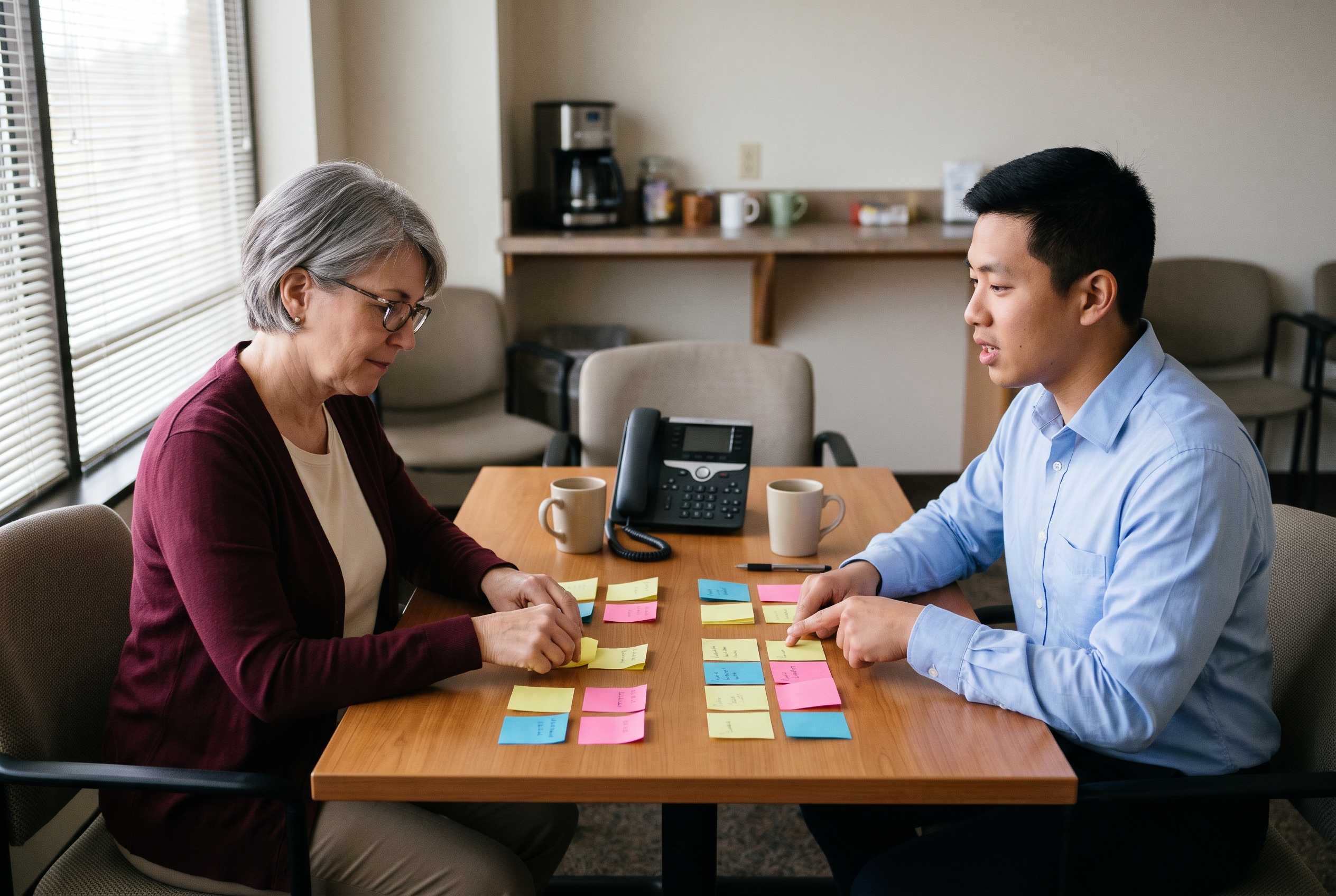
Figure out why people call, in their words, before you think about departments. Look at your incoming calls for a week or two. Ask the person who answers the phone what callers need first, not what departments exist on an organizational chart.
A customer may not know the difference between operations and customer service. They do know they need an estimate, an appointment, a payment question answered, or help with an existing order. The simplest research tool I know is a sheet of paper by the phone and a pencil. One tally mark per call, sorted by reason. After two weeks the menu has usually written itself.
What that looks like varies by the kind of organization you run:
| Type of organization | A main menu that fits |
|---|---|
| Professional office (law, accounting, insurance) | New clients, current clients, billing, directions and hours |
| Medical or dental practice | Appointments, prescription requests, billing, a clinical message line |
| Home service company | Emergency service, schedule a visit, an existing job, billing |
| Property management | Maintenance requests, leasing and availability, billing |
| School district | Central office, transportation, enrollment, a school directory |
| Town or county office | Utility billing, public works, a department directory, closure notices |
Use language a caller would use. "Press 3 for account services" sounds polished, but it can be unclear. "Press 3 if you have a question about your bill" is longer and more useful.
How many options should an auto attendant menu have?
Three to five on the main menu. If you need more than five, that is usually a sign the menu should branch into a second, more focused menu, or that some calls should go to a live receptionist or a call queue.
There is a reason short menus work, and it has to do with ears. On a web page, a visitor can look at twenty links and glance back at any of them. On the phone, a caller hears each choice once, in order, and has to hold it in their head. The usability researchers at Nielsen Norman Group put short-term memory at about seven items that begin to fade in roughly 20 seconds. A caller who is also holding an invoice and watching a toddler has fewer than seven to spare.
The federal government landed in the same place. When USAGov rebuilt the phone menu for its national contact center, which handles hundreds of thousands of calls a year, the team limited the main menu to five topics and put the most popular ones first, based on its own call data. If five is enough for every question Americans have about their government, it is probably enough for your office.
Put the most common reason for calling first. The first option should not automatically be "sales." For a home service company, emergency service may deserve the first position. For a law office, new-client intake may come first. For a school, attendance reporting may be more common than reaching administration.
One more habit worth copying: say the reason before the number. "For billing questions, press 3" lets the caller recognize what they want and then hear the key. "Press 3 for billing questions" makes them remember a digit before they know whether they care.
Should callers be able to press 0 for a person?
Yes, during business hours, if someone will answer. Many organizations include "Press 0 for the operator." That option is valuable when a caller is unsure where to go, has an unusual request, or cannot use the menu easily. It does require a plan for who answers. Sending zero to an unattended extension creates more frustration than leaving it out.
That last group of callers deserves a moment of thought. Phone menus are harder for people who are hard of hearing, who use a relay service, or who need more time to respond. Federal accessibility rules reach this far: the Federal Communications Commission's Section 255 rules cover voicemail and interactive menu services, and the agency has reminded providers that callers with disabilities often struggle with them. You do not need to be a lawyer to act on that. Speak at a normal pace, leave a pause after the choices, and give people a way to reach a human.
You should also decide what happens when callers do nothing or press a key that is not on the menu. A reasonable setup repeats the menu once, then sends the call to a receptionist, a general mailbox, or another defined destination. Do not let callers loop forever. A menu that repeats itself four times and then hangs up is the phone equivalent of locking the front door while a customer is reaching for the handle.
What should an auto attendant greeting say?
Four things: your organization's name, a brief statement of what the caller can do, the key choices, and an option for help if appropriate. Write it down before anyone records it.
A greeting that works
"Thank you for calling Piedmont Property Management. For a maintenance request, press 1. For leasing and availability, press 2. For billing questions, press 3. To speak with our office team, press 0."
That is enough. It does not need a slogan, a long description of services, or every office policy. Aim for a calm, natural recording that takes roughly 20 to 30 seconds. Read the script aloud with a timer before you record. If you run past 30 seconds, you have too many choices or too many extra words.
| Leave this out | Say this instead |
|---|---|
| "Please listen carefully as our menu options have changed." | Nothing. Go straight to the choices. |
| "Press 3 for account services." | "If you have a question about your bill, press 3." |
| A list of every employee's extension | "If you know your party's extension, dial it at any time." Offer a separate directory option if you need one. |
| Your website address, spelled out | Leave it for the on-hold message or the voicemail greeting. |
| "Your call is very important to us." | Prove it by answering. |
Avoid putting a full list of staff extensions in the main greeting. If direct dialing is useful, offer a separate directory option. This keeps the main path short while still helping repeat callers reach a specific person.
As for the voice, I am partial to a real person from your own office. Callers can tell, and it sounds like the place they are about to do business with. Pick someone who speaks clearly and is likely to still be with you next year.
Why do open, closed, and holiday hours need different menus?
Because the people behind the menu change, and the menu should never promise someone who is not there. A menu is not one recording that stays in place forever. Your call flow should change based on your business hours and your responsibilities after hours.
| When | What callers should hear | Where calls should go |
|---|---|---|
| Open | The main menu | People, ring groups, and queues |
| Closed | A shorter greeting: we are closed, when we reopen, and what you can do now | Only monitored paths, such as an on-call phone or a mailbox someone checks |
| Holiday | The closure dates and the reopening date and time | The same monitored paths as closed hours |
| Unplanned closing | A short notice, such as a weather closing | An alternate flow a named person is allowed to switch on |
During open hours, callers may hear the main menu and reach a person, a ring group, or a queue. A ring group sends a call to several phones at once or in a set order. A queue holds calls for the next available team member and can play a short message while the caller waits.
After hours, most organizations need a shorter message. State that the office is closed, give the next opening time if it is reliable, and offer only the paths that are monitored. A property manager may route urgent maintenance calls to an on-call phone. A healthcare office may direct callers with emergencies to emergency services and send nonurgent messages to a monitored mailbox. A government office may provide a route to an on-call public safety or utilities function where that applies. Our guide on how to route after-hours office calls covers those choices.
Do not reuse the daytime menu after your staff has gone home unless each destination has an after-hours plan. Otherwise callers spend several minutes choosing options that all end at an unmonitored voicemail box.
Holiday schedules deserve their own treatment. Create the holiday greeting in advance, including the closure dates and the reopening time. Assign one person to activate it and another to verify it. This small step prevents one of the most common phone-system problems I see every January: a holiday greeting still playing days after the office has reopened. Better yet, schedule it so it turns itself on and off. See how to configure holiday call schedules.
Where should each menu option lead?
To a destination with an owner. A menu choice can ring a person or group, enter a queue, play recorded information, send the caller to voicemail, or open another menu. The right destination depends on how urgent the call is and whether a response is expected.
| Destination | Right for | Watch out for |
|---|---|---|
| A person or ring group | New business, active customers, anything time-sensitive | No plan for when nobody picks up |
| A call queue | Several trained people handling the same kind of call | Long waits that are really a staffing problem |
| Voicemail | Matters that need research before a reply | A mailbox nobody owns, or no stated callback time |
| Recorded information | Stable answers: hours, address, fax number, a weather line | Information that changes often and goes stale |
| A second menu | A department with its own three or four choices | More than two levels deep, where callers get lost |
| An AI receptionist | After hours and busy periods when no person is free | Turning it on without limits or a path to a person |
Live routing is usually right for new business, active customer needs, and time-sensitive requests. Voicemail can work well for matters that require research, as long as the mailbox is monitored and callers know when to expect a response. Recorded information is useful for stable answers. It is a poor choice for anything that changes frequently.
Be candid about staffing. A call queue can make call handling fairer during busy periods, but it cannot replace enough available people. If callers regularly wait too long, review staffing, ring duration, overflow destinations, and whether certain questions can be handled with a recorded answer or a business text follow-up. I went through the timing side of this in when should calls overflow.
If you are weighing an AI receptionist for the after-hours or overflow slot, we offer one through our own platform, DigitalPhone.ai, and I would read where an AI receptionist falls short before deciding.
How do you build an auto attendant menu, step by step?
Seven steps. The first three happen on paper, and they are the ones that decide whether the menu helps.
- Tally why people call for one or two weeks Put a sheet of paper by the phone and have whoever answers make a mark for each reason: new customer, appointment, billing, existing order, directions, a specific person. Count the marks. The three or four biggest piles are your menu.
- Pick three to five choices in the caller's words Name each choice the way a caller would say it, not the way your org chart does. Put the most common reason first. Say the reason before the number, as in 'for billing questions, press 3,' so the caller hears what they want before they have to remember a digit.
- Give every choice a destination and an owner Each option must ring a person, a ring group, or a queue, play recorded information, open a focused second menu, or go to a mailbox that a named person checks. If you cannot say who is responsible for an option, do not offer it.
- Decide what zero, silence, and a wrong key do Offer zero for a person during business hours only if someone will answer it. When a caller presses nothing or presses a key that is not on the menu, repeat the choices once, then send the call to a person or a general mailbox. Never let a call loop forever.
- Write the greeting, then record it Write the script first and read it aloud with a timer. Aim for 20 to 30 seconds: your name, the choices, and how to reach a person. Record it in a quiet room, in a calm natural voice, and leave out slogans, website addresses, and staff extension lists.
- Build separate open, closed, and holiday versions The daytime menu should only play when the people behind it are working. Create a shorter after-hours greeting with only the paths that are monitored, and a holiday greeting with closure and reopening dates. Schedule them so they switch without anyone remembering to do it.
- Test from an outside phone and schedule a review Call the main number from a cell phone and press every option during business hours, after hours, and after a wrong key. Let each destination ring unanswered to see where it goes. Then put a review on the calendar twice a year and name the person who owns it.
Want a second set of ears on your greeting?
Schedule a 15 to 30 minute no-obligation discovery meeting on Google Meet at meet.carolinadigitalphone.com. An onboarding specialist will call your main number with you, listen to what your customers hear, and sketch a simpler call flow, whether or not you are a customer yet.
How do you test an auto attendant menu?
Call it the way a customer would, from a phone outside your system. Once the menu is built, call it from a mobile phone. Test each option during business hours, after hours, and after pressing a wrong key on purpose. Confirm that transfers work, that voicemail greetings identify the right department, and that return calls show the correct business number.
Then test the failure paths. What happens if no one answers the sales ring group? What happens if the on-call phone is unavailable? What happens when a caller presses zero at 12:15, when the front desk is at lunch? These details determine whether a phone system helps on a hectic Monday morning or adds one more problem to it.
For organizations with more than one location, test each site separately. A caller who reaches your Greensboro office should not land in a Raleigh queue just because both locations share a main number. If people work from home, confirm that their mobile or desktop app follows the same routing rules and that they can transfer a call without losing the caller.
Who owns the menu after it goes live?
One named person. Menus become outdated because no one owns them. Give an office manager, an operations lead, or an IT contact responsibility for business hours, holiday schedules, staff changes, and recorded messages. They do not have to make every change themselves, but they should know who can request one and how quickly it will be handled.
Keep a plain-language call-flow document. It can be a one-page chart showing the main number, each menu option, destinations, overflow rules, voicemail owners, and after-hours routing. This is especially useful for schools, government departments, and businesses with several offices or seasonal staff. If you are starting from a blank page, how to set call routing has a layout you can copy.
Review the menu at least twice a year and whenever you add a department, change hours, move offices, or launch a new service. Listen to a few real call recordings, or ask your front-desk staff what callers are struggling to find. A menu should reflect how your organization operates now, not how it operated two years ago.
When is an auto attendant the wrong answer?
When a person could have answered. I sell phone systems, and I will still tell you that a five-person office where someone picks up on the second ring should think hard before putting a recording in front of that. A friendly human voice is worth more than any menu. People do business with people they know, like, and trust, and trust starts with "Good morning, how can I help you?"
A good middle path is to let a person answer first and have the auto attendant catch the call only when nobody can. Your callers get a human most of the time and a clear, short menu the rest of the time.
Carolina Digital Phone helps organizations plan call flows before numbers are ported or phones are installed, then provides local support when the routing needs to change. Our platform includes auto attendants, time-of-day and holiday routing, hunt groups, and call queues, and our customers have a video training library with short walk-throughs. When you want a hand, dial 611 from any Carolina Digital Phone desk phone or app and you will reach our engineering support team in downtown Greensboro. You can read why businesses choose Carolina Digital Phone, our history, and what it means to have a trusted partner for business communications.
The best menu is not the one with the most options. It is the one that gets a caller to the right next step without making them work for it. Your phone greeting is part of your front door. Keep it short, keep it current, and make sure there is a real person or a clear next action behind every choice.
Frequently asked questions about auto attendant menus
What is an auto attendant?
An auto attendant is the recorded greeting that answers a business phone line and gives callers choices, such as press 1 for appointments or press 2 for billing. It routes each call to a person, a group, a queue, a mailbox, or recorded information without a receptionist transferring it by hand.
What is the difference between an auto attendant and an IVR?
An auto attendant routes calls based on the key a caller presses. An interactive voice response system, or IVR, goes further and completes tasks, such as looking up an account balance or taking a payment. Many people use the terms, along with phone tree and phone menu, to mean the same thing.
How many options should an auto attendant menu have?
Three to five on the main menu. A caller hears the choices once and cannot look back at them the way they can on a web page. If you need more than five, move the less common choices into a focused second menu or send those calls to a receptionist or call queue.
What should an auto attendant greeting say?
Four things: the name of your organization, the choices in order of how often people need them, the key for each, and how to reach a person. State the reason before the number, as in for billing questions, press 3. Leave out slogans, long service descriptions, and lists of staff extensions.
How long should an auto attendant greeting be?
About 20 to 30 seconds for the main greeting. Write the script first and time yourself reading it aloud. If it runs past 30 seconds, you have too many choices or too many extra words.
Should an auto attendant offer press 0 for an operator?
Yes, during business hours, as long as a person or a ring group is assigned to answer it. Zero helps callers who are unsure where to go, have an unusual request, or have difficulty using a menu. Sending zero to an unattended phone is worse than leaving it out.
What should happen when a caller presses nothing or the wrong key?
Repeat the menu once, then send the call to a receptionist, a ring group, or a general mailbox that someone checks. Do not let the menu repeat forever, and do not hang up on the caller.
Do you need a different auto attendant menu after hours and on holidays?
Yes. After hours, callers should hear a shorter greeting that says the office is closed, when it reopens, and only the options that are monitored, such as an on-call line or a mailbox. Holidays need their own greeting with closure and reopening dates, scheduled in advance.
Does a small business with a few employees need an auto attendant?
Not always. If one person can answer nearly every call within a few rings, a live answer is the better experience. An auto attendant earns its place when calls regularly arrive faster than your staff can answer them, when callers need different people, or when you want a professional greeting after hours.
How often should you review an auto attendant menu?
At least twice a year, and any time you add a department, change hours, move offices, or launch a new service. Ask the people who answer the phone what callers struggle to find, and call your own number to hear what a customer hears.
How do I get help building an auto attendant with Carolina Digital Phone?
Call (336) 544-4000 to talk with someone right away, request a quick call back at quote.carolinadigitalphone.com, or schedule a 15 to 30 minute no-obligation discovery meeting with an onboarding specialist on Google Meet at meet.carolinadigitalphone.com.
Let us listen to your greeting with you
If callers are getting lost in your menu, landing in the wrong department, or hanging up before they reach anyone, the experienced team at Carolina Digital Phone can map a shorter call flow with you and set it up. We are a local company, and a real person answers when you call.
To talk with someone right now, call (336) 544-4000.
Discovery meetings are 15 to 30 minutes on Google Meet with an onboarding specialist, with no obligation. New business customers can also see our current special offer at quote.carolinadigitalphone.com. Schools and government agencies can reach our Gov/Edu team at (336) 543-0000.