How To Guide · Call Routing
When Should Calls Overflow? Set Rules That Work
How long a phone should ring, where the call should go next, and who owns it once it gets there.
Published: | Last updated:
A caller has already made one decision in your favor: they picked up the phone. What happens over the next thirty seconds decides whether they stay your customer or become someone else's.
So when should calls overflow instead of ringing one employee's extension until the caller gives up? Usually, when the next stop gives the caller a better chance of reaching the right person without creating confusion for your staff. That sounds simple. In practice it is one of the most neglected settings in any phone system, because it gets chosen on installation day and nobody looks at it again.
Local Business VoIP is the small-business site of Carolina Digital Phone, Inc., a Greensboro, North Carolina company that has provided hosted voice, business text messaging, and AI receptionist service since 2000. I wrote this guide for the owner, office manager, school secretary, or department head who suspects calls are slipping through and wants a plain way to fix it.
Quick answer
Calls should overflow when the first person or desk cannot reasonably answer within the time you want to promise callers. For most staffed main numbers that is 20 to 30 seconds, or four to five rings. Send the call to someone who can help, set separate rules for unanswered, busy, and closed, tell the caller what is happening, and test every path from an outside phone.
- Call overflow
- A routing rule that moves a call to another destination after a condition is met, such as a ring time running out.
- Ring time (ring timeout)
- How many seconds a phone rings before the system gives up on that destination and moves the call.
- Ring group
- Several phones that ring for the same call, either all at once or one after another. Also called a hunt group.
- Call queue
- A waiting line that holds callers in order, plays music or a message, and hands each call to the next available team member.
- Answering rule
- The setting that tells one extension or number what to do with a call by time of day, day of week, or holiday.
- Abandoned call
- A call where the caller hung up before anyone answered.
When should calls overflow?
Calls should overflow when the original destination cannot reasonably answer within the service level your organization wants to provide. For a busy front desk, that may be 20 or 30 seconds. For a professional office where calls need screening, it may be closer to 45 seconds. The right timing depends on the type of call, who is available to help, and what callers expect when they contact you.
An overflow rule works best when there is a clear reason for it. Your receptionist may be helping someone at the counter. A sales representative may be on another customer call. A school office may be handling a parent, a student, and a visitor at the same moment. In each case, the next destination should be equipped to help, take a message, or explain what will happen next.
Overflow should not be the default answer to an unclear call flow. If every call rings several people, then moves to a queue, then returns to an auto attendant, your staff and your callers both lose track of what is happening. Start by defining who owns each type of call. Then use overflow as the safety net. If you have not mapped that first layer yet, begin with how to set call routing and come back here.
The 12:15 problem
A family-owned heating and air company had one person who answered the main number, and she was good at it. She also took lunch at 12:15. For that hour, every call rang her empty desk eight times and dropped into her personal voicemail, which she cleared when she got back around 1:00.
Two coworkers sat twenty feet away the whole time. Their phones never rang. Nobody had done anything wrong. The rule in the phone system said "ring the front desk, then voicemail," and it had said that since the day the phones were installed.
The fix took a few minutes: 20 seconds at the front desk, then both coworkers' phones together, then a short team queue. The lunch-hour voicemails nearly disappeared. So did the afternoon callbacks to people who had already hired someone else.
This story is a blend of several offices we have worked with. The details are changed. The pattern is real, and I would bet a version of it is happening in your building right now.
How long will a caller wait before hanging up?
Less time than most owners assume, and far less than a ringing phone feels like from the inside. In Call Centre Helper's 2023 industry survey, about a third of contact centers said their callers give up in under a minute, and roughly one in six said it happens in under 30 seconds. Those are operations with hold music and trained agents. Your caller is listening to plain ringing and wondering if you are open.
Patience is not a fixed number, either. Researchers at the University of Chicago Booth School of Business studied how callers decide whether to hang up or hold on and found that older planning models tend to overestimate how long people will hang on. It also varies with the reason for the call. People calling about a new purchase have other numbers to try. People calling about their own account or their own child will wait longer, and resent it more.
The oldest yardstick in the call center world is "80/20," which means answering 80 percent of calls within 20 seconds. It is a fair target for a main number. But as Call Centre Helper points out, the 80/20 figure says nothing about what happens to the other 20 percent. That leftover group is exactly who overflow exists for. A good overflow rule is your plan for the calls you were not fast enough to catch.
How many rings should you allow before a call moves?
A sound starting point is four or five rings, roughly 20 to 30 seconds, before sending a call to backup coverage. On a North American line one ring cycle lasts about six seconds: two seconds of ringing and four of silence. That is often long enough for someone to finish a sentence and pick up, but not so long that the caller assumes nobody is there.
One practical note. Most hosted phone systems set this timer in seconds, not rings, and what the caller hears is not perfectly in step with the phone on the desk. Decide in seconds and you will avoid a lot of confusion.
There are exceptions. A direct-dial number for an attorney, project manager, or specialist may deserve more time before it goes to voicemail. A main number for a medical office, municipal department, or service company may need a faster path to a live backup. The point is not to use one timer everywhere. It is to set expectations on purpose.
| Type of call | Starting ring time | Where it goes next |
|---|---|---|
| Main number at a staffed front desk | 20 to 30 seconds | Two or three cross-trained coworkers, then a short team queue |
| Sales or new customer line | 15 to 20 seconds | The whole sales group at once |
| Urgent service or on-call line | 10 to 15 seconds | The next person on the on-call schedule |
| Direct line to one specialist | About 45 seconds | That person's voicemail, with a stated callback time |
| Department line such as billing or scheduling | 20 to 30 seconds | A backup in the same department, then a queue message |
| School or municipal department | 20 to 30 seconds | Same-department backup, then an accurate recorded message |
Treat these as places to start, not rules. If callers complain that phones ring too long, shorten the timer or add coverage. If employees say calls are being pulled away before they can answer, give that group more time. Reports on answer time, abandoned calls, and overflow volume let you make that decision with more than guesswork. If you are losing calls and are not sure where, how to reduce missed business calls walks through reading those numbers.
Where should an overflow call go?
It should go to whoever can help the caller next, and that depends on why they called. A live person is useful when calls involve scheduling, new business, urgent service, or questions that need judgment. A queue is useful when several trained employees can handle the same request. Voicemail can be appropriate for a direct extension when the caller needs one specific person and a prompt callback process is in place.
| Overflow destination | Works well when | Watch out for |
|---|---|---|
| Cross-trained coworkers | Two or three people can handle most front-desk questions | Ringing so many phones that everyone assumes someone else will answer |
| Team call queue | Several trained people handle the same kind of request | A queue with no message, no time limit, and no way out |
| Voicemail | The caller needs one specific person and callbacks are prompt | A mailbox nobody owns when that person is out |
| Business mobile app | The employee has agreed to cover and can look up what the caller needs | Calls reaching someone who is driving, off duty, or in a meeting |
| On-call schedule | After-hours emergencies that need a person | Schedules that depend on someone remembering to forward a phone |
| AI receptionist | You cannot staff a live backup, or volume spikes without warning | Setting it loose without limits or a path to a person |
| Back to the auto attendant | Almost never | Callers going in a circle and hearing the same menu twice |
For many small businesses, the main number can ring the receptionist first and then overflow to two cross-trained office staff members. If no one answers, the call can enter a queue with a short message such as, "Please hold while we connect you with the next available team member." That is clearer than ringing a long list of employees one at a time.

The difference between a simple ring group and a true queue matters here. A ring group tries a list of phones and gives up. A queue knows who is already on a call, holds the caller in line, plays music or a message, and hands the call to whoever is free. Our own call queue feature can ring everyone at once, ring the person who has waited longest since their last call, or ring the person who has taken the fewest calls. For a three-person office, ring-all is usually right. For a ten-person service team, spreading calls evenly keeps your best people from burning out.
A construction or home service company may use a different path. During business hours, new service requests can overflow from the office to a dispatcher or a designated field supervisor. After hours, an emergency option may route to an on-call schedule while routine calls go to voicemail or business texting. Not every after-hours call needs the same response, and your call flow should make that distinction clear.
For schools and government offices, overflow often needs departmental boundaries. An attendance line should not spill into transportation. A finance call should not land with a general administrator who cannot see the needed information. If a department has limited coverage, a queue with an accurate recorded message may be more responsible than sending calls to unrelated employees.
Should every overflow call go to a mobile phone?
No. Mobile apps and softphones give staff useful flexibility, especially during weather closures, travel, or remote work. They are not always the right overflow destination. An employee may be driving, in a meeting, off duty, or unable to reach the records needed to help the caller.
Use mobile overflow for roles that have agreed to provide coverage and have the information needed to act. Give those employees a clear way to decline or transfer a call. Ring the business app on their phone, not their personal number, so the call still shows as a work call and their own number stays private. I covered that setup in business calls on mobile without a personal number. For on-call coverage, build schedules that change automatically where possible, so nobody has to remember to forward an extension every Friday afternoon.
Can an AI receptionist take the overflow?
Yes, and for a small office it can be the difference between a message and a missed call. An AI receptionist can answer when your people are busy or the office is closed, take a complete message, answer routine questions such as hours and directions, and pass urgent calls to a person. In the interest of full disclosure, we offer one through our own platform, DigitalPhone.ai.
I would not make it the first stop for a business that prides itself on a familiar voice, and I would not turn one on without limits. Read where an AI receptionist falls short before you decide. As a third stop behind your front desk and your backup team, it is hard to beat.
Why do busy, unanswered, and closed calls need different rules?
Because "overflow" means several different things, and each condition tells you something different about what the caller needs. Treat them as one rule and you will be wrong at least twice a day.
| Condition | What is happening | A sensible rule |
|---|---|---|
| Unanswered | The phone rings and nobody picks up | Ring 20 to 30 seconds, then move to backup coverage |
| Busy | The person is already on another call | Skip the wait and send the call to the backup or queue right away |
| Closed | The call arrives after hours or on a holiday | A separate greeting that says honestly what the caller can do now |
| Temporary | Someone is out sick, a storm closes the office, or a meeting pulls staff away | An alternate call flow that a named person is allowed to switch on |
An unanswered call is the familiar trigger. A busy call is the overlooked one. If your scheduler is already on the phone, making the next caller sit through another full ring cycle before anything happens helps nobody. You can choose to send busy calls to a queue immediately.
A closed call should normally be separate from daytime overflow. Your after-hours greeting should tell callers whether they can leave a message, send a text, reach an on-call contact, or call emergency services. Do not direct a caller to "stay on the line" if no live coverage is available. For the full after-hours picture, see how to route after-hours office calls and how to configure holiday call schedules.
Some organizations also need overflow for temporary conditions. A receptionist out sick, a storm closure, a staff meeting, or a major event can all change who should receive calls. A hosted phone system makes those changes easier, but the operational decision still belongs to your team. Someone should be authorized to switch on the alternate call flow and confirm it works.
What does the caller hear while all this is happening?
That is the question most routing plans forget to ask. A routing diagram can look logical on paper and still frustrate callers. Listen to your own main number from outside the system. Count how many times the caller hears ringing or a recording. Check whether the messages explain what to do next.
Keep messages short and specific. If a call is moving from the front desk to a queue, say so. If wait times may be longer than normal, acknowledge that. If you offer a callback option, make sure someone owns the callback process. A voicemail-to-email message that nobody answers is not an overflow plan. If callers tell you they keep landing in a mailbox, why calls go straight to voicemail covers the usual causes.
There is also a tradeoff between speed and personal service. Sending a call immediately to the next available person may improve answer time, but that person may not know the customer or the account. Letting a familiar employee have more time to answer can preserve continuity. Organizations with complex customer relationships often use a short first ring period for the assigned person, followed by a trained team queue.
I think about that tradeoff a lot. People do business with people they know, like, and trust, and a familiar voice is part of that. Overflow should protect the relationship on the days your familiar voice is busy. It should never replace it.
How do you set up overflow rules that work?
Work through six steps, in order, with the people who answer your phones in the room. The technical part takes minutes. The decisions are what take thought.
- Name one owner for each type of call List the reasons people call you: new business, scheduling, billing, service, a specific person. Write one name or one team beside each. Overflow only works as a safety net when everyone already knows who was supposed to answer first.
- Set a ring time in seconds for each first stop Most hosted phone systems time the ring in seconds, so think in seconds. Start a staffed main number at 20 to 30 seconds and a direct line to a specialist nearer 45. Use shorter times for sales and urgent service lines.
- Choose a separate backup for unanswered, busy, and closed Decide where a call goes when nobody picks up, where it goes when the person is already on a call, and where it goes when the office is closed. These are three different situations and they rarely deserve the same answer.
- Write the words the caller will hear If a call is moving from the front desk to a team, say so in a short recording. If nobody is available after hours, say what the caller can do instead. Never tell a caller to stay on the line when no one is coming.
- Test every path from an outside phone Call your own main number from a cell phone in the parking lot. Let it ring. Call again while the first person is on another call, during lunch, and after closing. Count the rings and the recordings the way a customer would.
- Write it down and review it when something changes Keep a one-page record: main number, hours, first stop, ring time, backup, voicemail owner, and after-hours path. Review it whenever staffing, hours, or department duties change, and check your call reports once a month.
If you manage your own system, our customer video training library has short walk-throughs on answering rules, time frames, and call queues. If you would sooner have someone build it with you, that is what our onboarding specialists do every day.
Not sure where your calls go after the fifth ring?
Most offices are not. Schedule a 15 to 30 minute no-obligation discovery meeting on Google Meet at meet.carolinadigitalphone.com and an onboarding specialist will walk through your call flow with you, whether or not you are a customer yet.
How do you test overflow before you need it?
Test from an outside phone, not only by looking at settings in an administrator portal. Every important call path should be tested after setup and whenever staffing, hours, or departmental responsibilities change. Confirm what happens when the first person does not answer, when all queue members are busy, and when the office is closed.
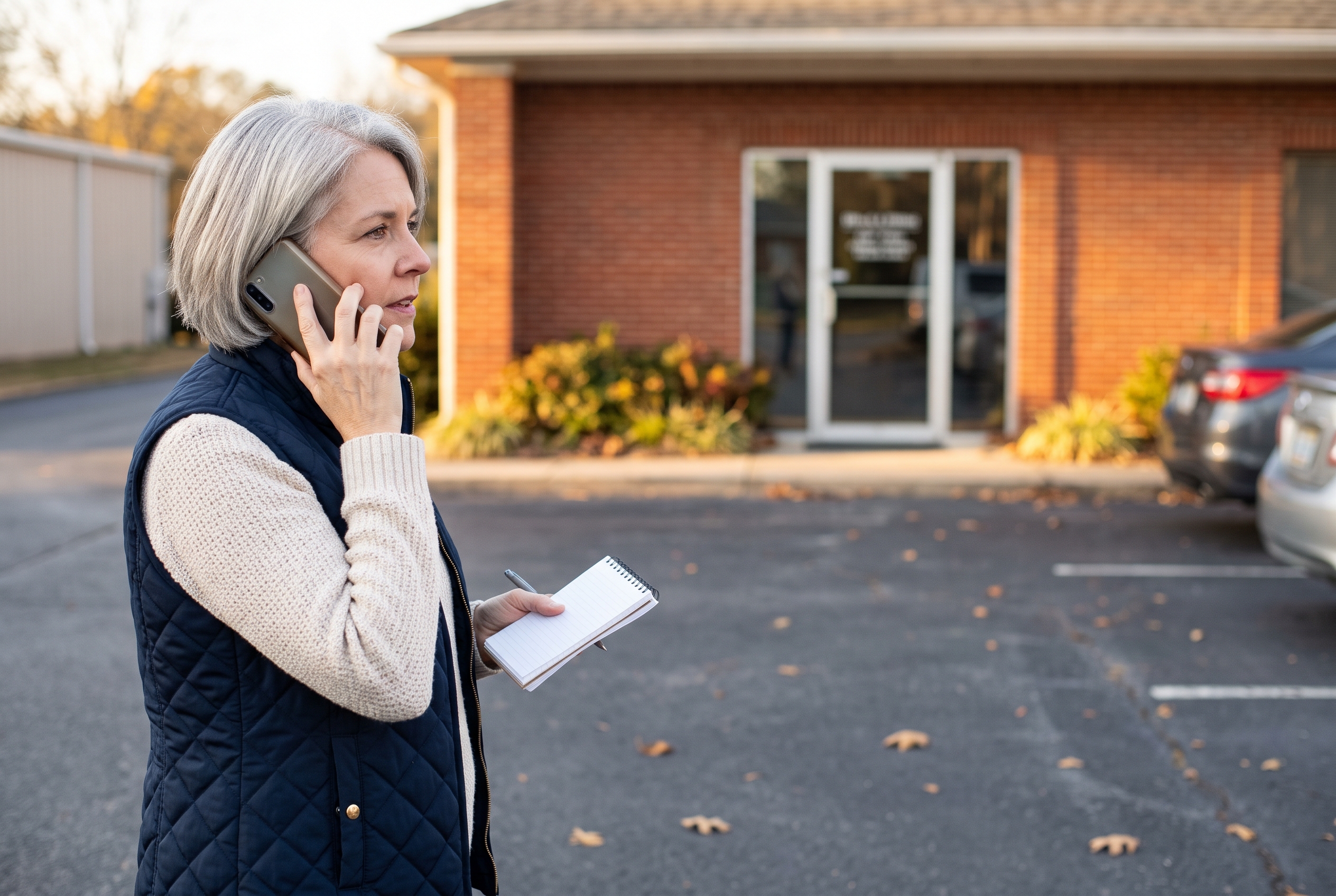
Here is the test I recommend. Walk out to the parking lot with your cell phone and a notepad. Call your main number and ask the front desk not to answer. Write down how many seconds pass before something changes, what you hear, and who picks up. Then do it again while the first person is on another call. Do it at 12:30. Do it at 5:15. You will learn more in fifteen minutes than in a year of assuming.
For multi-site organizations, test each location separately. Make sure the right department receives the call and that emergency-related extensions keep the correct dispatchable location for Enhanced 911 purposes. Call routing does not replace your organization's E911 planning. Federal rules for multi-line phone systems, which the FCC summarizes on its 911 requirements page, apply no matter how your incoming calls are routed, so review changes to phones, users, and locations carefully. Our customers can confirm what a phone would send by dialing the 933 test line, as described in how to test E911 locations before an emergency.
Who keeps the call flow accurate after setup day?
Someone with a name, not "the phone company." Keep a simple written record of your call flow: main number, business hours, first destination, overflow timing, backup destination, voicemail owner, and after-hours path. This is especially useful for office managers, school technology teams, and public-sector departments where more than one person may need to make an update.
Then look at the numbers once a month. If overflow volume is climbing, that is not a routing problem. It is a staffing signal, and no timer will fix it. Good overflow rules cover a busy moment. They should not hide the fact that your front desk needs help every day at 10:00.
A local phone provider should be able to walk through these choices with you in plain language, then help test the result. That is how we have worked since 2000, and it is a large part of why businesses choose Carolina Digital Phone. You can read our history and what it means to have a trusted partner for business communications. Our goal is not to make every call take the same path. It is to build a call flow your staff can run confidently when the normal path is busy, on a platform that offers answering rules, hunt groups, call queues, and call reporting as standard features.
The most useful overflow rule is the one your team can explain in one sentence: if this person cannot answer, the caller goes here next, and someone is responsible for what happens after that.
Frequently asked questions about call overflow
What is call overflow?
Call overflow is a routing rule that sends a call somewhere else after a set condition is met. The condition can be a ring time that runs out, an extension that is already busy, a queue call nobody answered, or an office that is closed.
When should calls overflow?
Calls should overflow when the first destination cannot reasonably answer within the time your organization wants to promise callers. For a busy front desk that is usually 20 to 30 seconds. For a professional office where calls are screened it can be closer to 45 seconds.
How many rings should a business phone ring before it overflows?
Four or five rings is a common starting point, which is roughly 20 to 30 seconds. One ring cycle on a North American line is about six seconds. Sales and urgent service lines often deserve less time, and a direct line to one specific person often deserves more.
Where should overflow calls go?
Send overflow to whoever can help the caller next. That may be two or three cross-trained coworkers, a team queue, an on-call person, an AI receptionist, or voicemail with a clear callback promise. The right choice depends on why the person is calling.
What is the difference between busy, unanswered, and closed overflow?
Unanswered means the phone rang and nobody picked up. Busy means the person was already on a call. Closed means the call arrived outside business hours or on a holiday. Each one should have its own rule, because a busy call can move to a backup right away while a closed call needs an honest after-hours message.
Should overflow calls go to an employee cell phone?
Only for roles that have agreed to provide coverage and have what they need to help the caller. Use the business mobile app so the employee's personal number stays private, give them a way to decline or transfer, and use an on-call schedule that changes automatically.
Is voicemail an acceptable overflow destination?
Yes, for a direct line where the caller needs one specific person, as long as someone owns the callback and the greeting says when to expect it. Voicemail is a weak last stop for a main number, new business calls, or urgent service.
Can an AI receptionist take overflow calls?
Yes. An AI receptionist can answer when your team is busy or closed, take a complete message, answer routine questions, and route urgent calls. It should be set up with clear limits and a path to a person. Carolina Digital Phone offers one through its DigitalPhone.ai platform.
How often should you test your overflow rules?
Test after the first setup, after any change in staffing, hours, or department duties, and before every holiday closing. Test from an outside phone, because the settings screen shows what you intended and the outside call shows what happens.
Do overflow rules change how 911 calls work?
No. Overflow rules control incoming calls. A 911 call placed from your phones is handled separately. When you move phones, users, or locations while changing your call flow, review the emergency location on file for each phone. Carolina Digital Phone customers can confirm it with the 933 test line.
How do I get started with Carolina Digital Phone?
Call (336) 544-4000 to talk with someone right away, request a quick call back at quote.carolinadigitalphone.com, or schedule a 15 to 30 minute no-obligation discovery meeting with an onboarding specialist on Google Meet at meet.carolinadigitalphone.com.
Find out where your calls go after the fifth ring
If callers are giving up, landing in the wrong department, or circling back to the same menu, the experienced team at Carolina Digital Phone can map your call flow with you and fix it. We are a local company, and a real person answers when you call.
To talk with someone right now, call (336) 544-4000.
Discovery meetings are 15 to 30 minutes on Google Meet with an onboarding specialist, with no obligation. Schools and government agencies can reach our Gov/Edu team at (336) 543-0000.