
How To Guide · Healthcare Phone Systems
Clinic VoIP Migration Without Disrupting Care
Move your medical practice to a cloud phone system while patients keep reaching the right person, on the same numbers, from the first morning.
Published: | Last updated: | Reviewed November 2026 by the Carolina Digital Phone team
A clinic VoIP migration should make it easier for patients to reach the right person. It should not create a week of confused calls, missed referrals, and workarounds at the front desk.
The technology matters, but it is the smaller half of the job. The real work is planning your call flow, protecting your existing phone and fax numbers, testing the network, and giving your staff a clear plan for cutover day. For a medical practice, phones are part of patient access. They carry appointment requests, prescription questions, referral coordination, billing calls, and urgent after-hours messages. A successful migration accounts for each of those paths before anyone unplugs an old desk phone.
Local Business VoIP is the small-business site of Carolina Digital Phone, Inc., a Greensboro, North Carolina company that has provided hosted voice, business text messaging, and AI receptionist service since 2000. I wrote this guide for the practice manager, clinic administrator, physician owner, or IT lead who has been told "we need a new phone system" and wants to get it done without a single patient noticing.
Quick answer
To migrate a clinic to VoIP without disrupting care, map every patient call path first, list every number and device that uses a phone line, settle privacy questions and sign a business associate agreement, test the network, keep the old service running until your numbers port, assign an Enhanced 911 location to each phone, and train staff before cutover day. Then test every number from an outside phone.
- Hosted VoIP
- Phone service delivered over your internet connection from a provider's data centers, in place of a phone system box in your closet. Also called a cloud phone system.
- Call flow
- The path a call takes from the moment a patient dials until a person or a mailbox answers.
- Number porting
- Moving your existing phone and fax numbers from your current carrier to the new one so patients keep dialing the same numbers.
- Cutover
- The scheduled moment your numbers start ringing on the new system.
- Business associate agreement (BAA)
- A contract required under HIPAA when a vendor creates, receives, maintains, or transmits patient information for a medical practice.
- Dispatchable location
- The street address plus the suite, floor, or room that tells 911 responders where the caller is inside the building.
Why is a clinic VoIP migration different from any other office phone move?
Because in a medical practice the phone is still the front door, and a missed call can be a missed diagnosis, a missed refill, or a missed referral. Online scheduling has not changed that as much as people assume. In a July 2025 poll by the Medical Group Management Association, 71 percent of medical groups said fewer than one in four patients use digital tools to book appointments. Everyone else calls.
A clinic also has obligations an ordinary office does not. Voicemail, call recordings, faxes, and text messages can contain protected health information. Hospitals, pharmacies, and referring providers reach you on numbers you published years ago. And when a patient in an exam room needs an ambulance, the 911 center has to know which suite and which floor.
None of that is a reason to stay on an aging phone system or on copper lines the carriers are retiring. It is a reason to plan the move the way you would plan a new clinical process: carefully, in writing, with the people who do the work in the room.
Where should a clinic VoIP migration start?
Start with the call flow, not the phones. Most clinics do not need a complicated phone design. They do need an honest picture of how calls move through the office now, including the exceptions that only show up on a busy Monday morning.
Begin with the main number. Decide what callers hear, which choices they receive, and where each choice goes. A caller seeking an appointment may need a scheduling queue, while a referring provider may need a direct route to clinical staff. Billing, medical records, and prescription requests often need their own paths. If your current system relies on a receptionist transferring nearly every call, this is a chance to reduce unnecessary handoffs without making the menu hard to use. Our guide on how to set call routing walks through that first layer.
| Who is calling | What they need | A sensible path |
|---|---|---|
| Patient booking or changing a visit | A scheduler, quickly | Scheduling queue with a stated wait and a callback or message option |
| Patient with a clinical question | A nurse or medical assistant | Clinical line or nurse voicemail with a promised response time |
| Pharmacy or refill request | A fast, documented handoff | Dedicated refill line or mailbox that a named person clears |
| Referring provider or hospital | To skip the patient menu | Direct "provider line" option or a back-office number |
| Billing or insurance question | Someone who can see the account | Billing extension or queue, with its own hours |
| Medical records request | Instructions more than a person | Short recorded message plus a mailbox or fax number |
| After-hours urgent call | A clinician, or clear direction | On-call schedule, answering service, or nurse triage line |
After-hours handling deserves equal attention. Define which calls go to voicemail, which go to an answering service, and which route to an on-call clinician or nurse triage service. The phone system can route a call based on time of day, but your team must decide who is responsible for answering it and what information they need. See how to route after-hours office calls and how to configure holiday call schedules for the details.
A useful call-flow review also catches small operational details that are easy to overlook:
- Main, direct-dial, fax, toll-free, and published department numbers
- Reception, scheduling, clinical, billing, records, and administrative call paths
- Holiday schedules, lunch coverage, weather closures, and provider-specific hours
- Ring groups and queues, including how long a caller waits before another option is offered
- Voicemail ownership, message notification, and coverage when an employee is out
Do not copy every weakness of the old system simply because it is familiar. At the same time, avoid changing the menu, the staffing process, and the phone platform all at once unless your team has the capacity to manage the change. A staged improvement is often easier on patients and staff. If you want numbers to steer by, MGMA suggests starting with clear metrics such as average speed to answer, abandonment rate, and call transfer rate. A hosted phone system can report all three.
What connects to your clinic phone system besides desk phones?
More than you think, and this is where migrations go wrong. Desk phones are only part of a clinic communications environment. Before selecting a cutover date, identify everything that uses a telephone number or an analog line.
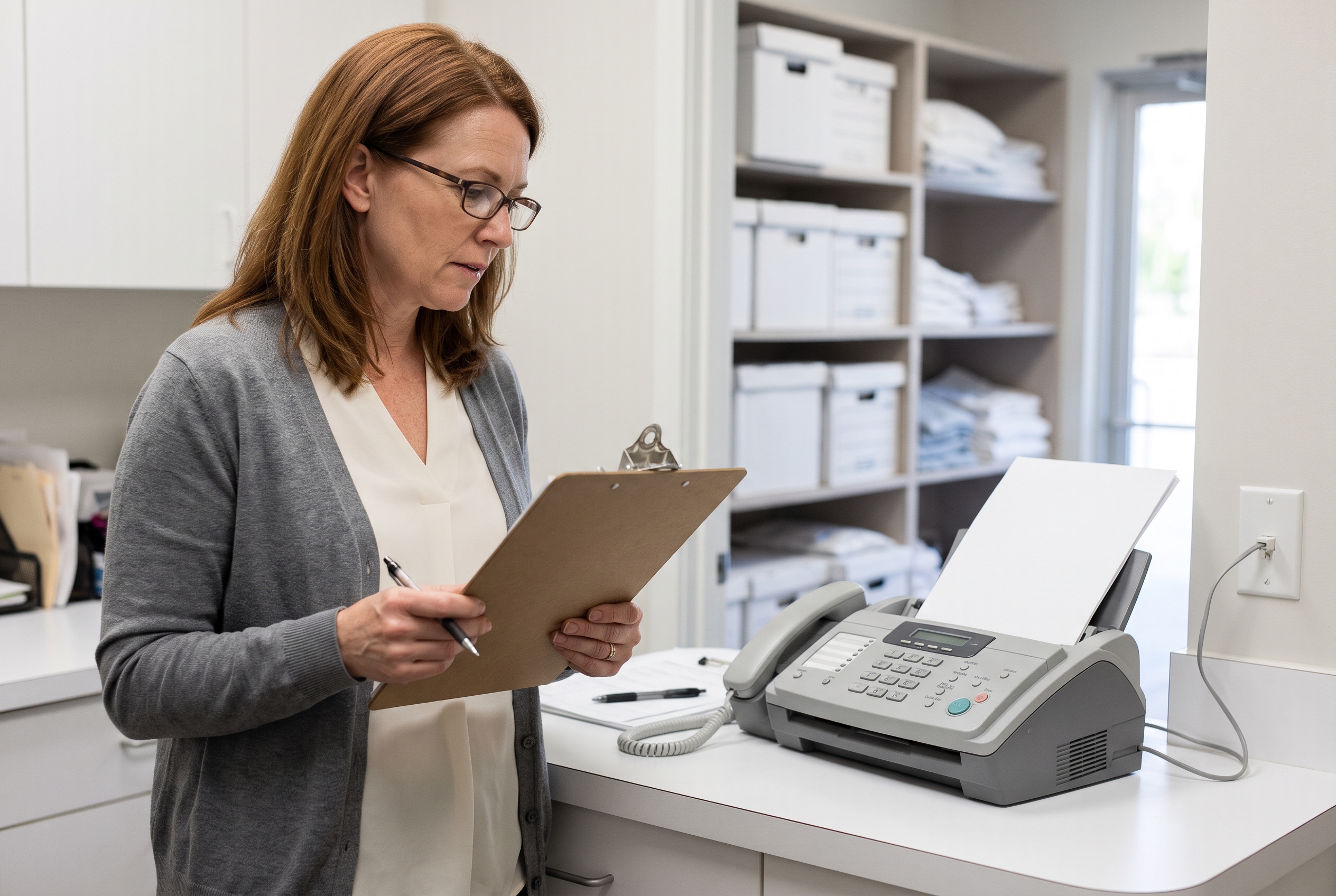
The fax number nobody listed
A family practice moved to a new phone system on a Friday afternoon. Monday went fine. The phones rang, the menu worked, and the staff liked the new handsets. On Wednesday a referral coordinator at a specialist's office called to ask why the practice had not answered three faxed consult notes.
The practice had two fax numbers. One was on the phone bill everyone had looked at. The other had been added years earlier by a physician who had since retired, and it sat on a separate account that nobody thought to check. That number never moved. For five days, referrals went to a line that rang in an empty closet.
No patient was harmed. Three of them waited a week longer than they should have.
This story is a blend of several practices. The details are changed. The lesson is the same every time: the number that hurts you is the one that was not on the list.
| Device or service | Why it matters in a clinic | What to do before cutover |
|---|---|---|
| Fax machines and fax servers | Referrals, records requests, pharmacy and lab forms | List every fax number. Test sending and receiving with the offices you fax most. |
| Fire and burglar alarm panels | Life safety and code requirements | Ask the alarm company what connection it requires. Do not assume a VoIP port will do. |
| Elevator emergency phones | Required by safety codes | Review with the elevator vendor and your local inspector. |
| Door entry and intercom | Controlled access to clinical areas | Confirm how it dials and whether an adapter is supported. |
| Payment terminals | Copays at the front desk | Check whether the terminal uses a phone line or the network. |
| Overhead paging | Staff communication across the suite | Confirm the paging system can connect to the new platform. |
| Answering service or nurse triage | After-hours patient access | Give them the new forwarding plan and test it at night. |
Some devices can work with an adapter or a specific service configuration. Others may need a separate analog line, a cellular connection, or a replacement. Alarm and elevator connections should be reviewed with the equipment vendor and your local code or safety requirements. Do not assume an ordinary VoIP port is an appropriate substitute. If your clinic still has copper lines for these devices, read how to replace an analog phone system before the carrier makes the decision for you.
Will fax still work after the move?
It can, but fax deserves a direct conversation. Many clinics still receive referrals, records requests, and forms by fax. Internet-based fax can be dependable when it is designed and tested for the specific workflow, but fax protocols are less forgiving than ordinary voice calls. If incoming and outbound fax are critical, test them with the systems and destinations your office uses every day before retiring the old service.
Can staff text patients from the clinic number?
Yes, with a policy. Business texting can help with routine patient communication when your clinic has approved workflows, consent practices, and staff access controls. It does not make every type of patient communication appropriate for text, and it does not by itself establish regulatory compliance. Your privacy, legal, and clinical leadership should determine what information can be sent, retained, and accessed. Our post on business texting from a work number explains how to keep those conversations off personal phones.
Is hosted VoIP HIPAA compliant for a medical practice?
No phone system is compliant by itself. Compliance comes from how the service is configured, who can reach the information, and what agreements are in place. I am a phone man and not a lawyer, so treat this section as the questions to bring to your privacy officer, not as legal advice.
Here is what the regulator says. The U.S. Department of Health and Human Services has published guidance stating that the HIPAA Security Rule applies to VoIP, because the call travels as electronic data. A traditional copper landline is treated differently. That means once your clinic moves to an internet-based phone system, the phone system belongs in your security risk analysis alongside your EHR and your email.
The same guidance draws a line between a carrier that only connects a call and a vendor that stores information for you. A hosted phone system that keeps voicemail, call recordings, faxes, or text messages is doing more than carrying a call. That is why a business associate agreement matters. We explain our own approach, including the sample agreement we provide for your attorney's review, on our VoIP phones and HIPAA compliance page.
Questions worth asking any healthcare VoIP provider:
- Will you sign a business associate agreement, and can it be in place before go-live?
- Where are voicemail, recordings, faxes, and texts stored, and for how long?
- Who at your company can access them, and how is that access logged?
- Can we turn off voicemail-to-email or limit it to approved mailboxes?
- What happens to stored messages when an employee leaves?
- Can staff use the mobile app without patient information landing on a personal device?
Is your clinic network ready for VoIP?
A speed test will not tell you. Hosted VoIP carries calls over your internet connection, which makes network readiness part of call quality. Consistent latency, jitter, packet loss, Wi-Fi coverage, and available bandwidth during busy periods all affect a live call. A connection that looks fast at 7:00 in the evening can sound terrible at 9:30 on Monday when the imaging system is uploading.
| What to measure | Plain meaning | Common target for voice |
|---|---|---|
| Latency | Delay before your voice arrives | Under 150 milliseconds one way |
| Jitter | How uneven that delay is | Under 30 milliseconds |
| Packet loss | Bits of the call that never arrive | Under 1 percent |
| Bandwidth | Room on the connection for each call | About 100 kilobits per second per call, in each direction |
Your IT team or provider should review the clinic's firewall, switching, wireless network, and internet service. In a larger office, voice traffic may be separated from guest and general data traffic with a voice VLAN, which is a dedicated network segment. Quality of Service settings can prioritize voice packets when the network is busy. These measures are not magic fixes for an overloaded connection, but they help the network treat calls appropriately. Our VoIP network readiness guide covers the checklist in full.
What happens if the internet or the power goes out?
Your phone system keeps running, because it does not live in your building. What stops working is the equipment in the clinic. The FCC notes that VoIP service may not work during a power outage or when the internet connection fails, and recommends planning for backup power. So ask practical questions. Is there a secondary internet circuit, a managed cellular backup, or an established process for moving calls to mobile devices? Are the switches and the firewall on battery backup?
Mobile and desktop applications can be valuable during a disruption or when staff work between locations. They also introduce decisions about device security, employee access, and whether staff should use a personal mobile number for patient calls. A properly configured business app can present the clinic's number instead, which gives patients a consistent number to call back. I covered that in business calls on mobile without a personal number, and our earlier post on healthcare phone continuity goes deeper on outage planning.
How does number porting work, and how do you plan the cutover?
Number porting moves your existing phone numbers to the new carrier, and it is the step that sets your calendar. It is usually uneventful when the account information is accurate, but it is not instant. The existing carrier, the losing and receiving providers, the number type, and the records on file can all affect timing.
You have rights here. The Federal Communications Commission says that once you request service from a new company, your old company cannot refuse to port your number, even if you owe a balance or a termination fee. The same FCC guide advises against ending your existing service before the new service starts. A single-line "simple port" must be completed in one business day. A clinic with a main number, direct lines, several fax numbers, and a toll-free number is not a simple port, so plan in weeks, not days.
Provide a current bill or customer service record, confirm the legal business name and service address, and list every number that must move. Keep the old service active until porting is complete. Canceling it early can delay the transfer or put the numbers at risk.
A good clinic cutover plan names a point person, sets a low-impact time window, and establishes how staff will report problems. It also includes temporary call-forwarding options when appropriate. The goal is not to claim that no issue can occur. The goal is to make the response organized if one does.
| Phase | What happens | Who owns it at the clinic |
|---|---|---|
| Discovery | Call-flow review, number and device inventory, network check | Practice manager and IT |
| Design | Menus, queues, hours, after-hours path, voicemail owners, BAA signed | Practice manager and privacy officer |
| Porting | Port request submitted, date confirmed, old service stays on | Whoever holds the carrier account |
| Pre-cutover | Phones placed, E911 locations assigned, staff trained, fax tested | Front desk lead and clinical lead |
| Cutover day | Numbers move, every path tested from an outside phone | The named point person |
| First two weeks | Daily check-ins, greetings adjusted, reports reviewed | Practice manager |
On cutover day, test inbound calls, outbound calls, transfers, voicemail, the auto attendant, paging, fax, mobile apps, and key department numbers. Have staff call from an outside mobile phone, not just from another extension. A front-desk test alone will not reveal how the experience sounds to a patient.
How should a clinic handle Enhanced 911 during a migration?
Treat it as a location project, not a billing field. Enhanced 911, often called E911, is more than assigning a main office address to the account. Emergency services need usable location information when someone calls from a multi-suite clinic, another office, or a mobile or desktop app.
Confirm the dispatchable location for each phone or area. A dispatchable location gives responders more detail than a street address, such as a suite, floor, building, or other information needed to find the caller. Federal rules for multi-line phone systems, summarized on the FCC's 911 requirements page, also call for direct 911 dialing without a prefix and a notification to someone on site. Review moves, additions, and remote-work arrangements as part of your normal change process.
There are limits. A user calling from a mobile app away from the clinic may not provide the same location detail as a desk phone assigned to a specific room. Make sure employees understand your emergency-calling procedure and know when a cellular phone may be the better option. Your provider should explain how its E911 service works and what your organization must maintain. Our customers can confirm what each phone would send by dialing the 933 test line, as described in how to test E911 locations before an emergency.
How do you train the people who answer the calls?
Before cutover day, in short sessions, on the phones they will use. The best call flow fails if staff do not know how to run it. Training should cover ordinary tasks first: placing and transferring calls, parking a call, checking voicemail, signing in and out of a queue, changing a greeting, and using the mobile or desktop app.
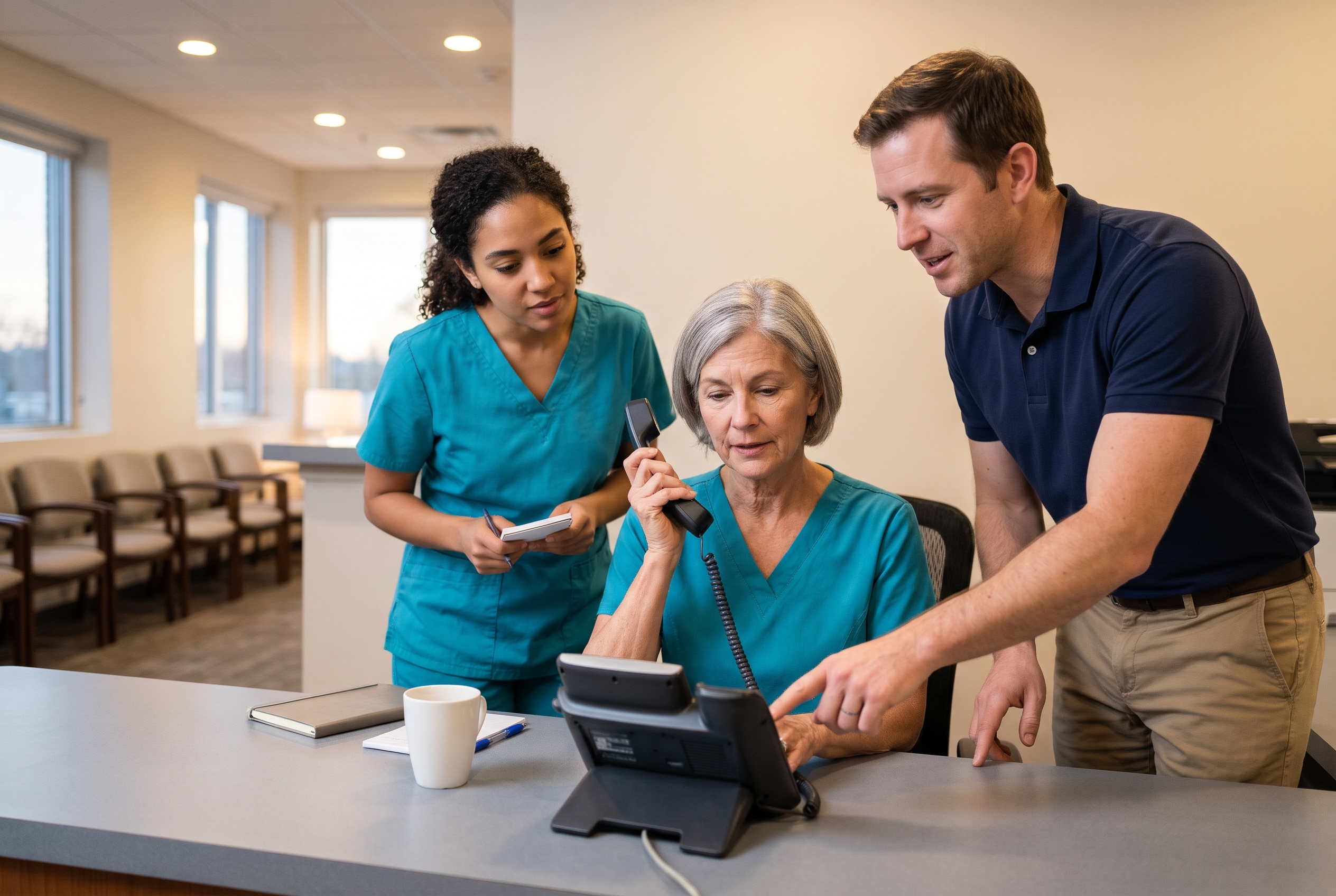
Then cover the moments that create patient frustration. What should a receptionist do when a provider is unavailable? Who receives a queue call after a set wait time? How are urgent clinical calls identified and routed? What happens when the internet is down? Written answers give new employees and cross-trained staff a reliable starting point. Our office phone onboarding checklist is a good template, and our customers also have a video training library of short how-to clips for new hires.
What are the steps of a clinic VoIP migration?
Seven steps, in this order. Each one protects the step after it.
- Map how patient calls move today Start with the main number and follow every path: scheduling, clinical staff, prescription refills, referrals, billing, medical records, and after hours. Write down who answers each one and what happens when that person is busy.
- List every number and every device on a phone line Gather main, direct-dial, fax, and toll-free numbers from your phone bills. Then walk the building and note the fax machines, alarm panel, elevator phone, door entry, payment terminals, and paging that use a line.
- Settle privacy questions and the business associate agreement Ask the provider how voicemail, call recordings, fax, and text messages are stored and who can reach them. Have your privacy officer review the answers and put a signed business associate agreement in place before any patient information touches the new system.
- Check the network and plan for an outage Have your IT team or provider review the firewall, switches, Wi-Fi, and internet circuit for latency, jitter, and packet loss during your busiest hours. Decide where calls go if the internet or power fails, and put battery backup on the network equipment.
- Submit the number port and choose a cutover window Give the new provider a current bill, the exact legal business name, the service address, and the full list of numbers. Keep the old service active until the port completes. Pick a low-volume time, name one point person, and agree on how staff will report problems.
- Assign and test an emergency location for every phone Give each desk phone a dispatchable location that includes the suite, floor, or room. Test with the provider's non-emergency test line, never by dialing 911, and make sure staff know what to do when calling from a mobile or desktop app.
- Train staff and test from an outside phone Train the front desk and clinical team on transfers, parking, voicemail, queues, and greetings before cutover day. Then call every published number from a cell phone outside the system, including fax, after-hours, and the on-call path.
Special offer for new business customers
If your clinic is new to Carolina Digital Phone, visit quote.carolinadigitalphone.com to see our current special offer for new business customers and request a quick call back from a member of our team.
Why does a local provider matter for a medical practice?
Because a cutover question at 7:45 on a Monday cannot wait in a remote ticket queue. For clinics in North Carolina, a local provider is especially useful when the work includes on-site coordination, number porting, staff training, and decisions that need an answer now. Carolina Digital Phone plans and supports its own hosted platform with a Piedmont Triad team, so the people helping with the migration stay accountable after installation.
After you are live, your staff can dial 611 from any Carolina Digital Phone desk phone, smartphone app, or browser-based phone and reach our engineering support team in downtown Greensboro. That is three digits to a person who knows your system.
People do business with people they know, like, and trust, and nowhere is that more true than in healthcare. You can read why practices choose Carolina Digital Phone, our history, and what it means to have a trusted partner for business communications. Our healthcare phone systems page and our guide to the best VoIP for medical offices cover the features in more detail.
A clinic VoIP migration is successful when patients continue reaching your office without having to think about the technology behind it. Give the planning phase the same care you give the first day of a new clinical process, and your team will have a clearer, more dependable way to handle the calls that keep care moving.
Frequently asked questions about clinic VoIP migration
What is a clinic VoIP migration?
A clinic VoIP migration is the planned move of a medical practice's phone service from an older phone system or analog lines to a hosted, internet-based phone system. It covers call flows, phone and fax numbers, connected devices, network readiness, Enhanced 911 locations, staff training, and the cutover day itself.
How long does a clinic VoIP migration take?
Most single-site clinics should plan on several weeks from the first planning meeting to cutover. Number porting is usually the longest step, and its timing depends on the current carrier and how accurate the account records are. A multi-site practice or one with many fax and toll-free numbers should allow more time.
Will our clinic lose phone service during the switch?
A well-planned migration keeps the old service running until the numbers move to the new system, so patients can keep calling. No provider can honestly promise that nothing will go wrong. A good plan names a point person, picks a low-volume cutover window, and has temporary call forwarding ready if something needs attention.
Can a medical practice keep its phone and fax numbers when it moves to VoIP?
In most cases, yes. Number porting moves your existing main, direct, fax, and toll-free numbers to the new provider. The Federal Communications Commission says your old company cannot refuse to port a number once you request service from a new one. Do not cancel the old service until the port is complete.
Is hosted VoIP HIPAA compliant for a medical office?
No phone system is compliant by itself. The U.S. Department of Health and Human Services says the HIPAA Security Rule applies to VoIP, so the clinic must include its phone system in its risk analysis and use appropriate safeguards. Compliance depends on how the service is configured, who has access, and the agreements in place.
Does a clinic need a business associate agreement with its phone provider?
Usually, yes, when the provider stores patient information such as voicemail, call recordings, faxes, or text messages. Federal guidance treats a carrier that only transmits a call differently from a vendor that maintains the information. Ask your privacy officer or attorney, and have the agreement signed before the system goes live.
Will fax still work after a clinic moves to VoIP?
It can, but it needs its own plan. Fax is less forgiving than voice on an internet connection. Internet-based fax can be dependable when it is designed and tested for your workflow. Test incoming and outgoing fax with the pharmacies, hospitals, and referring offices you work with before retiring the old line.
What happens to clinic phones if the internet or power goes out?
A hosted phone system keeps running in the provider's data centers, so calls can be routed to mobile apps, another location, or an answering service. Desk phones and network equipment in the clinic still need power and an internet connection, so plan for battery backup and a second internet path.
How does 911 work on a clinic VoIP system?
Each phone is assigned a registered location that is sent to the 911 center. In a multi-suite or multi-floor clinic that location should name the suite, floor, or room, not just the street address. A mobile or desktop app used away from the clinic may not send the same detail, so staff need a clear procedure.
Can clinic staff text patients from the clinic phone number?
Yes, a clinic number can be text-enabled so staff do not use personal phones. Texting needs approved workflows, patient consent practices, and access controls. Your privacy, legal, and clinical leadership should decide what may be sent by text, how long it is kept, and who can see it.
How do we get started with Carolina Digital Phone?
Call (336) 544-4000 to talk with someone right away, visit quote.carolinadigitalphone.com to see the special offer for new business customers and request a quick call back, or schedule a 15 to 30 minute no-obligation discovery meeting with an onboarding specialist at meet.carolinadigitalphone.com.
Move your clinic's phones without your patients noticing
If your practice is facing an aging phone system, retiring copper lines, or a provider you cannot reach when it counts, the experienced team at Carolina Digital Phone can plan the migration with you from the first call-flow review through cutover day. We are a local company, and a real person answers when you call.
To talk with someone right now, call (336) 544-4000.
The special offer at quote.carolinadigitalphone.com is for new Carolina Digital Phone business customers. Discovery meetings are 15 to 30 minutes on Google Meet with an onboarding specialist, with no obligation.