Published October 1, 2026. Last updated October 1, 2026.
Quick answer: why does a new VoIP phone fail to set itself up?
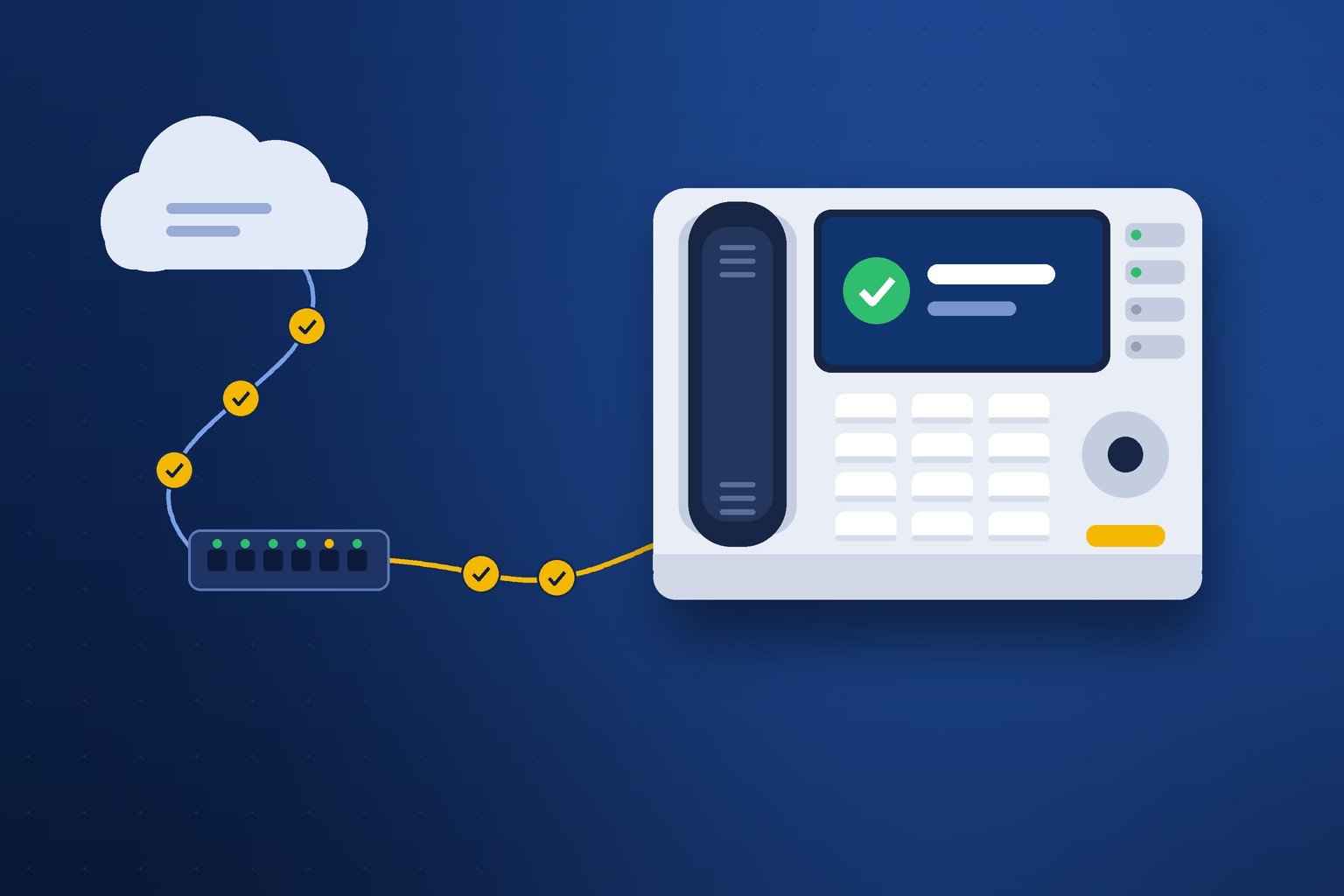
A VoIP phone sets itself up through a chain of seven small steps: power, the right network segment, an address, finding its provisioning server, downloading its settings securely, applying firmware and configuration, and registering with the phone platform. When auto-provisioning fails, one link in that chain is broken, and most of the links live on your office network rather than in the phone. The usual causes are a switch port without power, a full address pool, a firewall or web filter blocking the download, a clock that never set, or an old record still tied to the phone.
- Auto-provisioning
- The process that lets a phone download its own extension, buttons, and settings from a server instead of having someone type them in at the desk. Also sold as zero-touch or plug-and-play setup.
- Provisioning server
- The server that holds each phone's configuration and hands it over when the phone identifies itself.
- MAC address
- The unique hardware ID printed on the back of every phone. It is how the provisioning server knows which phone is asking.
- DHCP
- The network service that gives every device an IP address and tells it where to find things like the gateway and the time server.
- Voice VLAN
- A separate lane on your network reserved for phones, so calls are not competing with file downloads and video.
- Registration
- The final step, when the phone signs in to the phone platform and can make and receive calls.
Twenty years ago, putting a phone on a desk meant someone typing a server address, a username, and a password into every handset, one at a time. Today you take a phone out of the box, plug in one cable, and walk away. By the time you come back with coffee it shows the right name, the right extension, and the right buttons. That is VoIP phone auto-provisioning, and when it works nobody thinks about it.
When it does not work, the phone sits there with a spinning icon or the words "No Service," and the person at that desk wants to know why the brand-new phone is broken. It almost never is. After more than 25 years of turning up phones for North Carolina offices, schools, and town halls, I can tell you the phone is the last thing I suspect.
Local Business VoIP is the small-business site of Carolina Digital Phone, Inc., the Greensboro company my team and I have run since 2000. This guide is written for the office manager or the IT contact who wants to understand what that phone is doing for those two minutes, where it gets stuck, and who needs to fix what.
Picture a growing dental practice. They hire two people and order two more phones. The phones arrive on a Thursday. Both power up. Both sit at "Obtaining IP address" and never move.
The phones are fine. The office network hands out addresses to exactly 50 devices, and over three years the practice has quietly added tablets in every operatory, a new imaging workstation, wireless printers, and a smart TV in the waiting room. Phones 13 and 14 were devices 51 and 52. There was no address left to give them.
The fix took a few minutes once somebody looked in the right place. Finding the right place is the whole job. Automation did not fail that office. It did exactly what it was built to do, on a network that had changed underneath it.
What is VoIP phone auto-provisioning?
It is the phone configuring itself from a central record instead of from a person at the desk. Every phone has a unique hardware ID called a MAC address. Before the phone ever ships, your provider creates a record that says, in effect, "the phone with this ID belongs to Dr. Patel's front desk, extension 104, with these line buttons and this voicemail box." When the phone powers up, it reaches out, identifies itself, downloads that record, and becomes that extension.
The benefits are real. Setup is faster. Every phone gets the same tested settings, so you do not end up with one handset that behaves differently because somebody fat-fingered a field. A replacement phone can take over an extension in minutes. And changes made centrally, such as a new button layout or a security update, reach every phone without anyone walking the building.
The catch is that "zero-touch" describes what you do, not what the phone does. The phone is doing a great deal. It depends on your switch, your router, your firewall, your internet connection, and a handful of network services most people never see. If you want the broader picture of what a phone system expects from a network, our VoIP network readiness guide and the post on what your network needs for call quality cover it. This article stays on the first two minutes of a phone's life.
What happens in the two minutes after you plug in a phone?
Seven things happen in order, and each one depends on the one before it. If you remember nothing else, remember that it is a chain. A phone that is stuck is stuck at a specific link, and the screen usually tells you which one.
- It gets power and a link. Most desk phones draw power from the network cable itself, called Power over Ethernet. No power from the switch port means no phone, unless there is a power adapter in the box.
- It finds its lane. On a network with a voice VLAN, the switch tells the phone which lane to use through a discovery protocol called LLDP-MED. Small offices without a voice VLAN skip this step and the phone simply joins the main network.
- It asks for an address. The phone requests an IP address through DHCP, the same way your laptop does, and receives a gateway, a DNS server, and sometimes extras such as a time server through DHCP options.
- It finds its provisioning server. The phone learns where its settings live. On a hosted system this usually happens through the manufacturer's redirect service, which looks up the phone's MAC address and points it to the right provider. On older or on-premises systems, a DHCP option does the pointing.
- It downloads its settings securely. The phone connects over an encrypted web connection, proves who it is with a certificate installed at the factory, and pulls down its configuration file.
- It applies firmware and configuration. If the phone's software is older than the platform expects, it updates and restarts. Then it loads its buttons, name, time zone, and features.
- It registers. The phone signs in to the phone platform using SIP, the signaling standard behind nearly every business VoIP call. The status light goes solid and you have dial tone.
On a healthy network the whole sequence takes about two minutes, a little longer if firmware updates. Steps one through three are entirely your network. Steps four through seven cross your firewall and your internet connection to reach us. That split matters when it is time to figure out who picks up the screwdriver.
Where does auto-provisioning go wrong?
At the same seven links, and each one has a signature. Exact wording varies by phone model, so treat the screen messages below as the kind of thing you will see rather than a precise quote.
| Link in the chain | What you see | Usual cause | Who fixes it |
|---|---|---|---|
| 1. Power and link | Dark screen, or the phone restarts over and over | Switch port has no Power over Ethernet, the switch is out of power budget, or the cable is bad | Your IT contact |
| 2. Voice lane | Phone powers up but lands on the wrong network, or gets no address | Voice VLAN discovery is turned off on that port, or the port was set up for a printer | Your IT contact |
| 3. Address | "Obtaining IP address" that never finishes | The address pool is full, or the phone is on a segment with no DHCP service | Your IT contact |
| 4. Finding the server | Phone has an address but shows a generic screen with no name or extension | DNS is not resolving, or a web filter is blocking the redirect lookup | Your IT contact, with our help |
| 5. Secure download | Same generic screen, or a provisioning or certificate error | Firewall blocks the connection, a security appliance is inspecting encrypted traffic, or the phone's clock is wrong | Both of us |
| 6. Firmware and settings | Phone restarts more than twice, or comes up with missing buttons | Firmware download interrupted, or the phone model and its template do not match | Carolina Digital Phone |
| 7. Registration | Correct name on the screen but "No Service" | The record is tied to a different phone, a router feature called SIP ALG is interfering, or the account is not active yet | Carolina Digital Phone first |
Notice how the table reads from top to bottom. The early failures are physical and local. The late ones are about identity and the platform. That is why the first question our support team asks is not "what is wrong" but "what is on the screen right now." It tells us which half of the chain to look at.
What does your network need before the phones arrive?
Seven things, and none of them are exotic. Hand this list to whoever looks after your network a week before install day. Most offices already pass five or six of them without trying.
- Power on the ports. Enough Power over Ethernet ports for every phone, and enough total power budget on the switch to run them all at once.
- Room in the address pool. Count every device on the network today, add the phones, and leave headroom. The dental office above is the most common failure I see in small offices.
- A decision about a voice VLAN. A small office can run phones on the main network. Larger sites, schools, and anyone with call quality complaints should separate voice. If you use one, LLDP-MED needs to be on for the phone ports.
- DNS that answers. Phones look up server names just like a browser does. If your DNS filter blocks categories it does not recognize, the phone's first lookup may be one of them.
- Outbound encrypted web traffic allowed. Phones fetch their settings over HTTPS. A firewall rule or web filter that blocks or intercepts that traffic stops provisioning cold.
- A reachable time source. The phone needs to set its clock before it can trust a certificate. More on that below.
- SIP ALG turned off. This router feature is supposed to help VoIP and usually does the opposite. We covered it in why calls drop and what causes one-way audio, and it causes registration trouble too.
A note for schools and public agencies. Content filters and security appliances that inspect encrypted traffic are the most common reason phones provision perfectly in our shop and then stall on your campus. The appliance opens the encrypted connection to look inside, the phone sees a certificate it does not recognize, and it refuses the download, exactly as it should. The fix is an exemption for the phone network, not a weaker phone. Our education and government teams work through this with district and county IT staff on nearly every project.
Why does the clock on the phone matter?
Because a phone that does not know what day it is cannot verify a security certificate. Every certificate has a start date and an end date. A phone fresh out of the box wakes up believing it is some date years in the past. Until it sets its clock, every certificate it is shown looks like it has not been issued yet, so the secure download in step five fails.
Phones set their clocks with the Network Time Protocol, the same standard behind the NIST Internet Time Service that keeps official U.S. time. It is a tiny request on a port that some firewalls block by default because nobody thought a desk phone would need it.
This is my favorite provisioning failure because the symptom looks nothing like the cause. The phone has power, an address, and a working internet path, and it still will not download its settings. If you see a new phone showing a date that is obviously wrong, tell support that first. It will save everyone twenty minutes.
Why did your change disappear after a reboot?
Because the central record always wins. A provisioned phone takes its settings from several places: what was typed on the phone itself, what the network told it, and what the provisioning server sent. When those disagree, the server's version replaces the local one the next time the phone checks in, which can be at the next restart or on a schedule overnight.
So if someone presses buttons on the phone to change a speed dial, a ring tone, or a line key, it may work for a day and then quietly revert. Nothing broke. The phone went back to its record.
The rule is simple. Make lasting changes at the source. For our customers that means the web portal for the settings you control, or a call to support for the ones we manage. It is the same discipline I recommended in the office phone onboarding checklist: decide who is allowed to change what, and change it in one place.
What happens when you replace, move, or buy a used phone?
The record has to follow the hardware, and this is where identity problems start. Provisioning depends on the platform and the phone agreeing about who the phone is. Three everyday situations break that agreement.
Replacing a phone
The extension's record still points at the old phone's MAC address. The new phone plugs in, identifies itself, and the server has nothing for it. The fix is a thirty-second change on our side, but somebody has to tell us the new MAC address. It is printed on a label on the back of the phone and on the box.
Moving a phone
A phone carried to a different desk on the same network will usually come right up. What does not move with it is its emergency location. The system still believes that phone is in its old room until the record is updated. Federal multi-line telephone system rules make dispatchable location your organization's responsibility, so treat every move as two tasks: plug it in, and update where it is. Our guide on how to assign dispatchable E911 locations walks through the second one.
Buying a used phone
This one surprises people. A secondhand phone bought online may still be claimed in the manufacturer's redirect service by whichever provider deployed it last. You plug it in, it phones home, and it is pointed at a company you have never heard of. Sometimes that can be released and sometimes it cannot. If you want to bring your own hardware, ask us before you buy. Phones ordered through our store or supplied with your service arrive already matched to your account. For help choosing models in the first place, see our small business guide to telephones.
Does auto-provisioning work at a home office?
Yes, and it is usually easier than the office, with two exceptions. A home network is simple: one router, no VLANs, no content filter. A provisioned desk phone plugged into a home router will normally find its way to us without help.
The first exception is power. Home routers do not supply Power over Ethernet, so the phone needs its power adapter or a small injector. The second is the router itself. Consumer routers and the combination modem-routers supplied by internet providers often ship with SIP ALG turned on, and some make it hard to turn off.
For many remote employees the better answer is no desk phone at all. A softphone skips most of the chain. There is no switch port, no voice VLAN, and no hardware record to match. Digital Voice Plus, our app for Apple, Android, Mac, and Windows, puts the same extension on a laptop or a smartphone. We compared the two in softphone versus desk phone, and the setup steps are in how to enable a mobile softphone. Either way, a phone used at home needs a current emergency address on file.
Is auto-provisioning secure?
It is when it is built correctly, and you should ask any provider how theirs is built. A configuration file is not harmless. It contains the credentials the phone uses to register. Anyone who can download it can pretend to be that extension, which is how toll fraud starts.
Good provisioning has four protections. The download is encrypted. The phone proves its identity with a certificate rather than just announcing a MAC address. The phone's web and admin passwords are changed from the factory default as part of the download. And the server limits how many times anyone can guess. The National Security Agency's guidance on securing voice and video over IP systems recommends separating voice traffic and controlling access to phones for the same reasons, and CISA's alert on default passwords explains why a device left on its factory password is an open door.
This is not theoretical. In 2025 a vulnerability was disclosed in Yealink's redirect and provisioning service, tracked as CVE-2025-52916 in the National Vulnerability Database. We wrote up what it meant for our customers and the protections already in place, including rate limiting, verification attempt limits, and certificate validation, in our security notice on the Yealink issue. I mention it because it shows the right question to ask a provider. Not "are you secure," but "what did you do the last time a phone manufacturer announced a problem."
On our platform, signaling and audio are encrypted with SIP over TLS and SRTP, administrator logins support multi-factor authentication, and the network is monitored around the clock. The customer side of that work is in our VoIP security checklist.
How does Carolina Digital Phone handle provisioning for you?
We do the parts that can be done ahead of time, and we stay on the phone with you for the parts that depend on your building. "Plug and play" is a fair description of a good install day. It is a poor description of the work that makes the day good.
- Records built before the phones arrive. Each phone is matched to its extension, name, buttons, voicemail box, and emergency location in advance, so the phone has something correct to download the moment it powers up.
- A network conversation first. We review the seven items above with your IT contact before install day, not during it.
- Local engineers on site. When a phone stalls at link two or three, the person who can see the switch port solves it faster than anyone on a call. Our engineers install across North Carolina, South Carolina, and Virginia.
- Firmware handled for you. When a phone manufacturer releases an update that matters, we push it. You do not have to track firmware versions.
- Support that starts with the screen. Dial 611 from any Carolina Digital Phone handset or call (336) 346-6000. If it helps, we can look at your setup together through our support screen share.
- Training after the phones are up. The training series covers everyday functions once the phone is on the desk.
That is what local looks like in practice. You can read more about the phone system itself and its complete list of features on the Carolina Digital Phone site, and more about how we work on our why Carolina Digital Phone, history, and trusted communications partner pages.
What should you do when a new phone will not come up?
Spend two minutes on these six checks before you call. They either fix it or give support exactly what they need.
- Look at the screen and write down what it says. The message tells us which link in the chain is broken.
- Check the cable and the port. Is the cable in the port marked for the network, not the one marked for a computer? Is there a link light?
- Try a port where another phone is working. If the new phone comes up there, the phone is fine and the original port is the problem.
- Find the phone's IP address. Most models show it under a status or OK button. No address means a local network issue. An address means the problem is further along.
- Restart it once. Unplug the cable, wait ten seconds, plug it back in. Once. If it did not work the first time, a fifth restart will not either.
- Do not factory reset it unless support asks. A reset rarely fixes provisioning and can erase the clues. Have the MAC address from the label ready and call.
The technology behind a desk phone has become wonderfully easy to live with. It has not become simple. The difference is that the complexity moved out of sight, into a chain of small handoffs between your network and ours. When you know the chain exists, a stuck phone stops being a mystery and becomes a short list. And when you would rather not work the list yourself, that is what we are here for.
Frequently asked questions about VoIP phone auto-provisioning
What is auto-provisioning on a VoIP phone?
Auto-provisioning is the process that lets a VoIP phone download its own extension, buttons, and settings from a central server when it powers up, instead of having someone enter them by hand. The server recognizes the phone by its MAC address and sends the configuration built for that specific phone.
How long should a new VoIP phone take to set itself up?
About two minutes on a healthy network, and a few minutes longer if the phone needs a firmware update and restarts. A phone that has shown the same message for more than ten minutes is stuck at one step and will not recover by waiting.
Why does my new VoIP phone say No Service?
No Service means the phone finished starting up but did not register with the phone platform. If the screen shows the correct name and extension, the usual causes are a record still tied to a different phone, a router feature called SIP ALG interfering with registration, or an account that is not active yet. If the screen shows no name at all, the phone never downloaded its settings, which points to DNS, a firewall, a web filter, or the phone's clock.
Can I buy my own phones and have them auto-provision?
Sometimes. A new phone of a supported model can be added to your account by its MAC address. A used phone may still be claimed in the manufacturer's redirect service by the provider that deployed it last, and it will try to reach that provider instead of yours. Ask your provider before buying secondhand hardware.
Do I need a voice VLAN for VoIP phones?
Not always. A small office with a few phones can run them on the main network. A voice VLAN is worth having at larger sites, in schools and public buildings, and anywhere call quality suffers when the network is busy. If you use one, the switch ports must have LLDP-MED enabled so phones can find it automatically.
Why did my phone settings change back after a reboot?
Because the central configuration overrides changes made on the phone itself. When the phone restarts or checks in with the provisioning server, it reloads its stored record and replaces local edits. Make lasting changes in the web portal or through your provider's support team.
Does moving a phone to another desk affect 911?
Yes. The phone will usually work at the new desk, but its registered emergency location does not move with it. Until the record is updated, a 911 call from that phone reports the old room. Update the dispatchable location every time a phone moves.
Related guides
Adding phones, moving offices, or starting fresh?
Tell us how many phones and where they are going. A local engineer will review your network with you before anything ships, so install day is the two-minute version. We have done this for North Carolina businesses, schools, and local governments since 2000, and a person answers when you call.
Call (336) 544-4000 Request a Network Readiness ReviewWant a quick quote first? Three questions at HostedBusinessTelephone.com, or ask the founder directly at LocalVoIPProvider.com. Existing customers: dial 611 from your phone or call support at (336) 346-6000. Learn more at CarolinaDigitalPhone.com.