
How To Guide · Business Continuity
How VoIP Redundancy Keeps Business Calls Available
Your caller does not care what broke. Here are the four layers that decide whether somebody still answers.
Published: | Last updated:
A customer calling your main number does not care whether the problem is a fiber cut, a carrier issue, a failed firewall, or a power outage at your office. They care whether someone answers.
VoIP redundancy is the planning and technical design that gives a call another path when one part of the phone system is unavailable. I want to stress the word planning. Redundancy is not one feature you check off on a quote. It is a series of choices across the hosted phone platform, the telephone carriers, your internet connection, your office power, and the way calls are routed to people.
Those choices can cancel each other out. A provider can have several data centers and still leave your office phones hanging on one internet circuit. Your office can have backup internet and still have a call flow that sends every after-hours call to an empty desk. This guide walks through each layer, tells you what to ask, and is honest about what no provider can do for you.
Local Business VoIP is the small-business site of Carolina Digital Phone, Inc., the Greensboro company I started in 2000. We have hosted voice service in data centers for more than twenty years, so some of what follows is how our own platform is built.
Quick answer: what is VoIP redundancy?
VoIP redundancy means building alternate paths so that a single failure does not stop your calls. It has four layers: the hosted platform and its data centers, the carriers and network routes that connect to the public telephone network, the internet and power at each of your locations, and the call routing that decides who answers when the usual person or place cannot. A provider is responsible for the first two. You and your provider share the last two.
- Redundancy
- A second resource that is ready to do the job of the first: another data center, carrier, internet connection, or person.
- Failover
- The switch from the failed resource to the working one. It can be automatic or manual.
- Geo-redundancy
- Running the phone platform in separate geographic locations so that a regional event cannot take all of them down.
- Active-active
- A design where every site is live and handling calls at all times, as opposed to one site waiting idle as a spare.
- Single point of failure
- Any one component whose failure stops everything, because nothing else can take its place.
- PSTN
- The public switched telephone network, the worldwide phone network your provider must connect to through carriers.
Why does a single point of failure matter so much?
It matters because every communications setup has dependencies, and outages are not rare events that happen to other people. The goal is not to pretend outages never happen. The goal is to keep one avoidable failure from taking away all of your options at once. Two real events make the point better than I can.
Moore County, North Carolina, December 2022. On a Saturday evening, someone fired on two electrical substations. About 45,000 homes and businesses lost power, and it stayed off for days in freezing weather. Schools closed. A curfew went into effect. Every doctor's office, shop, and town department in the county had the same problem at the same moment, and none of them had done anything wrong.
If a business number in Southern Pines rang only desk phones on a dark counter, callers heard it ring and ring. If that same number was set to follow the staff to a phone app, someone could answer it from a relative's kitchen in the next county. Same outage. Very different week.
Nationwide, February 22, 2024. Before dawn, a wireless carrier made a network change with a configuration error. Three minutes later its entire national network went down. The FCC's investigation found that the outage lasted at least twelve hours, blocked more than 92 million voice calls, and stopped more than 25,000 attempts to reach 911. The agency's chair called it a "sunny day" outage. No storm, no attack. One change, on one network.
You can read the FCC's report on that outage and NPR's account of what happened in Moore County. I bring them up for one reason. In the first, the weak point was power at the building. In the second, it was a single carrier that millions of people assumed would always be there. Neither group was careless. They simply had one path.
Now picture a medical practice whose main office loses power. If its published number rings only the desk phones in that office, patients hear ringing and no answer. If the same number has an outage rule that sends calls to the front desk team's mobile app or to a second location, the staff keep scheduling and triaging from somewhere safe. Our guide to healthcare phone continuity covers that case in detail.
A school district needs a different plan. Administrative calls, classroom extensions, paging, bell schedules, and emergency communications all have different priorities. During a building outage the district may want administrative lines sent to another office, while on-site paging depends on local equipment and local power that have to be evaluated separately. One label, "redundant VoIP," does not make every connected system independent.
For a town or county, continuity may mean keeping public-facing department numbers working while staff operate from another site. It may also mean documenting who can change routing, how those changes are approved, and where call records are kept. The technical plan has to fit the operating plan. We walk through one in this municipal phone failover example.
Do you know where your main number goes when the power is out?
Most owners and office managers are not sure, and you should not have to guess. Bring one phone number to a short discovery meeting on Google Meet, and an onboarding specialist at Carolina Digital Phone will trace its outage path with you. Fifteen to thirty minutes, no obligation.
What does VoIP redundancy actually cover?
It covers four layers between the caller and the person who answers. A hosted VoIP system turns voice into data and carries it over an IP network, so each layer is a place where an alternate path can be built, or left out.
| Layer | What can fail | What protects it | Who owns it |
|---|---|---|---|
| 1. Hosted platform | A server, a data center, a regional power or weather event | Several active sites in separate regions, backup power, automatic failover | Your provider |
| 2. Carriers and network paths | A carrier outage, a fiber cut, a routing problem | Multiple carriers, diverse fiber routes, inbound number rerouting | Your provider |
| 3. Internet and power at your site | Your internet circuit, firewall, switch, or building power | A second connection on a different path, battery backup, a generator | You, with your provider's guidance |
| 4. People and call flow | The usual person or location cannot answer | Mobile and desktop apps, backup ring groups, a second office, an answering service | You and your provider together |
The fourth layer is the one people miss. An auto attendant, a ring group, a queue, or a time-of-day rule only provides continuity if it has somewhere useful to send the call during a disruption. Redundancy is partly infrastructure and partly a practical answer to one question: who can take the call when the normal person or place cannot?
How does a geo-redundant phone platform stay up when a data center goes down?
It stays up because more than one site is running at the same time, each one holding a current copy of your account, so calls have somewhere to go the moment one site disappears. That is the short version. Here is how it works on the Carolina Digital Phone platform, in plain language.
Every site is live, all the time
Our platform runs across downtown Greensboro, Research Triangle Park, and Dallas. These are not a main site and two spares sitting idle. The design is what engineers call active-active: several nodes run at once in separate locations and on separate networks, each handling calls and each copying account data to the others as it changes. Your users, extensions, call routing, feature settings, and voicemail exist in more than one place at the same moment.
That matters because a spare that has to be started during an emergency is one more thing that can go wrong on the worst day. With every site already working, there is nothing to start.
Your phones know where to go next
Each desk phone and app connects to a preferred home site. Sites are paired, so every home site has a partner in another location. If a phone cannot reach its home, it finds the partner site automatically through DNS, the same directory system that lets your browser find a website. Nobody at your office has to touch anything. Calls that land at one site for a phone registered at another are passed between the sites.
One site failing moves part of the load, not all of it
Because the sites are paired and all carrying traffic, losing one shifts only that site's share of calls to its partners. It does not dump the whole customer base onto a single remaining machine. Engineers talk about limiting the "blast radius" of a failure, and this is what they mean.
Maintenance does not require taking your phones down
The same design pays off on ordinary days. When one node needs a software update or repair, the others keep carrying calls. A provider running on a single node has to pick a time to take service down, and you get an email about a "maintenance window." With redundant nodes, most of that work happens without you knowing.
What it protects against, and what it does not
This layer protects you from local power and network failures at a data center, hardware faults, and regional severe weather. Geographic separation is the point. Backup equipment in the same building does nothing when the building itself has the problem. Greensboro and Dallas are roughly a thousand miles apart, and no single ice storm or hurricane reaches both.
Now the candid part. Failover is fast, but it is not magic. Some services switch automatically and others may need a person to act. A call in progress at the instant of a failure can be interrupted, and phones may take a short time to connect to their second site. Any provider who promises that no caller will ever notice anything is selling, not explaining. And none of this helps if the internet is out at your own front door, which is the next layer.

Why do multiple carriers and fiber paths matter?
They matter because your provider has to hand your calls to the public telephone network, and that handoff is a dependency of its own. February 2024 showed what happens when millions of people rely on one carrier's network.
Multiple carriers reduce the chance that one carrier's trouble becomes yours. Diverse fiber routes reduce the risk when a backhoe finds a cable. Our post on single carrier versus multi-carrier service explains the difference, and telecom resilience covers the wider picture.
These protections are useful, but they do not replace local connectivity. Ask whether your inbound numbers can be rerouted if a particular path has trouble, and ask who is watching for that and who owns the response.
What do you need at your own office?
You need internet and power that do not depend on a single path, at least in the places where desk phones must keep working. This is the layer no cloud provider can build for you from a distance.
Internet
Desk phones generally need internet access. If it goes away, phones at that location may not register even though the cloud platform is running perfectly. For offices where that is not acceptable, consider two internet connections that do not share the same physical path. A second connection from the same cable plant may help with equipment trouble, but it will not protect you from a neighborhood-level cable problem. How far to go depends on your location, the providers available, your budget, and how much downtime your operation can stand. Do cloud phones need internet? and VoIP network readiness go deeper.
Power
The Uptime Institute, which studies data center reliability, reports year after year that power is the leading cause of serious outages. If power is the top problem for facilities built around generators, it is certainly a problem for an office with a power strip under the receptionist's desk.
A battery backup keeps network equipment and phones running briefly. A generator can carry a longer event if it is maintained and sized correctly. The mistake I see most often is plugging only the phones into the battery. Your modem, firewall, switches, Wi-Fi access points, and any on-site voice gateway all need power too. A phone with electricity and no network is a paperweight with a lit screen.
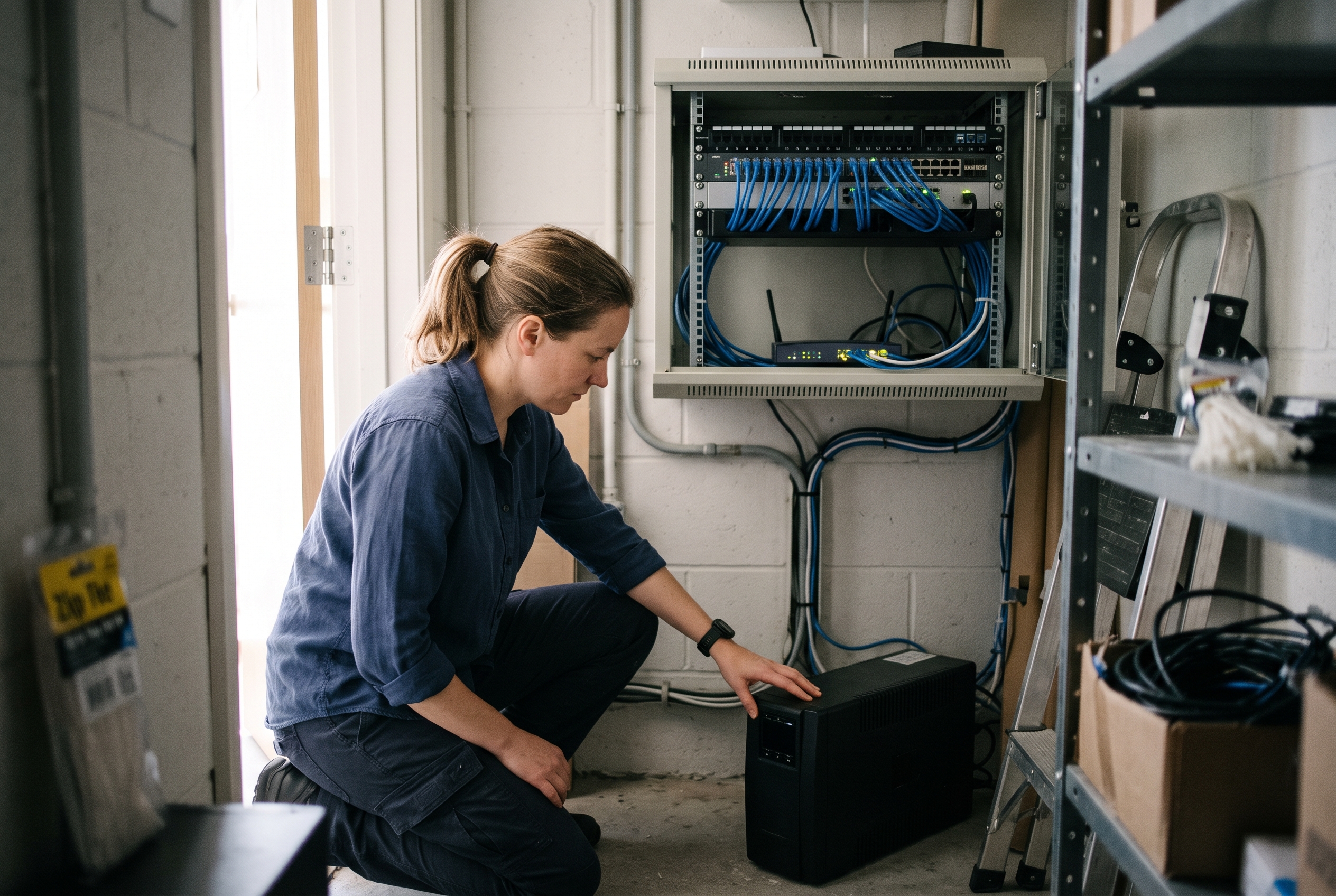
People and devices
Mobile and desktop softphones give your staff another way to answer from any working internet connection. For small and mid-sized organizations they are often the most practical continuity tool there is, because the call follows the employee and not the desk. Our app is Digital Voice Plus, and how to enable a mobile softphone shows the setup.
Apps are not a substitute for planning. Decide which calls should ring a team, which should go to voicemail, and which need a live fallback answer. Build that around job roles, not personal cell numbers that vanish when an employee changes positions. If you have not decided who is allowed to change routing during an incident, employee calling permissions is the place to start.
How much uptime should you expect?
Expect a clear number and a clear explanation of what it covers. Uptime percentages sound alike and mean very different things.
| Uptime | Common name | Downtime allowed per year |
|---|---|---|
| 99 percent | Two nines | About 3 days, 15 hours |
| 99.9 percent | Three nines | About 8 hours, 46 minutes |
| 99.99 percent | Four nines | About 52 minutes |
| 99.999 percent | Five nines | About 5 minutes |
Two cautions. First, an uptime figure for a provider's platform does not include the internet connection or the power at your office. Second, a number on a web page is not the same as a design. Many hosted phone providers use capable software that supports geo-redundancy, and some of them run it on a single node in a single building to save money. From the outside you cannot tell. You have to ask.
What should you ask a provider about redundancy?
Ask for a plain-language explanation of every failure point between a caller and the person answering. The answer should separate what the provider protects from what depends on your own building.
- Where does your hosted phone system run, and are those locations in separate regions?
- Are all sites active at once, or is one a standby that must be started?
- Do you actually run more than one node, or one node with a backup plan?
- How do my phones find a second site, and does anyone have to do anything?
- What might a caller notice during a failover?
- How many carriers do you use, and can my inbound numbers be rerouted?
- Can you do maintenance without taking service down?
- What uptime do you commit to in writing, and what does it include?
- Who changes my call routing during an incident, and how do I reach them?
A provider should be able to answer these without hiding behind a diagram or a vague uptime statement. If you are comparing a hosted service with a system in your own closet, see hosted VoIP vs. on-premise PBX for business continuity. For more on the data center side, see geo-redundant VoIP service.
How do you build a VoIP continuity plan?
You build it in six steps, starting with call priorities and ending with a test. Not every number needs the same design. A main customer line, a school safety office, a public works line, and a conference room phone should not all get the same level of backup.
- Rank your phone numbers by what a missed call costs List every published number and decide which ones hurt most when nobody answers: the main line, scheduling or billing, an after-hours urgent line, a school safety office, a public works line. Those get the strongest backup. A conference room phone does not.
- Trace one call from the caller to the person who answers Pick your most important number and follow it step by step: carrier, hosted platform, your internet connection, your network equipment, office power, the phone, and the person. Mark every point where one failure would stop the call.
- Ask your provider how the platform fails over Find out where the hosted system runs, whether the sites are geographically separate and all active, how phones find a second site, how many carriers are used, and whether maintenance requires downtime. Ask what a caller would notice during a failover.
- Protect internet and power at each location that needs desk phones Where desk phones must stay up, add a second internet connection on a different physical path when you can, and put the modem, firewall, switches, Wi-Fi, and phones on battery backup or a generator. Powering only the phones does not help.
- Write the outage path for each priority number in plain language Decide where each call goes when the primary location, group, or schedule is unavailable, such as a mobile app group, a second office, an answering service, or voicemail. Build it around job roles, not personal cell numbers, and write it as one sentence anyone can read.
- Test it, and test again after every change Call every published number from an outside phone, confirm app users can place and receive calls away from the office network, verify failover destinations and greetings, and review emergency location records. Repeat after any move, staffing change, or network change.
Step five deserves an example. Write the call flow in ordinary language, like this:
"If the Greensboro office loses internet, the main number rings the receptionist group on their apps for 20 seconds, then the Raleigh support group, then the after-hours mailbox."
A sentence like that is easier to test, approve, and update than a collection of settings somebody remembers. Federal guidance agrees. Ready.gov tells businesses to document the IT recovery plan as part of the business continuity plan and test it periodically. Your phones belong in that document. Our guides on how to set call routing and business continuity phone solutions can help you write it.
How do you test a failover plan before you need it?
You test it with a short checklist, from outside the building. A redundancy design that has never been tested is an assumption. Testing does not have to disrupt anyone, but it should happen after a new deployment, a significant staffing change, an office move, a network change, and at regular intervals afterward.
- Call every published main and department number from an outside phone.
- Confirm mobile and desktop app users can receive and place calls away from the office network.
- Verify failover destinations, voicemail greetings, business hours, and after-hours routing.
- Review the process for updating emergency records and dispatchable location when people or phones move.
Enhanced 911 deserves its own review. A 911 call may be placed from a desk phone, a softphone, or a mobile device under very different conditions. Keep your provider informed of dispatchable location changes, and make sure staff understand the emergency calling process for each kind of device. A continuity plan should never assume that redirecting a business call changes emergency location information automatically. It does not. Our guide on how to test E911 locations shows how to check.
What should you expect from a local provider?
You should expect to know four things: what the hosted platform protects, what depends on your building, who changes call routing during an incident, and how to reach support when it counts.
Carolina Digital Phone operates its hosted platform across downtown Greensboro, Research Triangle Park, and Dallas, with multiple carriers, diverse fiber paths, automatic failover, and backup power. That design protects the core service. A complete continuity conversation still includes your internet, your power, your devices, and your call flow, and those details are where a local team can own the problem instead of passing it between vendors. If you are a school, college, or public agency on the state research and education network, our guide to choosing an MCNC NCREN voice provider applies to you.
You can read more about why organizations choose Carolina Digital Phone, about our history, and about what it means to be a trusted partner for business communications.
What happens in a discovery meeting with an onboarding specialist?
You spend 15 to 30 minutes on Google Meet with someone whose job is setting up phone systems, and you leave with an honest picture of where your calls would go in an outage. There is no obligation.
Bring one published phone number, the one you can least afford to miss. Your onboarding specialist will follow it through all four layers with you: where the platform runs, how the carriers connect, what your office depends on for internet and power, and who answers when the usual person cannot. You will hear which gaps are ours to close and which are yours. If you are a school or a government agency, they will talk through buildings, departments, paging, and emergency calling. It is also the right place to ask about hosted, cloud-based voice, business messaging, and AI integration with your calling.
I would much prefer you find a gap in a calm meeting than on the morning the power is out. Pick a time at meet.carolinadigitalphone.com.
Frequently asked questions about VoIP redundancy
What is VoIP redundancy?
VoIP redundancy is the planning and technical design that gives a phone call another path when one part of the system is unavailable. It covers four layers: the hosted phone platform, the telephone carriers, the internet and power at your location, and the way calls are routed to people.
What is the difference between redundancy and failover?
Redundancy means having a second resource in place, such as another data center, carrier, or internet connection. Failover is the act of switching to it. You need both: a backup that exists, and a tested way of moving calls onto it.
What is geo-redundancy in a hosted phone system?
Geo-redundancy means the phone platform runs in more than one geographic location, far enough apart that a storm, power failure, or fiber cut in one region does not affect the others. If one site becomes unreachable, another site handles the calls.
What does active-active mean?
Active-active means every site is live and handling calls all the time while copying account data between sites continuously. That differs from active-standby, where a backup site sits idle and must be started during an emergency. An active-active design has nothing to start, because the other sites are already working.
Will my desk phones work if the office internet goes down?
Not at that office, unless you have a second internet connection. Desk phones need internet and local power. Your phone service itself keeps running in the cloud, so calls can still be answered on mobile and desktop apps, at another office, or by an answering service if that routing was planned in advance.
Is a cell phone a good enough backup for business calls?
A personal cell phone alone is a weak backup, because customers are dialing your business number, not your cell. A business phone app on that same phone is much stronger, since it answers the business number over Wi-Fi or cellular data. Keep in mind that wireless carriers have outages too.
How much downtime does 99.99 percent uptime allow?
About 52 minutes a year. 99.9 percent allows about 8 hours and 46 minutes a year, and 99.999 percent allows about 5 minutes. Ask a provider what its figure includes, since an uptime number for the platform says nothing about the internet connection at your office.
Does a backup internet connection from the same provider help?
It helps with equipment trouble but may not help with a neighborhood outage, because both connections can ride the same physical cable. A second connection that uses a different path, such as fiber plus cable or cable plus cellular, protects against more kinds of failure.
How often should we test our phone failover plan?
Test after a new deployment, a significant staffing change, an office move, or a network change, and at regular intervals after that. Twice a year is a reasonable schedule for most organizations. A plan that has never been tested is an assumption.
Does rerouting business calls change our 911 location?
No. Redirecting inbound business calls does not update emergency location records. A 911 call placed from a desk phone, a softphone, or a mobile device is handled differently in each case, so keep your provider informed when people or phones move and make sure staff know the emergency calling process for each device.
Where does Carolina Digital Phone run its hosted phone platform?
Carolina Digital Phone operates its hosted platform across downtown Greensboro, Research Triangle Park, and Dallas, with multiple carriers, diverse fiber paths, automatic failover, and backup power. An onboarding specialist can walk through how that applies to your numbers in a 15 to 30 minute discovery meeting at meet.carolinadigitalphone.com.
Where can you read more?
Take one phone number and walk its outage path
That is the best next step I can give you. Take one published number and trace what happens to it when the internet, the power, or the usual person is not there. If the answer is unclear, you have found a useful place to improve your plan.
The easiest way to do it is with someone who does this every day. Schedule a discovery meeting with an onboarding specialist at Carolina Digital Phone: 15 to 30 minutes on Google Meet, no obligation. If you would rather talk to someone right now, call (336) 544-4000, or click below for a quick call back from a member of our team.
Other ways to start: use our contact form, have a local onboarding engineer call you from HostedBusinessTelephone.com, or find a local VoIP provider and get a quote from a founder who still answers. Schools and government agencies can reach our Gov/Edu team at (336) 543-0000.