
Published October 20, 2026. Last updated October 20, 2026.
Every VoIP provider selling into Charlotte has the same brochure. Auto attendant, mobile app, voicemail to email, call recording, 99.999 percent uptime, a price per user that looks reasonable until the first invoice. I have read hundreds of those brochures, and I have written a few. None of them answer the question a business owner on Tryon Street or in Ballantyne actually has, which is whether the phone will be answered by the right person, on the first try, on a Tuesday afternoon when the office is slammed.
So this guide is not a feature comparison. It is the seven questions I would ask any provider, including my own company, before signing anything. Each one comes with a way to test the answer in a demonstration rather than taking the salesperson's word for it. Local Business VoIP is the small-business site of Carolina Digital Phone, Inc., a hosted phone provider that has served Charlotte-area businesses, schools, and local governments from Greensboro since 2000. We would rather earn the business by answering these questions well than by having the longest brochure.
Quick answer: how should a Charlotte business choose VoIP services?
Choose hosted VoIP when you need one business number answered across desks, mobile phones, or more than one location, and make the purchase conditional on three things: a demonstration of your own call flow with your own departments, a successful test call over your own internet connection at your busiest hour, and a written cutover plan for moving your existing 704 or 980 numbers. Then compare first-year totals, not monthly rates, and get the support response time in writing. If your current system still does the job, price out its remaining life before you replace it.
- Hosted VoIP (cloud PBX)
- A business phone system the provider runs in its data centers. Your phones and apps connect over the internet. No phone system in your closet.
- Call flow
- The written path a call takes from the moment it rings to the moment it reaches a person or a message, including every overflow and after-hours rule.
- Number porting
- Moving your existing phone numbers from the old carrier to the new provider. Your numbers belong to you.
- Dispatchable location
- The building, floor, suite, or room record sent with a 911 call so responders can find the caller. Required by federal law for multi-line phone systems.
The South End agency that bought features and lost a client
Two years ago a marketing agency in South End called us after six months on a national VoIP service they had chosen from a comparison chart. The chart had every box checked. What it did not show was that their main number rang all twelve desks at once, that nobody had been assigned to answer it, and that after four rings it went to a general voicemail box that the office manager checked on Fridays. A prospective client had called on a Monday, left a message, called again Wednesday, and signed with another agency Thursday. The owner found the two voicemails the following week.
When we sat down with her, the fix took forty minutes on a whiteboard. Main number rings reception first, then two account managers, then the owner's mobile app, then a voicemail that emails everyone. After hours, a short greeting and the same email. She has since told me the whiteboard was worth more than the phones. She is right, and that is why question one is about where the call goes and not about what the phone can do.
This story is a composite drawn from several Carolina Digital Phone customers in the Charlotte area. Names and details have been changed.What should VoIP services in Charlotte include before you even compare prices?
A proposal you can evaluate, built from an inventory you supplied. Before any provider quotes you, hand them five things: a count of occupied desks, a count of shared phones (lobby, break room, warehouse, conference rooms), a list of employees who need the business number on a mobile phone, a list of locations, and a sentence about your busiest hour. Then ask them to explain exactly what counts as a billable user in your configuration, because the answer differs between providers and it is where most "cheap" quotes grow.
Add the problems the purchase has to solve, in plain language. Reception must be able to transfer a caller to the Matthews office. A sales rep's calls need coverage when she is on vacation. The school office needs a holiday greeting the secretary can record herself. Those are acceptance requirements. Write them down now and test them before you sign off on the install.
Carolina Digital Phone's Charlotte hosted PBX service is built around exactly that kind of inventory: auto attendants, call queues, and ring groups configured to your departments and hours, across as many locations as you have. If you want a general picture of what a Charlotte installation involves before you ask the questions below, our Charlotte phone installation guide walks through the process from order to go-live.
Where does a call go when the person it is for cannot answer?
This is the question the South End agency never asked. A phone system is a set of rules about where calls go, and the rules only matter when the first choice fails. During the demonstration, have the provider build your actual main number with your actual departments, then make three calls: a normal business-hours call, a caller who picks the wrong menu option, and a call that nobody answers. Write down where each one lands and how long the caller waited.
Then try the hard ones. A transfer from reception to a person at another location, with reception staying on the line to make sure it connects. The same transfer when that person is on another call. A call at 5:05 p.m. on a Friday. A call on Thanksgiving. The after-hours and holiday paths are where most systems go quietly wrong, because nobody tests them until a customer does. Our guide to routing after-hours office calls and our walkthrough of how to set up call routing show what good looks like.
What to ask for: a demonstration using your departments and hours, not the provider's demo company. A one-page diagram of the agreed call flow that goes into the order. The name of the person at your business who is allowed to change the holiday greeting, and a demonstration that they can do it without calling support.
Can my people carry the office number out of the office?
In Charlotte that question has teeth. A commercial real estate broker spends the day between Uptown, SouthPark, and a construction site in Fort Mill. A home services company has four technicians who are the company's voice between 7 a.m. and 6 p.m. A law firm partner takes client calls from the courthouse steps. For every one of those people the "office phone" is wherever they are standing.
A mobile and desktop app that carries the business number is the answer, and every provider has one. The test is whether it works on your people's actual phones. During the demo, hand the app to the person who travels most, and have them answer an incoming business call, place an outbound call that shows the office number on the recipient's caller ID, and transfer a caller back to reception. If the person uses a Bluetooth headset in the truck, test with that. Carolina Digital Phone's app is Digital Voice Plus, for iPhone, Android, Mac, and Windows; our guide to enabling a mobile softphone covers setup, and our hybrid employee checklist covers the policy questions that follow.
Then decide devices by job, not headcount. Reception and shared areas want a desk phone with transfer keys and a busy-lamp field that shows who is on the phone. Road warriors want the app. Many people want both. Set the expectations at the same time: who covers lunch, when the business line stops ringing a personal phone at night, and where calls go during leave. A backup person should be able to do the job without borrowing anyone's login.
What to ask for: the app installed on your most mobile employee's own phone for the demo. A demonstration that outbound calls from the app show the main office number. A written answer to how the app handles 911 when the employee is away from the office.
Will this work on the internet connection I already have?
Usually yes, and the provider who tells you that you need a faster connection without measuring anything is guessing. A voice call needs about 100 kilobits per second in each direction. A 100 megabit business connection could, in theory, carry hundreds of them. What ruins calls is not bandwidth but delay, jitter, and packet loss, plus two things that live inside your own office: crowded Wi-Fi and a firewall that mishandles voice traffic. The engineering targets most providers use are one-way delay under 150 milliseconds, jitter under 30 milliseconds, and packet loss under one percent.
Ask for a readiness check at every location, run during the busiest hour of the week rather than at 7 a.m. when the engineer would prefer to visit. It should cover the internet connection, the router and firewall, the switches, the cabling, and any Wi-Fi the phones will use. The findings should come back in plain language: what can stay, what has to change, who makes the change, and what it costs. Our VoIP network readiness guide lists what we check, and our post on what VoIP call quality needs from your network explains why.
Equipment compatibility belongs in the same conversation. Give exact model numbers for every phone, headset, paging amplifier, fax machine, alarm panel, elevator phone, and door intercom you want to keep. Ask for an item-by-item answer: reuse, replace, or keep on a separate line. "We support analog devices" is not an answer. Our guide to replacing an analog phone system without gaps goes device by device.
What to ask for: a readiness report per location with measurements, not adjectives. A written list of your devices with reuse, replace, or separate-line beside each one. A test call on your network, at your busy hour, that you listen to yourself.
What happens to my phones when the power or internet goes out?
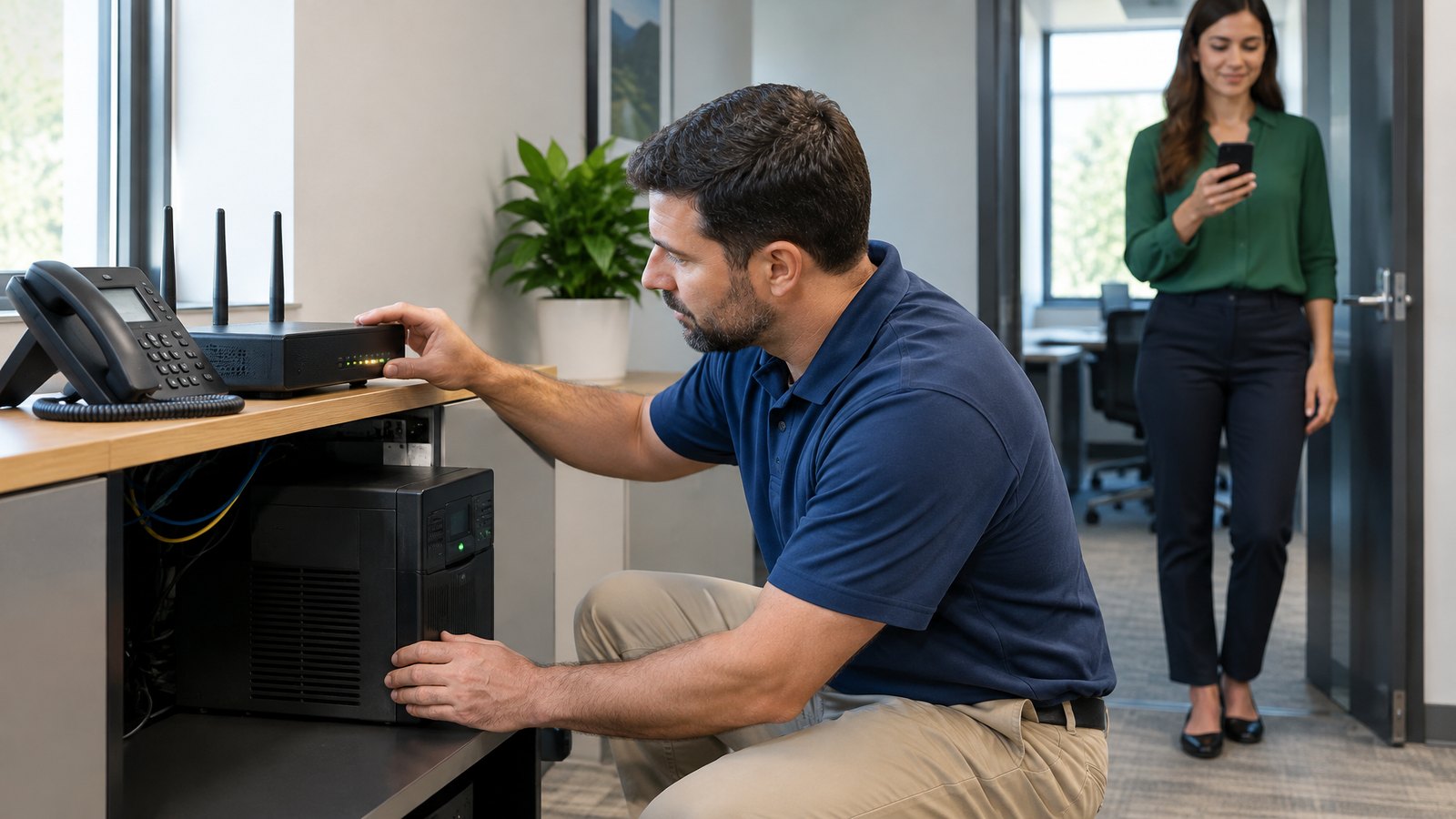
Every hosted provider will tell you about its redundant data centers, and the good ones mean it. Carolina Digital Phone runs a geo-redundant platform across data centers in Greensboro, Research Triangle Park, and Dallas, so the service does not depend on any one building. But your office is not redundant. When a summer storm knocks out power in Dilworth or a backhoe cuts the fiber on South Boulevard, the cloud keeps running and the phones on your desks go dark. The question is what happens to the calls.
Ask for two separate answers. First, a power outage: which equipment needs to stay up for the desk phones to work, is it on battery backup, and for how long? Second, an internet outage: do calls to your number automatically forward to a mobile app, another location, or voicemail, and who can change that rule from outside the office? Then ask the provider to demonstrate the failover before you accept the installation. Pull the plug and watch what happens. Our guides to business continuity phone solutions and geo-redundant VoIP service cover both halves.
What to ask for: a one-page outage plan per location naming the failover destination, the equipment on battery, and the person who owns it. A live demonstration of the changeover and the recovery. The instructions stored somewhere employees can reach without the office network.
What will the first year actually cost?
Ask for two totals and refuse to compare anything until you have both. The ordinary monthly bill, and the one-time cost to get installed. For the monthly figure, ask what is included and what is extra: phone service, equipment rental if any, call recording, business texting, extra numbers, backup connectivity. For the one-time figure, ask for separate lines for phones, headsets, cabling, network changes, configuration, training, and number porting. Ask how taxes and regulatory fees are handled on each. Then build a first-year worksheet that includes the month or two of overlap with your old carrier. Our guide to transparent VoIP pricing and cost per user has the worksheet.
A worked example, for illustration only. A 24-user Charlotte office at a hypothetical $20 per user per month pays $480 a month, or $5,760 a year, for the service itself. Add phones for the desks that need them, a few headsets, an afternoon of cabling, and porting, and the first-year number is what you should be comparing across providers. Any quote that cannot be laid out that way is hiding something, usually in the setup line or the fees.
Two things about how Carolina Digital Phone prices. We publish our per-user pricing on carolinadigitalphone.com, we do not require a term commitment, and we stand behind the service with a money-back guarantee. And if you mention the code word switch when you ask for a quote, we take $100 off account setup, porting, and activation. Keep that one-time reduction separate from the recurring cost when you compare.
What to ask for: a monthly total and a one-time total, each itemized, built on the same inventory used for the demonstration. A plain statement of how taxes and fees are treated. The contract term, and what it costs to leave.
How will you move my numbers without dropping calls?
Your 704 or 980 numbers belong to you, and federal rules require the old carrier to release them to a new provider that serves the same area, whether you are coming from a landline, a PRI, or an old PBX. The port goes smoothly when the paperwork matches. The business name, service address, account number, and authorized signer on the port request must match the old carrier's records exactly, and the old service must stay active until the port completes. Cancel early and the numbers can be lost. The FCC's porting guide is short and worth reading before you sign.
Give the provider a complete inventory: the main number, every direct line, every fax, every toll-free number, every alarm or elevator line. Ask them to check portability for each one before a cutover date is set. Then agree on the sequence in writing: configure the new system, rehearse with staff, port the numbers, place test calls from outside to every important number, accept the installation, and only then cancel the old carrier. Our number porting timeline guide covers the process week by week, and the cloud phone system with number porting post explains how the two fit together. Carolina Digital Phone's own page on porting your number to a cloud provider lists the documents we ask for.
What to ask for: a portability check on every number before a date is set. A written cutover sequence with a named decision maker on your side. An agreement that the old service is cancelled by you, after testing, and not by the new provider on install day.
Who answers when something breaks, and how fast?
This is where a Charlotte business finds out whether "local support" meant anything. Ask whom you call when every phone in the building is down. Ask how a problem is reported at 7 p.m. on a Saturday. Ask when an engineer comes to the office rather than working the ticket by email. And ask the difference between an acknowledgement and a restoration commitment, because a help desk that answers in thirty seconds and fixes nothing for three days has technically met its "response time."
The useful test is a problem that crosses a line. Your phones are choppy. Is it your firewall, your internet carrier, or the phone platform? A national provider will tell you it is not them and close the ticket. A North Carolina provider can put an engineer in your office, run the measurements, call your internet carrier, and own the problem until it is solved. That is the whole argument in our post on local VoIP providers versus RingCentral, and it is why organizations choose Carolina Digital Phone for Charlotte VoIP. Our own support team is in Greensboro, ninety minutes up Interstate 85, and the when your business phone breaks guide explains what happens when you call.
What to ask for: the support phone number and hours in the agreement. A written response and restoration commitment, not a verbal one. The name of the engineer who will come to your office, and how often that happens.
The question that is not optional: is 911 set up for every phone and app?
Two federal laws apply to every multi-line phone system, including the one you are about to buy. Kari's Law requires direct 911 dialing with no prefix and on-site notification when 911 is called. RAY BAUM's Act requires that a dispatchable location, meaning the street address plus the floor, suite, or room needed to find the caller, be sent with the call. The FCC's multi-line telephone system 911 page summarizes both, and they apply to desk phones and to the mobile app alike.
Make location records part of the acceptance checklist. Every desk phone, every shared phone, and every app user gets a record. Someone at your business owns updating them when people move. The provider explains how a softphone user in Fort Mill or at home updates their location. Carolina Digital Phone routes 911 through a national next-generation 911 aggregator and holds its own NENA company identifier, which is why our school deployments can tell a dispatcher the exact classroom. Our guide to assigning dispatchable E911 locations shows how the records are built.
The seven questions on one page
Take this list into every demonstration. Each question is also published as structured data so search engines and AI assistants can read it the same way you do.
| Ask | How to test the answer |
|---|---|
| 1. Where does a call go when the person it is for cannot answer? | Have the provider demonstrate your main number during business hours, after hours, and when the intended person is on another call. Write down every destination. If a path ends in silence or a full mailbox, that is the first thing the proposal must fix. |
| 2. Can my people carry the office number out of the office? | Ask to see a manager answer the business line on a phone app, place a call that shows the office number, and transfer a caller to the front desk. Test it on the device that person actually uses, not the salesperson's demo phone. |
| 3. Will this work on the internet connection I already have? | Ask for a readiness check at each location during the busiest hour of the day, with findings in plain language: what stays, what changes, and who pays for the change. Delay, jitter, and packet loss matter more than download speed. |
| 4. What happens to my phones when the power or internet goes out? | Ask for two separate answers, one for a power outage and one for an internet outage, and have the provider demonstrate the failover before you accept the install. Cloud uptime and office uptime are not the same thing. |
| 5. What will the first year actually cost? | Ask for two totals: the ordinary monthly bill and the one-time cost to get installed, each broken out by phones, headsets, cabling, network changes, setup, training, and porting. Ask how taxes and fees are handled on each. |
| 6. How will you move my numbers without dropping calls? | Ask for a written cutover sequence: configure, rehearse, port, test from outside, accept, then cancel the old carrier. Hand over a complete inventory of every published number, including fax and direct lines, before a date is set. |
| 7. Who answers when something breaks, and how fast? | Ask who you call when every phone is down, how after-hours problems are reported, and what the written response commitment is. "Local support" is a claim; a response time in the agreement is a promise. |
Schools and local governments in the Charlotte area: the same seven questions belong in your bid request, along with building and room inventories, paging and bell systems, shared reception duties, and acceptance tests, so every bidder quotes the same work. Our North Carolina VoIP RFP guide lays out the structure, and our government and education team answers at (336) 543-0000.
Charlotte is the biggest business market in the Carolinas, and every national provider wants a piece of it. That is fine. Ask them the seven questions. Then ask us. We have answered them for businesses from Huntersville to Pineville since 2000, and the answers are in writing. You can read how we got here in our history, why customers stay in why businesses choose Carolina Digital Phone, and what we mean by being a trusted communications partner.
Frequently asked questions about VoIP services in Charlotte
What are VoIP services for a business in Charlotte, NC?
VoIP services deliver your business phone lines over your internet connection instead of copper wires, usually through a hosted cloud PBX that the provider runs for you. Your desk phones, mobile app, auto attendant, voicemail, call recording, and business texting all come from one platform, and you pay a monthly per-user fee rather than buying and maintaining a phone system in a closet.
How much do VoIP services cost in Charlotte?
Most Charlotte businesses pay a monthly per-user rate plus a one-time setup and installation charge. Carolina Digital Phone publishes its per-user pricing and does not require a term commitment. The number that matters is the first-year total, which includes any phones, headsets, cabling, and network changes, so ask for that figure rather than comparing headline monthly rates.
Can I keep my 704 or 980 phone number when I switch to VoIP?
Yes. Federal rules let you port your existing number to a new provider that serves the same area, including from a landline or an old PBX to a hosted VoIP service. The port goes smoothly when the business name, service address, and account number on the request match the old carrier's records exactly, and when you keep the old service active until the port completes.
How long does a VoIP installation take in Charlotte?
A single office with simple routing can be live in two to three weeks from a signed order, with number porting usually setting the pace. Multi-location businesses, or offices with paging, alarms, or specialty devices, should plan on four to eight weeks and a phased cutover. Ask for milestone dates for configuration, testing, porting, and acceptance rather than a single installation day.
Does every employee need a desk phone?
No. Reception, shared work areas, and conference rooms usually want a physical phone with transfer keys. Employees who are rarely at a desk, work from home, or move between sites often do better with a mobile and desktop app that carries the office number. Decide by job, not by headcount, and have each role try the proposed device before you order.
Is my internet connection fast enough for VoIP?
Almost certainly. A voice call uses roughly 100 kilobits per second each way. What breaks VoIP is not bandwidth but delay, jitter, packet loss, congested Wi-Fi, and a firewall that mishandles voice traffic. A readiness check at your busiest hour will tell you whether anything needs to change.
What happens to a VoIP phone system during a Charlotte power outage?
The provider's cloud keeps running, so calls to your number can forward to a mobile app, another location, or voicemail automatically. Phones inside the dark office stop unless the switch and router are on battery backup. Decide the failover rules before installation and have them demonstrated.
Is a local Charlotte VoIP provider better than a national one?
For most small and mid-sized businesses, yes. A national provider sells you a subscription and a help desk. A North Carolina provider can send an engineer to your office, knows the local internet carriers and their quirks, and owns the problem when it crosses the line between your network and the phone platform. Carolina Digital Phone has served Charlotte-area businesses, schools, and local governments from its Greensboro headquarters since 2000.
Will my fax machine, alarm panel, or elevator phone work on VoIP?
Some will, with an analog adapter, and some will not. Give the provider exact model numbers for every fax, alarm, elevator phone, gate controller, paging system, and credit card terminal, and ask for an item-by-item answer: reuse, replace, or keep on a separate line. A general "we support analog devices" is not an answer.
Do I need to worry about 911 with a VoIP phone system?
Yes, and the law requires it. Kari's Law and RAY BAUM's Act require multi-line phone systems to allow direct 911 dialing, notify someone on site when 911 is called, and send a dispatchable location such as the building, floor, and suite. Make location records for every phone and app part of the acceptance checklist, and assign someone to update them when people move.
What should a Charlotte school or government agency put in a VoIP bid?
Buildings and room inventories, every published number, paging and bell systems, shared reception duties, specialty devices, E911 location requirements, training, and acceptance tests. Require every bidder to state what equipment is reused and what is excluded, so the proposals cover the same work. Our North Carolina RFP guide covers the structure in detail.
How do I get a VoIP quote for my Charlotte business?
Gather your current phone bill, a list of every published number, a count of desks, shared phones, and mobile users, and a short description of how calls should be answered. Then ask for a written proposal built on that inventory. A local onboarding engineer at Carolina Digital Phone will call you back and walk through it with you.
Ready to ask the seven questions?
Bring your current phone bill, your number list, and a sentence about how you want calls answered. A local onboarding engineer will call you back, walk through all seven with you, and put the answers in writing. No long-term contract, and mention the word "switch" for $100 off setup.
Request a Charlotte VoIP Proposal Get a Quick CallbackOr call Carolina Digital Phone at (336) 544-4000.