Published October 3, 2026. Last updated October 3, 2026.
Quick answer: what are the Yealink AX83H and AX86R?
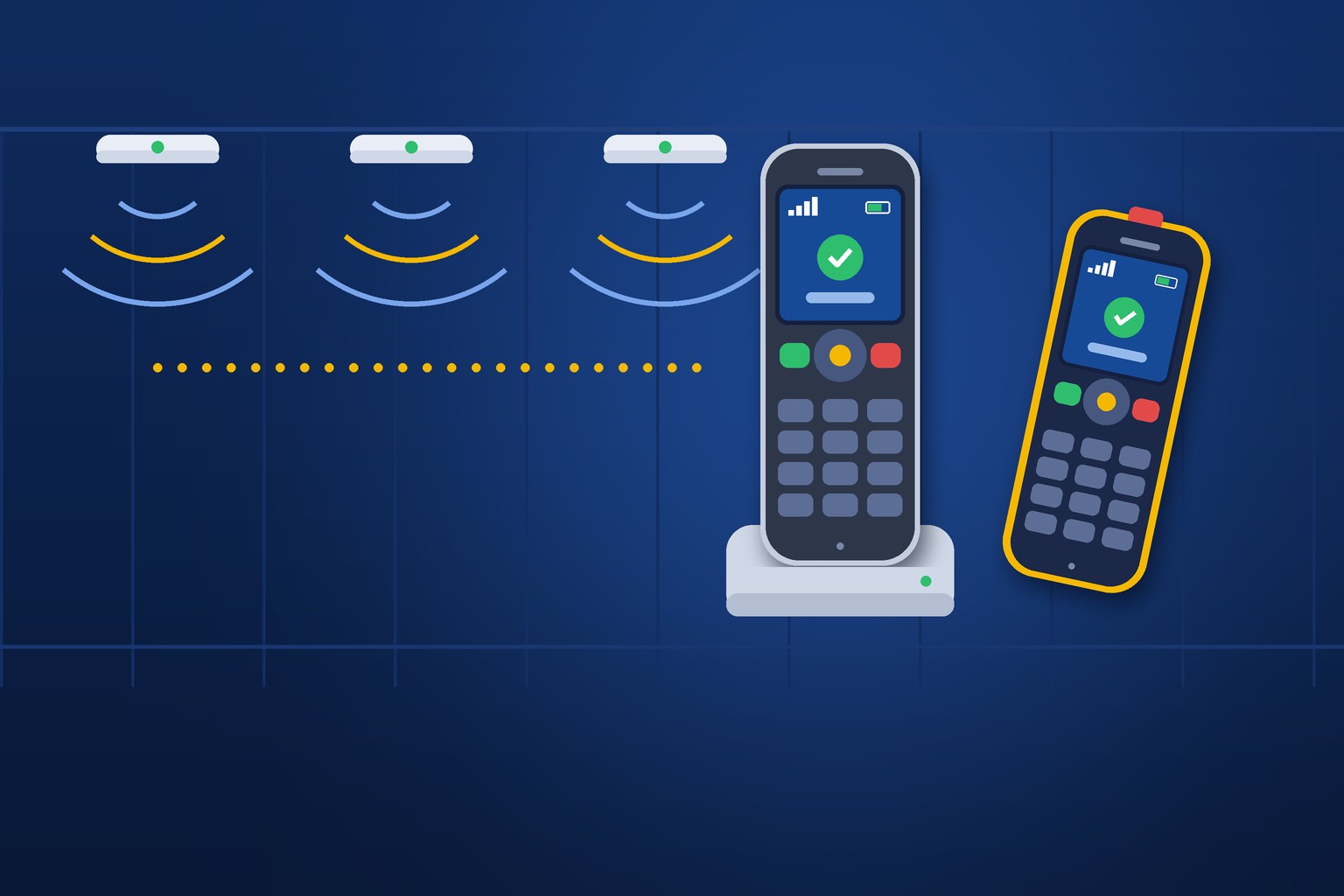
The Yealink AX83H and AX86R are cordless business handsets that connect over Wi-Fi 6 instead of a dedicated cordless base station. The AX83H is the everyday business model for offices, hotels, and retail floors. The AX86R is the ruggedized model, rated IP67 against dust and water and built to survive a drop of about six feet, with an emergency button and lone-worker alarms. Both support fast roaming between access points, four SIP accounts, and five-way conference calls. They are a strong fit where a well-designed Wi-Fi network already covers the whole building, and a poor fit where it does not.
- Wi-Fi 6
- The current mainstream generation of Wi-Fi, also called 802.11ax, designed to handle many devices in busy spaces with less delay.
- Access point
- The ceiling or wall unit that provides Wi-Fi coverage. A building usually has several.
- Roaming
- A handset moving its connection from one access point to the next as you walk. Done well, you never notice. Done badly, the call drops.
- 802.11k/v/r
- Three Wi-Fi standards that help a device find the next access point and switch to it quickly. Both the handset and the network have to support them.
- WPA3-Enterprise
- The strongest widely used Wi-Fi security mode, where each device or user signs in individually instead of sharing one password.
- IP67
- A rating meaning a device is sealed against dust and can survive temporary immersion in water.
For most of the last twenty years, my honest advice about Wi-Fi phones was "probably not." The early ones dropped calls every time you walked past a doorway. The batteries did not last a shift. And they depended on wireless networks that had been designed for a few laptops, not for voice.
Two things changed. Wireless networks got much better, because every building now depends on them. And the handsets caught up. Yealink's new AX series is the clearest sign of that I have seen from a manufacturer we already trust for desk phones. So this is a product announcement, but I am going to write it the way I would explain it across a table: what is new, what is good, and where I would still steer you somewhere else.
Local Business VoIP is the small-business site of Carolina Digital Phone, Inc., the Greensboro company my team and I have run since 2000. If you read our recent guide to Yealink DECT cordless phones, think of this as the other half of the same conversation.
Picture a private school with three buildings. A few years ago it put a wireless access point in every classroom and hallway so students could use laptops anywhere on campus. That network is the most expensive piece of technology the school owns.
The custodian, the athletic director, and the front office staff all need a phone that moves with them. A traditional cordless system would mean a second radio network, designed and installed from scratch, across three buildings and a gym.
Or the school could put handsets on the wireless network it already paid for. That is the appeal of a Wi-Fi phone in one sentence. Whether it works depends on a question nobody asked when the network was built: does it cover the stairwells, the loading dock, and the walk between buildings, or only the classrooms?
What is new about these Wi-Fi phones?
They were built for voice on a modern network instead of being adapted to it. Three things stand out in Yealink's Wi-Fi IP phone lineup.
Wi-Fi 6 on both bands. Both handsets use dual-band Wi-Fi 6. The Wi-Fi Alliance describes Wi-Fi 6 as built for crowded environments, with features that share airtime more efficiently and reduce delay. For a phone call, delay is the whole game. A web page can wait half a second. A conversation cannot.
Fast roaming built in. Both support the 802.11k, 802.11v, and 802.11r standards. In plain terms: the network tells the handset which access points are nearby, suggests when to move, and lets it switch without repeating the full sign-in. That last step is what used to drop calls in doorways.
Current security. Yealink lists WPA3-Enterprise for the Wi-Fi connection and TLS 1.3 for call signaling on the AX83H, and WPA3-Enterprise on the AX86R. That matters to schools, clinics, and local governments whose networks already require individual sign-in rather than a shared password.
How do the AX83H and AX86R compare?
They share the same core and differ in how much abuse they can take. The figures below are from Yealink's published product pages. Battery numbers are laboratory results, and real-world talk time will be lower on a busy network.
| Feature | AX83H | AX86R |
|---|---|---|
| Yealink calls it | Business Wi-Fi handset | Ruggedized Wi-Fi handset |
| Wi-Fi | Dual-band Wi-Fi 6, 802.11k/v/r roaming | Dual-band Wi-Fi 6, 802.11k/v/r roaming |
| Durability | Office-grade, optional belt clip | IP67 dust and water protection, drop-proof to 1.8 meters, cleaning-resistant surface |
| Battery | 2000 mAh: 9 hours talk, 200 hours standby | 3100 mAh: 13 hours talk, 300 hours standby |
| Audio | HD voice, smart noise filtering | HD voice, dual microphones, AI noise cancellation, Acoustic Shield |
| Safety features | None listed | Red emergency button; no-movement, man-down, and running alarms |
| Push-to-talk | Not listed | Yes |
| Accounts and conferencing | 4 SIP accounts, 5-way conference | 4 SIP accounts, 5-way conference |
| Headsets | Bluetooth 5.0, 3.5 mm jack | Bluetooth 5.0, 3.5 mm jack |
| Screen | 2.4-inch color | 2.4-inch color |
| Charging | Cradle or USB-C | Cradle or USB-C |
| Hearing aid compatible | Yes | Yes |
The AX83H: the everyday handset
The AX83H is the one for people who move around a clean, indoor building. A hotel front desk manager. A retail floor supervisor. An office manager who spends half the day away from a desk. It is slim, it has a backlit keypad and a proper screen, and it pairs with a Bluetooth headset for someone who needs both hands. Nine hours of talk time is a full shift of actual conversation for almost anyone.
The AX86R: the one that gets dropped
The AX86R is for everywhere else. IP67 means it is sealed against dust and can survive being dropped in water, and the IEC's explanation of IP ratings is worth a minute if you want to know what the two digits promise. Yealink rates it for drops of up to 1.8 meters, which is about the height of a tall shelf. The surface is designed to be wiped down with cleaning products, which matters in a kitchen, a clinic, or a school cafeteria.
It also carries the larger battery, a second microphone for noisy spaces, a push-to-talk button for quick team announcements, and a red emergency button with automatic alarms. More on those alarms below, because they deserve a caution.
Who are Wi-Fi phones a good fit for?
Organizations that already have strong Wi-Fi everywhere their people walk. Yealink names offices, hotels, retail, factories, and warehouses as the intended settings. From what I see across North Carolina, the best candidates look like this:
- Schools and campuses with managed wireless in every building, where staff roam between them. Our education team sees this more every year.
- Hotels, assisted living, and clinics where wireless coverage was engineered for the whole floor plan, and handsets need to be wiped clean.
- Retail stores and restaurants with a single managed network and staff who are never near a desk.
- Warehouses and plants that already run wireless scanners on every aisle. If a barcode scanner works there, a Wi-Fi phone has a chance.
- Multi-site organizations with the same wireless design at every location, so a handset behaves the same way everywhere.
The common thread is that someone designed the wireless network on purpose and someone still manages it.
What does your Wi-Fi need before you order?
More than a good signal at your desk. Voice is the least forgiving thing you can put on a wireless network. An email that arrives a second late is fine. A word that arrives a second late is gone. Hand this list to whoever manages your wireless.
- Coverage where people walk, not just where they sit. Hallways, stairwells, stockrooms, docks, and the path between buildings.
- Overlap between access points. A handset needs to hear the next access point before it loses the current one.
- Fast roaming turned on. The handsets support 802.11k/v/r. The access points have to support it too, and it has to be enabled for the network the phones use. The IEEE 802.11 working group maintains these standards, but turning them on is a setting in your wireless controller.
- Voice given priority. Wireless quality of service should put calls ahead of downloads and video.
- A proper network for the phones. Not the guest network, and not one with a web sign-in page. A handset cannot click "I agree."
- Business-grade access points under one management system. Consumer mesh kits and a collection of unrelated routers do not roam well.
- Room on the network. Addresses for every handset, and the same firewall allowances as any other phone. Our guide to VoIP phone auto-provisioning lists them.
- Wireless security settled. Decide how handsets will sign in. NIST's guidelines for securing wireless networks and the Wi-Fi Alliance's overview of WPA3 are the references to hand your IT contact.
If that list made you wince, that is useful information. It probably means DECT is the better answer for your building, and there is no shame in that. For the general thresholds a voice network has to meet, see what your network needs for VoIP call quality and our VoIP network readiness guide.
The simple test. Before buying ten handsets, test one. Put it on a call and walk every route your people walk: through the back door, down the stairs, across the parking lot to the other building. If the call survives, you have your answer. If it drops in the same spot twice, you have found the access point you need to add.
Should you choose Wi-Fi phones or DECT cordless phones?
Choose the one whose radio network you can count on. Both put a full business extension in someone's hand. The difference is what carries the call through the air.
| Your situation | Better fit | Why |
|---|---|---|
| Managed Wi-Fi already covers the whole building or campus | Wi-Fi phones | No second radio network to buy, install, or maintain |
| Wi-Fi is patchy, consumer-grade, or run by the landlord | DECT | DECT brings its own coverage on its own protected band |
| One small building, a handful of cordless users | DECT | A single base station is simpler and costs less than fixing Wi-Fi |
| Many sites with identical wireless design | Wi-Fi phones | One handset model and one setup everywhere |
| Staff need alarms, push-to-talk, and a washable handset | Either | Yealink offers ruggedized models in both families |
| People leave the property | Mobile app | Neither Wi-Fi nor DECT follows them to the truck |
We covered the DECT side in detail in Yealink DECT cordless phones: which system fits your office, and the general trade-offs of wireless handsets in our earlier guide to VoIP Wi-Fi phones. For the person who leaves the building, Digital Voice Plus, our app for Apple, Android, Mac, and Windows, is still the right tool, and our comparison of a softphone versus a desk phone explains why.
What should you know about the emergency button and alarms?
They are only as good as the plan behind them. The AX86R has a red emergency button and can raise an alarm automatically if the handset stops moving, tips over as if the person has fallen, or detects running. For a lone custodian on a night shift or a maintenance worker in a mechanical room, that is a meaningful feature.
But a button is not a safety system. Before you count on it, answer three questions in writing. Where does the alarm go? Who is responsible for responding at two in the morning? And when did you last test it? An alarm that rings a desk phone in an empty office is worse than no alarm, because people believe they are protected.
How these alarms behave also depends on how the handset and the phone system are configured, so ask us to confirm and demonstrate it for your setup rather than assuming. For the wider planning around alerts, see emergency notification system planning, and for schools, must-have school phone safeguards.
What happens when someone dials 911 from a Wi-Fi handset?
The call goes through, and it reports the location on record for that handset, which may not be where the person is standing. A Wi-Fi phone is the most mobile device on your phone system. It can be in the gym at noon and the front office at one.
Federal rules under Kari's Law and RAY BAUM'S Act require direct 911 dialing, on-site notification, and a dispatchable location from multi-line phone systems, with specific provisions for devices that move. For Wi-Fi handsets, do three things. Register each one to an honest description of the area it is used in. Make sure the on-site notification reaches someone who can meet responders. And train every person who carries one to say where they are first. Our guide on how to assign dispatchable E911 locations covers the records.
How are these handsets set up and managed?
More easily than older Wi-Fi phones, which is part of the news here. Yealink built in a way to share Wi-Fi settings to a handset by scanning a code, and to push settings to a batch of handsets over the air rather than typing a network password into each one. The handsets can also be monitored, updated, and diagnosed remotely through Yealink's cloud management service.
On a hosted phone system the handset still needs what any phone needs: an extension, ring groups, voicemail, and a record on the platform. We build that ahead of time so the handset comes up ready. As with every Yealink device we support, firmware and security updates are our job. When Yealink disclosed a provisioning vulnerability in 2025, we published what it meant for our customers and the protections already in place. Your side of security is in our VoIP security checklist.
How can Carolina Digital Phone help you decide?
By testing before you buy. I would rather test one handset in your building than sell you twenty that disappoint you.
- A walk through your building with a handset on a live call. The fastest way to learn whether your wireless is ready.
- A conversation with whoever manages your Wi-Fi. Roaming and voice priority are settings, and we know which ones to ask about.
- An honest recommendation. Wi-Fi handsets, DECT, the mobile app, or a mix. Most buildings need a mix.
- Handsets set up on your extensions and ring groups, with emergency locations recorded and alarms tested.
- Local support afterward. Dial 611 from any Carolina Digital Phone handset or call (336) 346-6000.
You can see how wireless handsets fit into the rest of the phone system and its full feature list on the Carolina Digital Phone site. To learn how we work, read why Carolina Digital Phone, our history, and what it means to be a trusted communications partner.
New hardware is easy to get excited about. I have been in technology for forty-five years and I still enjoy opening the box. But the lesson of every one of those years is that the device is never the whole answer. A Wi-Fi phone is a very good radio attached to whatever network you give it. Give it a good one and your people will forget it is there. That is the highest praise a phone can earn.
Frequently asked questions about Yealink Wi-Fi phones
What are the Yealink AX83H and AX86R?
They are cordless business handsets that connect over dual-band Wi-Fi 6 rather than a dedicated cordless base station. The AX83H is the standard business model. The AX86R is the ruggedized model, rated IP67 and drop-proof to 1.8 meters, with an emergency button, lone-worker alarms, and push-to-talk.
What is the difference between the AX83H and the AX86R?
Durability, battery, and safety features. According to Yealink, the AX83H has a 2000 mAh battery with 9 hours of talk time and 200 hours of standby. The AX86R has a 3100 mAh battery with 13 hours of talk time and 300 hours of standby, IP67 dust and water protection, dual microphones with AI noise cancellation, push-to-talk, and emergency alarms. Both share Wi-Fi 6, fast roaming, four SIP accounts, five-way conferencing, and Bluetooth 5.0.
Do Yealink Wi-Fi phones work on any Wi-Fi network?
They connect to standard Wi-Fi, but call quality depends on the network. For reliable calls while walking, you need coverage along every route, overlap between access points, fast roaming (802.11k/v/r) enabled on the access points, and voice traffic given priority. Guest networks with a web sign-in page will not work.
Is a Wi-Fi phone better than a DECT cordless phone?
Neither is better in general. Wi-Fi phones fit buildings that already have managed wireless coverage everywhere, because there is no second radio network to install. DECT fits buildings where Wi-Fi is patchy or not under your control, because DECT brings its own coverage on its own protected band.
How long does the battery last on a Yealink Wi-Fi handset?
Yealink lists 9 hours of talk time and 200 hours of standby for the AX83H, and 13 hours of talk time and 300 hours of standby for the AX86R. These are laboratory figures. Real-world battery life is shorter on a busy network or with frequent roaming. Both charge in a cradle or by USB-C.
What location does 911 see from a Wi-Fi handset?
It sees the location registered for that handset, not where the person is standing. Register each handset to the area it is used in, set an on-site notification so staff can meet responders, and train everyone who carries one to state their location first.
Do the emergency alarms on the AX86R work automatically?
The handset can raise an alarm by button press, no movement, man-down, or running detection, but where the alarm goes and who responds must be configured and tested. Treat the button as one part of a written safety plan, not as the plan itself.
Related guides
Want to find out if your Wi-Fi is ready for voice?
Call us and a local engineer will help you test your building with a handset on a live call, so you know whether Wi-Fi phones, DECT, or a mix is right for you. We have served North Carolina businesses, schools, and local governments since 2000, and a person answers when you call.
Call (336) 544-4000 Request a Wi-Fi Voice Walk-ThroughWant a quick quote first? Three questions at HostedBusinessTelephone.com, or ask the founder directly at LocalVoIPProvider.com. Schools and government offices can reach our Gov/Edu team at (336) 543-0000. Learn more at CarolinaDigitalPhone.com.